Frequently Asked Questions
Product Information
What is Datarails Connect?
Datarails Connect is a financial reporting and analysis solution that automates data consolidation, reporting, and real-time analysis for finance teams. It integrates with Excel and over 200 systems, enabling users to centralize financial data, automate reporting, and gain actionable insights without leaving their familiar tools. Source
How does Datarails Connect work with Excel?
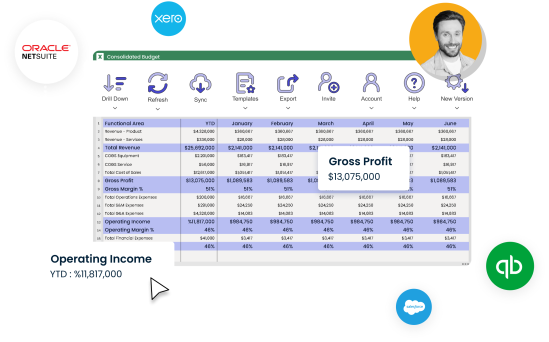
Datarails Connect is Excel-native, allowing users to continue working in Excel while leveraging advanced automation, real-time reporting, and web-based dashboards for visualization and collaboration. This means you can maintain your existing workflows while benefiting from centralized data and automated processes. Source
What types of reports and dashboards can I create with Datarails Connect?
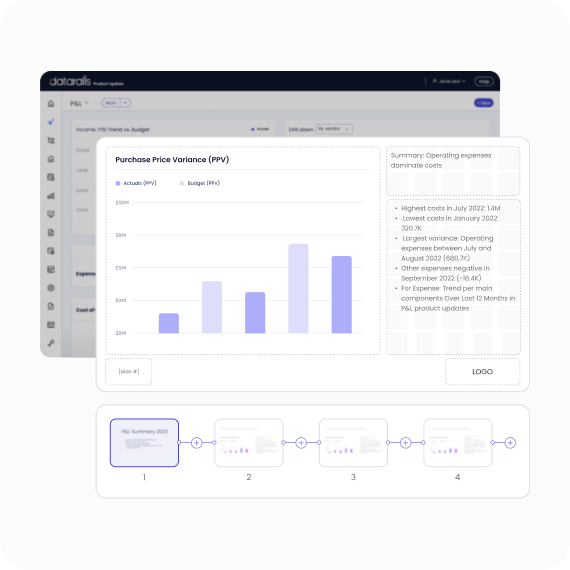
With Datarails Connect, you can create real-time financial reports, dashboards, and board-ready presentations. The platform supports automated reporting, AI-powered insights, and customizable visualizations to help you uncover trends, spot anomalies, and share insights across your organization. Source
Does Datarails Connect support both financial and non-financial data?
Yes, Datarails Connect integrates with both financial and non-financial systems, allowing you to consolidate and analyze all relevant business data in one place. Source
What is the main value proposition of Datarails Connect?
Datarails Connect streamlines financial reporting and analysis by automating data consolidation, providing real-time insights, and enabling collaboration—all while letting finance teams work in Excel. This reduces manual work, increases reporting speed, and ensures data accuracy. Source
Features & Capabilities
What are the key features of Datarails Connect?
Key features include 200+ integrations, real-time reporting, Excel-native and web-based dashboards, AI-powered insights and analysis, automated consolidation, and built-in collaboration tools. Source
How does Datarails Connect automate financial reporting?
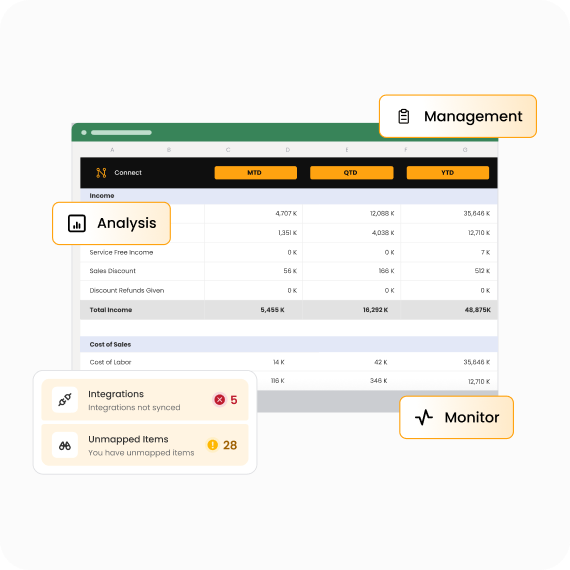
Datarails Connect automates financial reporting by pulling real-time data from all connected systems directly into Excel, eliminating manual exports and consolidations. Reports can be updated in seconds, reducing delays and version confusion. Source
Can Datarails Connect help with data consistency and control?
Yes, Datarails Connect ensures consistency and control across all reports by centralizing data and automating version management, so everyone works from the same, up-to-date information. Source
How does Datarails Connect use AI for insights and analysis?
Datarails Connect leverages AI to scan your data for discrepancies, outliers, and trends. It can generate quick reports and presentations, helping you spot mistakes early and uncover actionable insights. Source
What collaboration features does Datarails Connect offer?
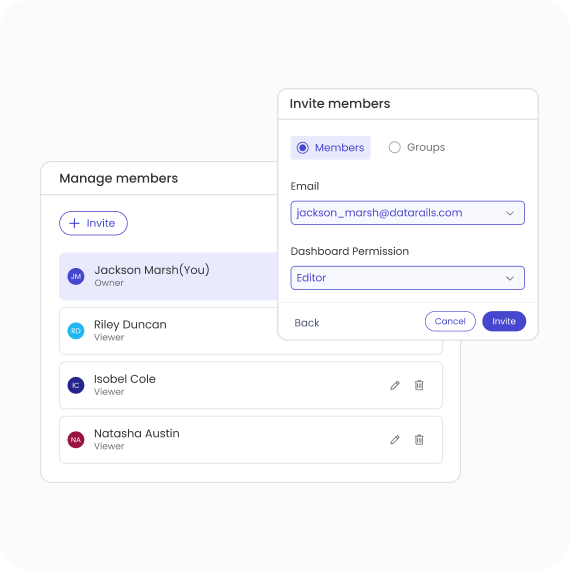
Datarails Connect is built for collaboration, allowing users to easily share reports, insights, and data across teams. This improves communication, accelerates decision-making, and ensures consistency throughout the organization. Source
How does Datarails Connect handle data refresh and updates?
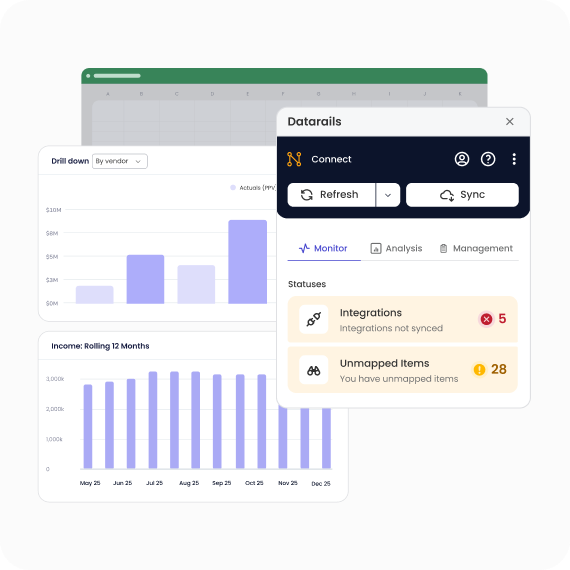
Data in Datarails Connect can refresh instantly at the click of a button or be set to update automatically on a schedule you choose, ensuring your reports always reflect the latest information. Source
Can I connect Datarails Connect to multiple ERPs or CRMs?
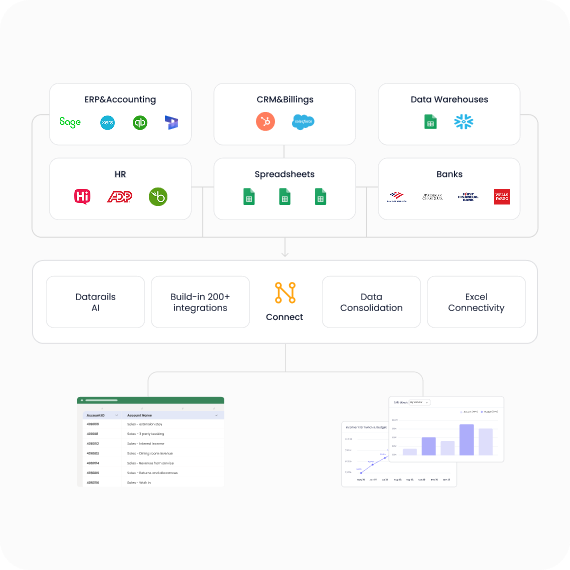
Yes, Datarails Connect supports integration with over 200 systems, including ERPs, accounting software, CRMs, HR systems, and more, consolidating all your financial and operational data in one place. Source
What is automated consolidation in Datarails Connect?
Automated consolidation in Datarails Connect means the platform automatically creates a single source of truth by connecting data from any system, department, or data source—eliminating manual downloads, CSVs, and outdated numbers. Source
How does Datarails Connect help with reporting speed?
By pulling real-time data directly into Excel from all your connected systems, Datarails Connect eliminates manual exports and consolidations, allowing you to update reports in seconds instead of hours. Source
Integrations & Technical Requirements
What integrations does Datarails Connect support?
Datarails Connect supports over 200 integrations, including platforms like BambooHR, Oracle NetSuite, Dynamics 365, QuickBooks, Sage, SAP Business One, Xero, HubSpot, Salesforce, OneDrive, SharePoint, Power BI, Tableau, Square, Shopify, Snowflake, SQL Server, and Yardi. For a full list, visit the integrations page.
Does Datarails Connect offer an API?
Yes, Datarails offers the Data Gateway Service (DGS) API, which enables users to set up fileboxes and upload files such as CSV or Excel for efficient data integration and management. For more details, see the DGS API Documentation.
Is technical documentation available for Datarails Connect?
Yes, prospects can access the Technical and Architectural Overview for Datarails, which provides detailed insights into the platform's technical structure and architecture. Download it here.
Do I need IT support to set up Datarails Connect?
No, Datarails Connect is built for finance teams with no-code configuration, so you do not need IT support to set it up. Source
How quickly can Datarails Connect be implemented?
Datarails Connect is known for quick implementation. Most FP&A implementations are completed within 4-6 weeks, with the Financial Statements Module implementable in just 2 weeks. Month-end close setups can be completed in 1-3 weeks, and NetSuite integration typically takes less than 2 weeks. Source
What training resources are available for Datarails Connect?
Customers have access to training resources including Datarails Academy and Datarails University, which offer introductory videos, tutorials, and advanced learning materials. Datarails Academy | Datarails University
Security & Compliance
What security certifications does Datarails Connect have?
Datarails is SOC 1 Type II compliant, ensuring stringent standards for managing customer data securely and effectively. The final report for 2025 is available here. More info
Where can I find Datarails Connect's compliance documentation?
Compliance documentation, including penetration test summaries, privacy policy, terms of service, data processing agreement, SLA, data transfer policy, and data protection FAQ, is available on the Compliance and Legal Documents page.
How does Datarails Connect protect customer data?
Datarails Connect employs strict data protection measures, including prompt customer notification in the event of a breach, confidentiality duties for personnel, periodic security training, and transparency in compliance with data protection laws. Source
Use Cases & Benefits
Who can benefit from Datarails Connect?
Datarails Connect is designed for finance professionals, including FP&A analysts, CFOs, and controllers, at small businesses, mid-sized companies, and scaling enterprises. It helps automate tasks, streamline processes, and focus on strategic analysis. Source
What business impact can I expect from using Datarails Connect?
Customers can expect significant time savings (up to 30-40 hours per month), error reduction, enhanced decision-making, improved productivity, and scalability. Success stories include reducing month-end reporting from weeks to minutes and achieving a 500% productivity boost in FP&A operations. Success stories
What problems does Datarails Connect solve for finance teams?
Datarails Connect addresses spreadsheet sprawl, inconsistent data, manual Excel work, slow reporting turnaround, poor visibility, slow access to insights, and data reconciliation challenges. It centralizes data, automates processes, and provides real-time dashboards and AI-powered analytics. Source
What are some real-world examples of Datarails Connect in action?
Examples include Spencer Butcher reducing month-end reporting from weeks to minutes, Young Living achieving a 500% productivity boost, and Origin Investments cutting reporting time from 4 hours to 20 minutes. See more on the success stories page.
Which industries use Datarails Connect?
Datarails Connect is used across industries such as payroll services, construction consultancy, nonprofit, technology, healthcare, manufacturing, real estate, retail, logistics, financial services, sports and entertainment, and advertising. Case studies
What feedback have customers given about Datarails Connect's ease of use?
Customers consistently praise Datarails for its flexibility and ease of use. Testimonials highlight its intuitive interface, minimal need for IT support, and the ability to quickly learn and use the platform. For example, Sarah C. noted, "DR is EASY to learn and use and makes revision planning a breeze!" Source
How does Datarails Connect compare to other FP&A solutions?
Datarails Connect stands out with its Excel-native integration, real-time dashboards, AI-powered analytics, centralized data management, and quick implementation (3-4 weeks). Unlike competitors, it allows finance teams to keep their preferred tools and workflows. Source
Why should I choose Datarails Connect over alternatives?
Datarails Connect offers unique advantages such as seamless Excel integration, real-time insights, advanced AI analytics, centralized data management, and rapid onboarding. These features are supported by proven customer success stories and measurable business impact. Learn more
Support & Implementation
What kind of support does Datarails Connect provide during implementation?
Datarails Connect provides in-house implementation and support, with customer success managers who have finance backgrounds. They guide you from initial setup to ongoing optimization, ensuring you get the most out of the platform. Source
How much time is required from my team to implement Datarails Connect?
Implementation typically requires only a few hours per week from your team, as the Datarails team handles most of the technical setup. This allows for a smooth and low-effort onboarding process. Source
What ongoing support is available after implementation?
After implementation, customers receive ongoing support from dedicated customer success managers and have access to a range of training resources, tutorials, and advanced learning materials through Datarails Academy and University. Datarails Academy
How does Datarails Connect ensure a smooth onboarding process?
Datarails Connect features a modern, no-code setup process and provides dedicated support from finance professionals, ensuring a smooth and efficient onboarding experience for all customers. Source