Yes. Both platforms cover budgeting, forecasting, consolidation, and reporting for finance teams. Planful runs planning in its own web application and Windows Excel add-in, while Datarails FP&A keeps planning in Excel or Google Sheets. Teams typically choose one platform based on their workflow preferences. Source: Datarails vs Planful comparison page, Nov 2026
Can Datarails replace Planful?
For budgeting, forecasting, reporting, consolidation, and headcount planning, Datarails can replace Planful. It is recommended to test your own models, entity structure, and contributor workflow before switching, and to plan the move around your Planful renewal date. Source: Datarails vs Planful comparison page, Nov 2026
Which platform works better with Excel?
Datarails FP&A is Excel-connected, allowing models to stay in Excel or Google Sheets with numbers drawn from Datarails. Planful connects to Excel through SpotlightXL and Spotlight for Office on Windows 10 or 11, and its Google Sheets add-on covers reports and analysis. However, planning itself runs in Planful's web application. Source: Datarails vs Planful comparison page, Nov 2026
Does Planful work on a Mac?
Planful's web application runs in the browser on any computer. Its Excel add-ins require Windows, and Planful's client requirements state that Mac OS X does not support them. Datarails' Excel add-in works on Mac with Excel 365, but with a reduced feature set compared to Windows. Source: Datarails vs Planful comparison page, Nov 2026
How do the AI tools compare between Datarails and Planful?
Planful offers Analyst Assistant for explaining results and Planner Assistant for forecasts and scenarios. Planner Assistant was read-only at launch and requires Signals and Projections. Planful's MCP Server lets Claude read Planful reports, with more AI clients announced. Datarails' AI Assistant and Inflow Agents work inside its finance applications, and the Datarails AI Connector gives Claude, ChatGPT, and Microsoft Copilot access to your finance data plus the Datarails semantic layer. In the demo, ask each AI tool for the source of every number. Source: Datarails vs Planful comparison page, Nov 2026
Which platform costs less?
There is no simple price winner. Planful quotes by modules and user types, with Planful Predict and Workforce Pro as add-ons. Datarails quotes by products, users, integrations, and support level, with a typical mid-market range of $35,000 to $80,000 a year. Third-party medians for the two are close, so compare an itemized three-year total for the same scope. Source: Datarails vs Planful comparison page, Nov 2026
How long does implementation take for Datarails and Planful?
Most Datarails FP&A implementations go live in 4 to 6 weeks. Planful states an average go-live of 4 weeks, and a third-party benchmark puts core deployments at 8 to 12 weeks. It is recommended to ask both vendors for a week-by-week plan for your own scope. Source: Datarails vs Planful comparison page, Nov 2026
Is customer data used to train AI models in Datarails or Planful?
No. Both vendors state that customer data is not used to train AI models. Datarails does not use customer data for AI training, and Planful says customer data and prompts stay out of model training. Confirm this in your contract with each vendor. Source: Datarails vs Planful comparison page, Nov 2026
What should we ask in the first demo when comparing Datarails and Planful?
Ask each vendor to take one real process from raw inputs to an approved report, then change a cost center and show the audit trail. Have a budget owner from outside finance participate, and ask which modules and add-ons each step requires. Source: Datarails vs Planful comparison page, Nov 2026
Datarails vs Planful: Planning, Excel, AI and Pricing Compared
Planful and Datarails cover the same core finance work: budgets, forecasts, consolidation and the board pack. The choice comes down to where your team builds and changes the plan, inside Planful’s own models or in the Excel and Google Sheets files finance already runs on.
Updated 19 Nov 202621 min readVendor facts verified, 26 sources
Key Takeaways
Planning where finance already works: Datarails FP&A is Excel-connected, so budget owners keep their own Excel or Google Sheets models. Planful runs planning in its web application, and its Excel add-in works on Windows only.
Finance owns the model: In Datarails, analysts change their own spreadsheet models, and the Datarails semantic layer, one agreed definition for every number, keeps every report consistent. Planful models live inside Planful and are maintained by Planful admins, with a premium managed admin service on offer.
AI that knows your numbers: Both vendors have their own AI tools and a connection for outside AI. Datarails’ AI works inside its finance applications, and the Datarails AI Connector gives Claude, ChatGPT and Microsoft Copilot your finance data plus its semantic layer. Planful’s outside-AI connection reads reports into Claude today.
AI in every plan: Most mid-market Datarails customers invest $35,000 to $80,000 a year, and every plan includes the AI tools. Planful quotes by module and user type, with its forecasting AI sold as an add-on.
Why Datarails vs Planful is a hard call
Planful and Datarails often meet on the same shortlist. Both serve finance teams that have outgrown spreadsheet-only planning, and both cover budgeting, forecasting, consolidation, close and reporting. Planful started in 2000 as Host Analytics and says more than 1,500 finance teams rely on it.
Datarails is the operating system finance teams run on. It connects data from the accounting system, CRM, HR system, banks and spreadsheets in one governed place, and thousands of finance teams use it for planning, reporting, the close, cash and spend. Budget owners keep working in Excel or Google Sheets, with the numbers coming from Datarails.
Here’s the difference in one example. In Planful, gross margin is defined in the Planful model’s account structure, which a Planful admin maintains. In Datarails, finance defines it once in the semantic layer, and every Excel model, report and AI answer uses that definition. The same goes for the structure changes finance handles every month, such as a new cost center, a reorganized department or an acquired entity. In Planful, each one goes through the admin. In Datarails, finance updates the mapping and the spreadsheets pick it up.
Four questions usually settle the choice: where budget owners work, who changes the model when the business changes, how each vendor packages AI, and what the full price looks like once modules are added.
From the field
Leighton Corrigan, Director of FP&A
Upchurch, building engineering and mechanical contracting
Their setup
Private equity-backed since 2024, adding a new business every three to five months
Sage Intacct for financials, BuildOps for operations and ADP for workforce data
Reporting built by hand in spreadsheets and disconnected files
From the field
Datarails is our one-stop shop and source of truth.
What happened: Upchurch evaluated Planful, Vena and Datarails. Planful quickly fell out of contention, and the team chose Datarails. Reporting time fell by at least half, and by up to 75%, and a monthly executive report that took a controller about two days to update now refreshes automatically in a Datarails dashboard.
Questions to ask before you commit to a planning platform
Who changes the model when the business reorganizes? Ask a reference customer for its last three structural changes and how long each one took.
Which modules and user types are in the quote, and which are priced separately? Forecasting AI, workforce planning and contributor seats can each sit on a different line.
Where will budget owners do their work? Have one sit in the demo and update a forecast on the laptop they use every day.
Who runs the implementation, and who maintains it in year two? Get names for both, inside your team and at the vendor.
How does a board-pack number trace back to the source transaction? Ask to see it on your own data.
01 · The short answer
Datarails vs Planful: Which one fits your team
Both platforms cover planning, consolidation and reporting, so the choice turns on how your team works day to day and how much of the platform it wants to maintain itself.
Which platform fits: Datarails and Planful by buyer priority
If this matters most
Choose FinanceOS
Choose Planful
Budget owners plan in their own spreadsheets
Excel-connected plus native Google Sheets
Web planning templates, with SpotlightXL for Excel on Windows
Who maintains the model
Finance analysts, in the spreadsheets they already use
A trained Planful admin, or Planful’s premium managed admin service
Multi-entity consolidation
Currency translation, intercompany eliminations, multiple charts of accounts and JV accounting in every plan
Consolidation across entities and charts of accounts, in the same platform as planning
Close and reconciliation
Month-End Close task ownership, documentation, approvals and sign-off, with Flux Analysis explaining variances
Close task checklists, plus Account Reconciliation as a separate linked application
AI in the planning cycle
AI Assistant and Inflow Agents in every plan, plus the Datarails AI Connector for Claude, ChatGPT and Microsoft Copilot
Analyst and Planner Assistants inside Planful, plus a read-only MCP Server for Claude
Delivery model
Datarails’ own team, with a one-time onboarding fee. 4 to 6 weeks for most FP&A implementations
Planful professional services. Planful states an average go-live of 4 weeks
Sources: vendor documentation for both platforms.
Quick fit check
4 questions
See which platform fits your priorities. Open each question to compare the options.
01Where do budget owners want to work?
In Excel or Google Sheets, on any laptopDatarails
Test the Excel-connected workflow with your own budget template.
In a web planning app, with Excel for reports on WindowsPlanful
Structured Planning templates run in the browser, and SpotlightXL covers Excel on Windows 10 or 11.
02Who will maintain the model after go-live?
Our own finance analystsDatarails
Models stay in spreadsheets your analysts already read and change.
A trained Planful admin, in-house or managedPlanful
Budget for admin time, or for Planful’s premium managed admin service.
03How do you want to buy AI?
Included in the planDatarails
Every plan includes the AI Assistant and Inflow Agents, plus the Datarails AI Connector.
Module by modulePlanful
Analyst Assistant is available to all customers. Planner Assistant needs Signals and Projections too, and Vendr lists Planful Predict as an add-on.
04How do you plan headcount?
In Excel, alongside the rest of the budgetDatarails
Headcount planning runs in the same Excel-connected models.
In a dedicated workforce module with position-level detailPlanful
Workforce Pro handles positions, salaries and benefits, priced as an add-on.
How to read your answers: Look for a consistent lean toward Datarails or Planful. If your answers split, run both on the same scenario and compare the effort each one takes. Confirm the decision against your acceptance criteria.
Datarails vs Planful: Where planning and model changes happen
Planful puts the plan inside its own application, and Datarails keeps it in the spreadsheets finance already uses. That choice also decides who can change the model.
Spreadsheets on governed dataPlanning inside the platform
Datarails: planning in your own spreadsheets
Budget owners keep their Excel or Google Sheets models. Finance maps GL accounts, departments and cost centers once, and the Datarails semantic layer, one agreed definition for every number, feeds every report, workbook and the Datarails AI Connector.
Planful: planning inside the platform
Planful splits planning into Structured Planning, with web templates for contributors, and Dynamic Planning for custom models. SpotlightXL brings Planful data into Excel on Windows 10 or 11. The Spotlight add-on for Google Sheets handles reports and analysis once models are set up in SpotlightXL or Spotlight Web.
Test it with one live change
Ask both vendors to add a cost center mid-demo and show how the change reaches the forecast, the board pack and any AI tool that reports on it.
Original Datarails research
What we learned from 212 finance professionals about working in spreadsheets
Excel Generations report · Published December 2025 · Read the report
Sample212 respondents
WhoFull-time finance professionals
WhereUS and UK
FieldworkOctober 2025, run by Datarails
89%say more than half of their processes, from forecasting to month-end close, run through Excel
84%expect Excel to be as important or more important to the CFO’s office in ten years
5.4 hrsa day in Excel on average, about two-thirds of a workday
The world runs on Excel and, it turns out, Gen Z and Millennials working in the CFO’s Office love it even more than their predecessors.
03 · At a glance
Datarails vs Planful at a glance
Planful is a private equity-backed planning vendor and Datarails a venture-backed finance specialist, and both hold SOC 1 and SOC 2 Type II reports. Figures come from public vendor documentation, as of 17 November 2026.
Datarails vs Planful at a glance
Company / platform
FinanceOS
Planful
Category
AI operating system for finance teams (Datarails)
Financial performance management cloud software: planning, consolidation and close, reporting
Founded
2015. Tel Aviv, Israel
2000, as Host Analytics in Redwood City, California. Renamed Planful in January 2020. HQ now in San Francisco
Ownership
Series C funding announced January 2026
Private. Backed by Vector Capital, which agreed to acquire the company in December 2018
Customers
–
More than 1,500 customers and 74,000 users in over 100 countries
Primary buyer
CFO, controller, FP&A leader
CFO, FP&A and accounting leaders
Role in the stack
Operating system for finance across ERP, CRM, HRIS, banking and spreadsheets
Planning, consolidation and reporting platform on top of the ERP
Stated time to go-live
4 to 6 weeks for most FP&A implementations
An average of 4 weeks. A third-party benchmark puts core deployment at 8 to 12 weeks
Can coexist?
Rarely needed. Datarails covers the same planning, consolidation and reporting work
Rarely needed. Planful covers the same core FP&A work
Customer counts and go-live times are company-reported.
Datarails vs Planful at a glance
Capability
FinanceOS
Planful
General ledger
NoWorks on top of your ERP’s ledger
NoWorks on top of your ERP’s ledger
Budgeting, planning and forecasting
YesDatarails FP&A, Excel-connected
YesStructured Planning and Dynamic Planning
Workforce planning
YesHeadcount planning in Excel
YesWorkforce planning, with Workforce Pro sold as an add-on
Consolidation, FX and intercompany
YesIncluded in every plan, with JV accounting (NCI, equity, cost)
YesConsolidation and close in the same platform as planning
Close management and reconciliation
YesMonth-End Close task ownership, documentation, approvals and sign-off
YesClose task management. Account Reconciliation runs as a separate SSO-linked application, enabled through the account manager
Cash management
YesDatarails Cash
Yes13-week cash flow forecasting in Planful models
Spend and payments
YesDatarails Spend (cards, bill pay, contracts)
NoPlanful for Marketing plans and tracks marketing budgets
Excel connectivity
YesExcel-connected through the add-in on Windows, and on Mac with Excel 365 (reduced feature set)
PartialSpotlightXL and Spotlight for Office, Windows 10 or 11 only
Google Sheets
YesNative Google Sheets integration, launched October 2026
PartialSpotlight add-on for reports and analysis. Models are set up in SpotlightXL or Spotlight Web
In-product AI assistant
YesAI Assistant
YesAnalyst Assistant, generally available since October 2025, and Planner Assistant, generally available since April 2026
Finance agents
YesInflow Agents, including Flux Analysis for close variances
PartialPlanner Assistant was read-only at launch and requires Analyst Assistant plus Signals and Projections. Business Analyst, Modeler and Administrator assistants are announced
ML forecasting
Yes
YesSignals and Projections (Planful Predict), sold as an add-on
Natural-language model building
PartialAI Assistant writes formulas from plain-English prompts
PartialPlanner Assistant builds forecasts from plain-language prompts
Build-your-own agents
PartialCustom Agents built by Datarails’ Forward-Deployed Financial Engineers
Not documented
Connection for outside AI tools
YesDatarails AI Connector for Claude, ChatGPT and Microsoft Copilot
PartialMCP Server, read-only. Claude today, with ChatGPT, Gemini and Copilot announced as next
Customer data used to train AI
No
No
Data integration
YesConnects to 600+ data sources
YesNative integrations with major ERP and GL systems
Partial means conditional, limited or a paid add-on. Features can depend on edition, packaging and purchased services.
Datarails vs Planful at a glance
Control
FinanceOS
Planful
SOC 1
Yes. Type II
Yes. Type II (SSAE 18)
SOC 2
Yes. Type II
Yes. Type II
ISO 27701 (privacy)
–
Yes. Planful also maintains ISO/IEC 27001:2022
GDPR
Yes. DPA published
Yes
Self-service trust center
Yes. trust.datarails.com
Partial. Information security addendum on planful.com
SSO, SCIM and MFA
Partial. SSO and MFA
Partial. SSO supported. MFA required for administrative access
Access control
Yes. Permissions down to entity, department or report
Yes. Dimension security, scenario security and role-based access
AI tool permissions
Yes. Datarails AI Connector access follows each user’s permissions
Yes. The MCP Server applies the same dimension, scenario and role security, with OAuth sign-in
Evidence for security review
SOC 1 Type II and SOC 2 Type II reports, GDPR compliance, DPA and data residency details on request
SOC 1 Type II and SOC 2 Type II reports and ISO certificates, per the security addendum
Cells describe documented product capabilities. None of them is a security or accounting certification.
04 · What separates them
What separates Datarails and Planful
Five differences tend to decide this evaluation, starting with where the plan lives.
What separates Datarails and Planful
Difference
FinanceOS
Planful
Ask in the demo
Where budget owners work
Excel or Google Sheets
Planful web templates, with SpotlightXL for Excel on Windows
Can a budget owner update the forecast on the laptop they use today?
Model ownership
Finance analysts change spreadsheet models, and Datarails keeps definitions and mappings consistent
Planful admins maintain models and dimensions. Planful Admin Managed Services adds a dedicated Planful expert as a premium offering
Who changed the model at your last reference customer, and how long did it take?
Scope
Datarails FP&A, Month-End Close, Cash, Spend and Desk on one foundation
Planning, consolidation and close, reporting and workforce planning, plus Planful for Marketing
Which modules does our scope need, and which are priced separately?
AI
AI Assistant, Inflow Agents and the Datarails AI Connector, included in every plan
Analyst and Planner Assistants, Signals and Projections, and a read-only MCP Server for Claude
Which AI features are in the base license, and which need an add-on?
Operations
Datarails’ own implementation team, plus Forward-Deployed Financial Engineers (FDFEs) who build custom agents and workflows on Datarails
Planful professional services, solution architects and a customer success manager during implementation
Who maintains integrations and the model at quarter-end in year two?
Swipe the table sideways to see all columns.
Original Datarails research
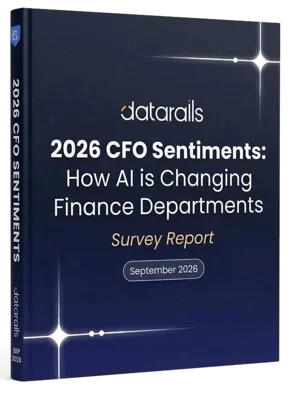
What we learned from 270 CFOs and finance leaders about AI pressure, readiness and cost
2026 CFO Sentiments report · Published September 2026 · Read the report
Sample270 respondents
WhoUS CFOs and finance leaders
Companies1,000+ employees, $100M+ revenue
FieldworkJuly 2026, by Global Surveyz Research (independent)
76%are under high or very high pressure to fully implement AI
7%say their finance function is fully ready to implement AI across all workflows
32%exceeded their AI budgets by at least 10% in the past 12 months
The gap between mandate and readiness is the defining tension of this year’s survey.
Ask both vendors: Which AI features are in the base license, and which ones need an add-on?
05 · Pricing
Datarails vs Planful pricing
Planful doesn’t publish pricing, and Datarails shares typical ranges in its pricing guide. Third-party medians for the two sit close together, so the packaging decides more of the final cost. Ask each vendor for an itemized three-year estimate for the same scope, with user types, AI add-ons and implementation priced in.
Aviv Canaani
CRO/CMO, Datarails
Leads marketing and sales at Datarails as one revenue team. Helped start FP&A Today, the finance podcast with 600,000+ downloads.
Expert tip
Price the three-year scope at the outset, including which tier or add-on each capability sits behind. Then get the renewal uplift mechanism in writing before you sign.
Pricing factors: Datarails vs Planful
Pricing factor
FinanceOS
Planful
Typical pricing
$35k to $80k/yrTypical mid-market range, per the Datarails pricing guide. Enterprise plans start at $100K, plus a one-time implementation fee. Implementation typically takes 4 to 6 weeks
Not publishedQuoted by modules and user types
Third-party median
$33,300 a year (Vendr)
$38,281 a year across 36 Planful purchases, with average savings of 16% (Vendr)
Model
Three plans, Professional, Premium and Expert, that differ on products, users, integrations and support level
Annual subscription, priced per user and by module. Vendr lists Power User and Contributor User seats, Planful MPM and Predict as add-ons
AI usage
AI Assistant, Inflow Agents and the Datarails AI Connector in every plan
Analyst Assistant is available to all customers. Signals and Projections are sold as Planful Predict, and Planner Assistant requires them
Implementation
One-time onboarding fee, delivered by Datarails’ own team
Planful professional services. Average go-live of 4 weeks, per Planful. Third-party benchmark for core deployment: 8 to 12 weeks
Ongoing ownership
Finance admins, with Datarails support included in every plan
Planful admins, with Planful Admin Managed Services as a premium option
06 · How to evaluate
How to run a fair Datarails vs Planful evaluation
Give both vendors one scenario and the same data. Use a nonproduction copy of real data, mask sensitive information and agree measurable acceptance criteria before either vendor starts.
Aviv Canaani
CRO/CMO, Datarails
Leads marketing and sales at Datarails as one revenue team. Helped start FP&A Today, the finance podcast with 600,000+ downloads.
Expert tip
Test both with your own budget template and your least technical contributor. A demo file won’t show where contributors get stuck.
Start from your own budget template. Bring the workbook budget owners use today and ask both vendors to run it on their platform, with one contributor from outside finance doing the input on their own laptop.
Use the same inputs. Bring trial balances from two entities. Ask both for consolidated actuals with one intercompany elimination, then a budget-versus-actual report.
Change the structure mid-pilot. Add a cost center and a new entity, then ask who makes the change and how it reaches reports, workbooks and AI answers.
Test the AI on your data. Ask each AI tool the same variance question, request the source of every number and try a query the user has no permission to see. Note which AI features the quote includes.
Price build and run separately. Record implementation hours, internal hours, add-on licenses and the change process for next quarter.
07 · Limitations
Datarails and Planful limitations
Raise these with both vendors before the final round, and ask each one to show what is generally available today.
Datarails and Planful limitations
Limitation
Datarails
Planful
Has no general ledger of its own. Runs alongside your ERP.
Applies
Applies
Forward-Deployed Financial Engineer scope is set in the proposal. Confirm what is included.
Applies
Doesn’t apply
No public list price. Each quote depends on scope.
Applies
Applies
Excel add-ins run on Windows only. SpotlightXL and Spotlight for Office need Windows 10 or 11.
Doesn’t apply
Applies
The Google Sheets add-on covers reports and analysis. Models must be set up in SpotlightXL or Spotlight Web first.
Doesn’t apply
Applies
Planner Assistant requires Analyst Assistant plus Signals and Projections, and was read-only at launch.
Doesn’t apply
Applies
The connection for outside AI tools supports one AI client today, read-only.
Doesn’t apply
Applies
Account reconciliation runs as a separate linked application, enabled through the account manager.
Doesn’t apply
Applies
Workforce Pro and Planful Predict are priced as add-ons.
Doesn’t apply
Applies
AI approval controls must be confirmed. Check that no AI tool can change a plan or post an entry without sign-off.
Applies
Applies
Both depend on the quality of your source data and chart of accounts.
Applies
Applies
08 · Where Datarails fits
Where Datarails fits next to Planful
08 · Where Datarails fits
Where Datarails fits next to Planful
Disclosure: Datarails publishes this comparison. Planful did not sponsor or review the article. Datarails assessed both offerings from public product information and ran no commissioned head-to-head benchmark.
Planning in the spreadsheet your team already uses
Budget owners keep their Excel or Google Sheets models, and Datarails connects to 600+ data sources across ERP, CRM, HRIS and banking. Training stays light because the planning surface is one they already know.
One finance foundation
Datarails FP&A, Month-End Close, Cash, Spend and Desk run on the Datarails platform. Adding a product reuses data that is already mapped, with no new integration project.
Help building what’s specific to you
When a team needs bespoke agents or workflows, Datarails’ FDFEs build them on the Datarails platform alongside the finance team, as part of the AI Transformation Package. Planful’s closest service is Admin Managed Services, a premium offering that assigns a dedicated Planful expert to manage the environment.
What finance needs before it trusts its numbers
Five things a finance team needs before it can trust its numbers, or let AI use them:
Consolidation: every entity, currency and system combined into one correct set of numbers.
Context: your company’s own definitions, so revenue means the same thing in every report and every AI answer.
Consistency: the Excel models you already use, refreshed with new data each month without breaking.
Control: who can see what, which version is approved, and where every number came from.
Cost: AI reuses the logic finance has already set up, so every new question starts from work that’s done.
Who should buy which?
Datarails first: your finance team works in Excel or Google Sheets, wants budget vs. actuals and board packs within weeks, and wants its own analysts to change the model.
Planful first: you want contributors to plan in a dedicated web application with structured templates, and you have a trained admin, or the budget for Planful’s managed admin service, to run it.
Already on Planful: if budget owners export to Excel to finish their work, run that same process in Datarails with your own models before your renewal date.
Where it doesn’t fit. If you want every contributor to plan inside one web application, and you already have a trained Planful admin team, Planful is built for that. Datarails FP&A keeps Excel and Google Sheets at the center of planning, so it suits teams that want to keep their spreadsheets.
Yes. Both cover budgeting, forecasting, consolidation and reporting. Planful runs planning in its own web application and Windows Excel add-in. Datarails is the operating system finance teams run on, and Datarails FP&A keeps planning in Excel or Google Sheets. The two overlap on most FP&A work, so teams usually pick one.
Can Datarails replace Planful?
+
For budgeting, forecasting, reporting, consolidation and headcount planning, yes. Test your own models, entity structure and contributor workflow first, and plan the move around your Planful renewal date.
Which one works better with Excel?
+
Datarails FP&A is Excel-connected. Models stay in Excel or Google Sheets, with numbers drawn from Datarails. Planful connects to Excel through SpotlightXL and Spotlight for Office on Windows 10 or 11, and its Google Sheets add-on covers reports and analysis. Planning itself runs in Planful.
Does Planful work on a Mac?
+
Planful’s web application runs in the browser on any computer. Its Excel add-ins need Windows, and Planful’s client requirements say Mac OS X doesn’t support them. The Datarails Excel add-in works on Mac with Excel 365, with a smaller feature set than on Windows.
How do the AI tools compare?
+
Planful offers Analyst Assistant for explaining results and Planner Assistant for forecasts and scenarios. Planner was read-only at launch and requires Signals and Projections. Planful’s MCP Server lets Claude read Planful reports, with more AI clients announced. Datarails’ AI Assistant and Inflow Agents work inside its finance applications, and the Datarails AI Connector gives Claude, ChatGPT and Microsoft Copilot your finance data plus the Datarails semantic layer. In the demo, ask each AI tool for the source of every number.
Which costs less?
+
There is no simple price winner. Planful quotes by modules and user types, with Planful Predict and Workforce Pro as add-ons. Datarails quotes by products, users, integrations and support level, and the typical mid-market range in its pricing guide is $35,000 to $80,000 a year. Third-party medians for the two are close, so compare an itemized three-year total for the same scope.
How long does implementation take?
+
Most Datarails FP&A implementations go live in 4 to 6 weeks. Planful says its customers go live in an average of 4 weeks, and a third-party benchmark puts core deployments at 8 to 12 weeks. Ask both vendors for a week-by-week plan for your own scope.
Is our data used to train AI models?
+
Both vendors say no. Datarails doesn’t use customer data to train AI models, and Planful says customer data and prompts stay out of model training. Ask both to confirm it in the contract.
What should we ask in the first demo?
+
Ask each vendor to take one real process from raw inputs to an approved report, then change a cost center and show the audit trail. Have a budget owner from outside finance sit in, and ask which modules and add-ons each step needs.
Vendor. Planful, Information Security Addendum. planful.com
Vendor. Planful Newsroom, Planful appoints Richard Parke as Chief Customer Officer (Admin Managed Services), 17 Nov 2025. planful.com
Vendor. Planful, Financial close management: task management and account reconciliation. planful.com
Vendor. Planful, 13-week cash flow forecasting use case. planful.com
Vendor. Planful Newsroom, Host Analytics rebrands as Planful, 15 Jan 2020; and Host Analytics to be acquired by Vector Capital, Dec 2018. planful.com
Third party. Vendr, Planful marketplace pricing page: median, purchases, add-ons and terms, accessed Nov 2026. vendr.com
Third party. CFO Shortlist, Planful pricing in 2026: pricing model, add-ons and implementation benchmark. cfoshortlist.com
Written by
Ari Ben Zoor
Ari, Senior FP&A Manager at Datarails, leads financial planning, budgeting, and forecasting, developing strategic financial models, conducting in-depth variance analysis, and collaborating with cross-functional teams to ensure financial efficiency and growth.
Andrew, Senior Content Manager at Datarails, is a veteran technology marketer with experience across personal finance, entertainment, computer vision, augmented reality, radar-on-chip sensors, and financial services.