Every financial statement is only as good as the data underneath it.
Preparing a financial statement involves more than formatting a report. Teams must collect, reconcile, and review data from accounting systems, banks, and departmental budgets.
Reliable reporting depends on both accurate source data and a clear review process.
That’s why the best financial statement software now overlaps so heavily with financial data software. Some tools produce and publish statements. Others govern the data that feeds them. Most financial report software sits somewhere between the two.
The 15 tools featured in this article span the full range, from focused point solutions to broader platforms, with meaningful differences in capabilities, fit, and cost.
Understanding financial statement software
Start with an overview of what financial statement preparation software covers, its most valuable features, and how it can benefit your business.
What are financial statements?
Financial statements show a company’s financial position and performance. A balance sheet reports its position at a specific date; income and cash flow statements cover a period. These reports support decisions, financing, and regulatory reporting.
Finance teams create financial statements in all shapes and sizes. The balance sheet, income statement, and cash flow statement each give the company and its stakeholders a different view of financial health. They then prepare these statements into financial reporting packages that tell the story to management and decision-makers.
What is financial statement preparation software?
Financial statement software is a specialized tool designed to facilitate financial statement creation, analysis, and management. These statements typically include:
- The balance sheet
- Full or partial income statement
- Cash flow statement
- Other reports that summarize a company’s financial performance
The software automates the tedious, error-prone parts of financial reporting, improving both accuracy and speed.
How does software for financial statements work?
Financial statement software can develop complex documents such as pro forma financial statements and cash flow forecasts, increasingly with the help of AI in FP&A.
Automation handles repeatable calculations and data preparation. AI features can help flag anomalies and explain results, but outputs still require review. Reporting tools also support customization and collaboration.
Financial statement software vs financial data software vs a financial data platform
These categories overlap. Compare each product’s reporting, data preparation, and governance capabilities rather than relying on its label.
- Financial statement software: Helps prepare balance sheets, income statements, and cash flow statements from accounting data. Templates and review workflows support reporting; final approval remains with the finance team.
- Financial data software: Collects, maps, and reconciles data across financial systems. It helps teams investigate discrepancies before reporting, though integration coverage and consolidation capabilities vary by product.
- Financial data platform: Treats that job as infrastructure rather than a step. It governs the data as a persistent layer, with mappings, permissions, audit trails, and lineage, so every downstream tool reads the same governed numbers. Reporting, planning, dashboards, and external AI engines all draw from one foundation instead of rebuilding context each time.
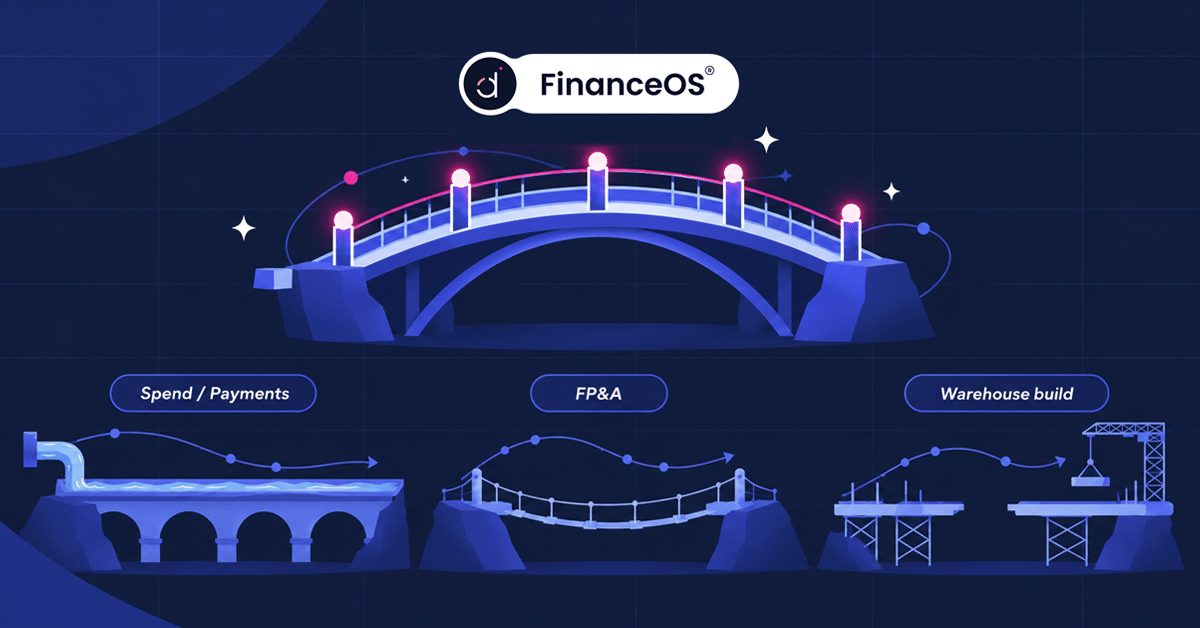
Datarails is structured this way, with FinanceOS® acting as the governed financial data platform at the base, connecting to 600+ data sources and handling multi-entity consolidation, FX conversion, intercompany eliminations, and allocations. Datarails FP&A, Month-End Close, Cash, and Spend run on top of it. A statement produced in one product ties back to the same governed source as every dashboard and forecast. When evaluating platforms, check whether reporting and planning share the same governed data and whether data consolidation is included in the core platform.
Most finance teams need both jobs done, and the market has noticed. In Deloitte’s Q4 2025 CFO Signals survey, 54% of CFOs named AI agent integration a top 2026 finance transformation priority, just ahead of data quality at 52%. The question worth asking a vendor is which of the two jobs they own.
Must-have features of financial statement software
Start by deciding which features matter most for your business. These are the ones that separate the categories above in practice:
- Report templates: A range of pre-built financial statement templates, so reports come together quickly.
- Data import: The ability to pull financial data from multiple sources, including accounting software, spreadsheets, and databases.
- Data consolidation: Automated collection from the ERP, CRM, HRIS, billing, and banks, with intercompany eliminations and multi-currency handled without manual export.
- Automation: Features that reduce manual data entry and the errors that follow it.
- Customization: The flexibility to match reports to your company’s structure and branding.
- Governance and audit trail: Role-based permissions, version control, and full lineage, so anyone can trace a number back to its source.
- Collaboration: Tools that let several team members work on financial statements at once.
Test governance during the demo: ask the vendor to trace a reported figure to its source and show who changed or approved it.
How financial statements analysis software helps your business
The value of reliable financial statement software often goes unnoticed until a team finally has it. Four benefits show up consistently:
- Time savings: Automating statement preparation frees finance professionals to spend their hours on analysis and strategy.
- Accuracy: Less manual data entry means fewer errors and statements the team can defend.
- Data insights: AI-driven analytics surface trends and anomalies that a static report would bury.
- Compliance support: Permissions, audit trails, and review workflows help teams meet reporting requirements; accounting judgments and final review remain their responsibility.
How to choose the best financial statement software
Close speed is the outcome most of these tools are bought to fix, and the spread is wide. APQC research on the annual closing process puts top-performing organizations at 10 days or less, against a median of 18 days and 35 days for the slowest performers. Size explains much of that: organizations under $100 million in revenue post a median annual close of 10 days, while organizations between $1 billion and $5 billion take 23. APQC also found 31% of organizations actively using AI in record-to-report processes, with another 39% in early stages.
Five factors determine the shortlist.
Key features
Look for customizable report templates, data import, automation, collaboration tools, and AI capability. Match the list against the work your team repeats every month.
Integrations
The platform has to connect cleanly to your existing systems, including your accounting software and ERP. Count the systems you currently export from by hand, since each one is a monthly tax on the close.
Ease of use
Finance owns this software, not IT. If a tool needs a consultant every time the business changes shape, the cost never stops at the license.
Entity count and consolidation complexity
Test consolidation against your entity structure, currencies, and intercompany transactions. Ask vendors to demonstrate current requirements and the complexity you expect as the business grows.
Pricing
Most platforms in this category quote rather than publish. Ask what the pricing covers beyond the license, specifically implementation, added modules, and per-entity fees.
Financial statements software comparison table
A side-by-side view of the top-rated software for financial reporting covered below.
| Tool | Best For | Data Sources and Integrations | Pricing |
|---|---|---|---|
| Datarails | Mid-market finance teams working in Excel | 600+ via FinanceOS | $35,000 to $80,000/year (mid-market) |
| Vena Solutions | Microsoft 365 environments | ERP, Microsoft SQL Server, SAP | Pricing on request |
| Planful | End-to-end close and consolidation | Broad ERP coverage | Pricing on request |
| Board | Enterprises with complex processes | Broad ERP and data warehouse coverage | Pricing on request |
| Cube | Lean teams in Excel or Google Sheets | QuickBooks, Xero, NetSuite, Sage | Pricing on request |
| Workiva | Regulated and audit-heavy reporting | ERP, consolidation, and planning systems; Trintech | Pricing on request |
| Oracle NetSuite | Companies standardized on NetSuite | Salesforce, Shopify, Amazon, SuiteApps | Pricing on request |
| Sage Intacct | Services, SaaS, and nonprofits | 350+ marketplace integrations | Pricing on request |
| Workday Adaptive Planning | Large enterprises on Workday | Workday, ERP, HCM systems | Pricing on request |
| Anaplan | Enterprise multi-function planning | ERP, CRM, supply chain systems | Pricing on request |
| Jedox | Teams wanting Excel-style modeling | Power BI, Qlik, Salesforce | Pricing on request |
| Centage | Mid-market teams leaving spreadsheets | QuickBooks, Sage Intacct, NetSuite, Dynamics, Acumatica | From $699/month |
| Multiview ERP | Finance-first ERP buyers | Open API, Excel, Office 365, Salesforce | Pricing on request |
| QuickBooks | Small businesses | 750+ apps | $38 to $340/month |
| FreshBooks | Freelancers and solo operators | App store integrations | $23 to $70/month |
The 15 best financial statement software tools
1. Datarails

Datarails is a finance operating system built for teams that work in Excel. FinanceOS is the governed data foundation at its base, connecting the ERP, CRM, HRIS, banks, billing systems, and spreadsheets into one consolidated layer with permissions, audit trails, and full data lineage.
Datarails FP&A runs on that foundation alongside Month-End Close, Cash, and Spend, so the balance sheet, forecast, and board dashboard resolve to the same governed numbers.
Key features
- Multi-entity consolidation with FX conversion and intercompany eliminations built in
- Datarails AI, including the Reporting Agent, Planning Agent, and Strategy Agent, plus Insights and Storyboards
- Excel-connected workflow, with existing models kept intact
- Financial statement templates and live dashboards
- SOC 2 and ISO 27001 certification
Additional information
- Integrations: FinanceOS connects to 600+ data sources, including QuickBooks, NetSuite, Sage, Salesforce, Snowflake, and BambooHR. See the complete list here.
- Who is Datarails for? Mid-market finance teams that rely on Excel and need consolidated financial statements without handing control to a consultant.
- Pricing: Most mid-market teams invest $35,000 to $80,000 per year, and enterprise plans typically start above $100,000. See the Datarails pricing guide for what each plan includes.
- What users say: One finance leader at a mid-market company put it plainly: “Datarails is an FP&A team’s dream. The tool makes pulling in financial information so easy.”
2. Vena Solutions
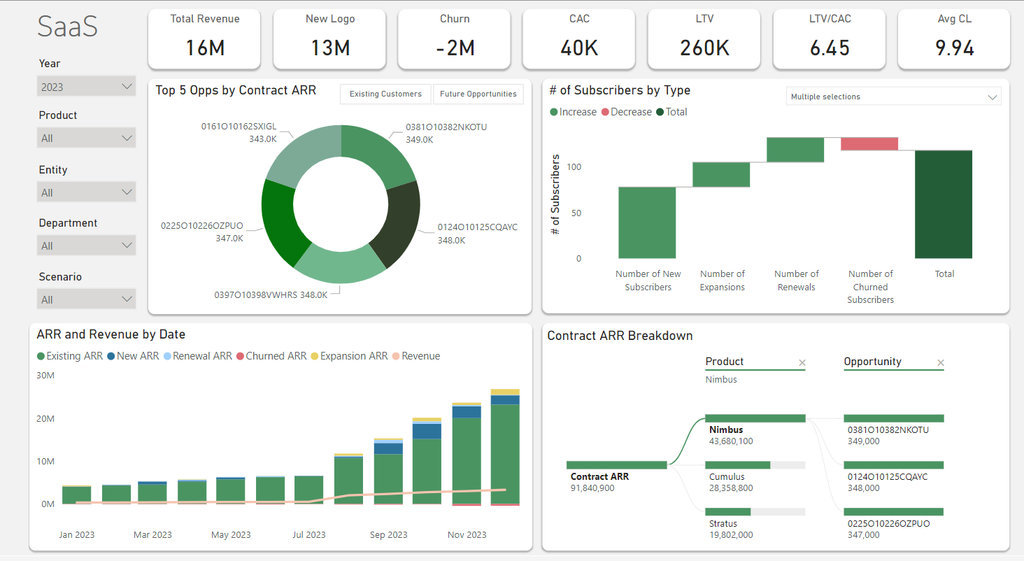
Vena Solutions delivers corporate performance management through an Excel interface integrated with Microsoft 365. Teams using that environment should assess its reporting, consolidation, and workflow capabilities against their requirements.
Key features
- Consolidation and reporting across entities
- Multidimensional analysis
- Cloud-based deployment
- Integration with leading ERP systems
Additional information
- Integrations: Oracle, Sage, Microsoft SQL Server, and SAP.
- Who is Vena for? Finance teams in banking, real estate, insurance, and similar industries, particularly those standardized on Microsoft.
- Pricing: Pricing on request.
- What users say: One G2 reviewer points to the interface as the draw: “The best thing about Vena is that it keeps the familiar Excel interface while adding structure, automation, and governance.”
3. Planful
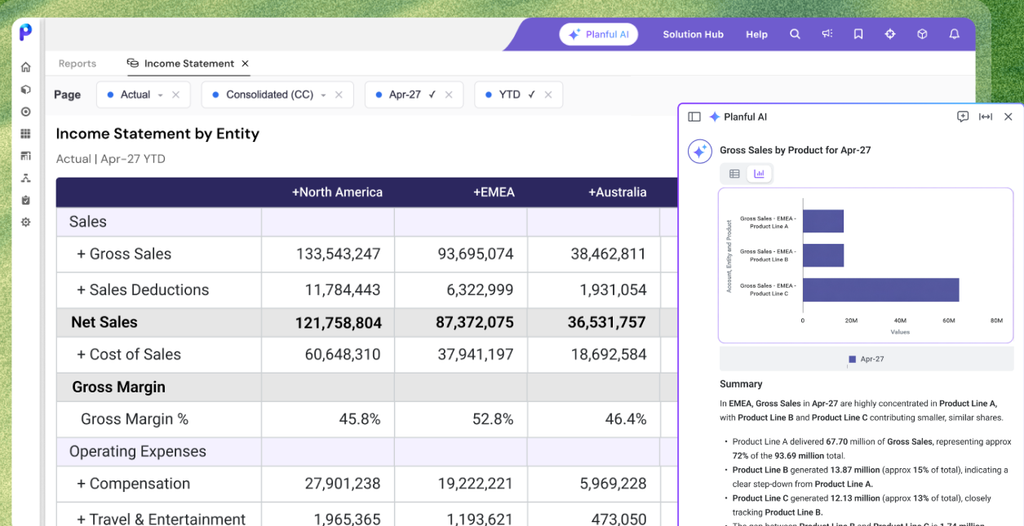
Planful covers financial close, consolidation, and planning in one platform, with more than 1,500 customers across the CFO office. Teams that need the close and the plan to live together, rather than in two systems with a handoff between them, are its natural buyers.
Key features
- Structured consolidation with a single reporting hierarchy across entities and charts of accounts
- Dynamic reporting and dashboards
- Scenario planning and rolling forecasts
- Workflow and approval controls
Additional information
- Integrations: NetSuite, SAP, Oracle, Workday, Sage Intacct, Microsoft Dynamics 365, and QuickBooks.
- Who is Planful for? Mid-market and enterprise finance teams that want a guided, out-of-the-box structure rather than an open modeling canvas.
- Pricing: Pricing on request.
- What users say: Reviewers on Gartner Peer Insights credit its integration across source systems and easily configured reporting, while one critical review flagged the system struggling with data volume as the company expanded.
4. Board
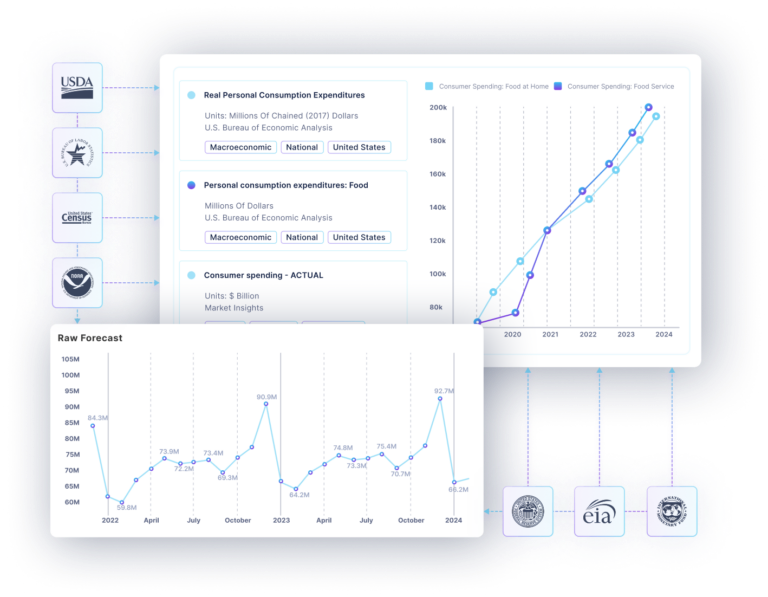
Board targets the complex end of the market, where reporting structures change often and rarely fit a template. Its appeal is configurability, and large organizations including KPMG run on it.
Key features
- Dashboard and analytics functionality
- Customizable workflows and data structures
- Scale for large or complex organizations
- Personalized, flexible reporting
Additional information
- Integrations: Broad ERP and data warehouse coverage.
- Who is Board for? Enterprises with complex financial processes and the internal resources to configure and maintain them.
- Pricing: Pricing on request.
- What users say: A G2 reviewer summarized the appeal: “BOARD is a unified product that solves all needs for reporting, analysis and planning.”
5. Cube
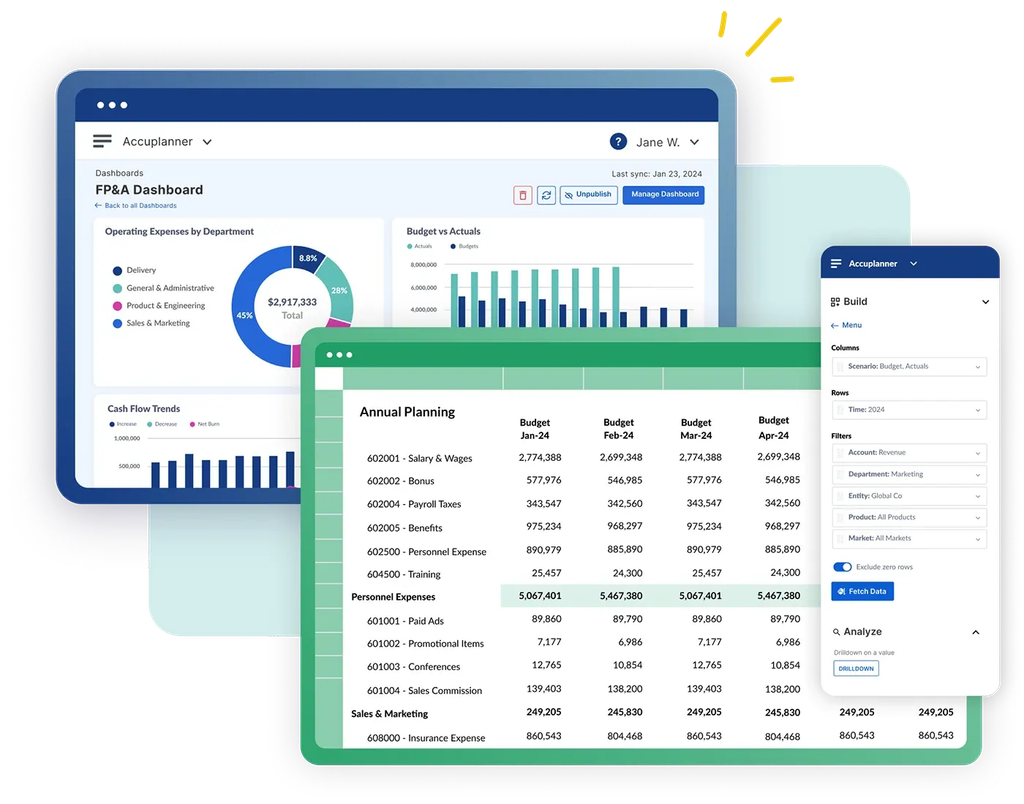
Finance teams using Excel or Google Sheets can evaluate Cube. The platform connects to accounting systems and pushes consolidated data into Excel and Google Sheets, so teams can assess how it fits their existing models and workflows.
Key features
- Low learning curve
- Multidimensional and multi-currency support
- Collaboration and workflow capabilities
- Native Excel and Google Sheets integration
Additional information
- Integrations: NetSuite, QuickBooks, Sage Intacct, Xero, and Microsoft Dynamics, plus Excel, Google Sheets, and Workday.
- Who is Cube for? Small and mid-sized finance teams, primarily in North America.
- Pricing: Cube offers three plans: Bronze, Silver, and Gold. Rates are no longer published, so pricing is on request.
- What users say: Jesse Ingram, VP and Head of Finance at Veryable, described it as “the simple version of what you want from a multi-dimension database.” Reviewers on Capterra rate value for money at 4.7 out of 5, though some report difficulty maintaining an automatic NetSuite connection.
6. Workiva
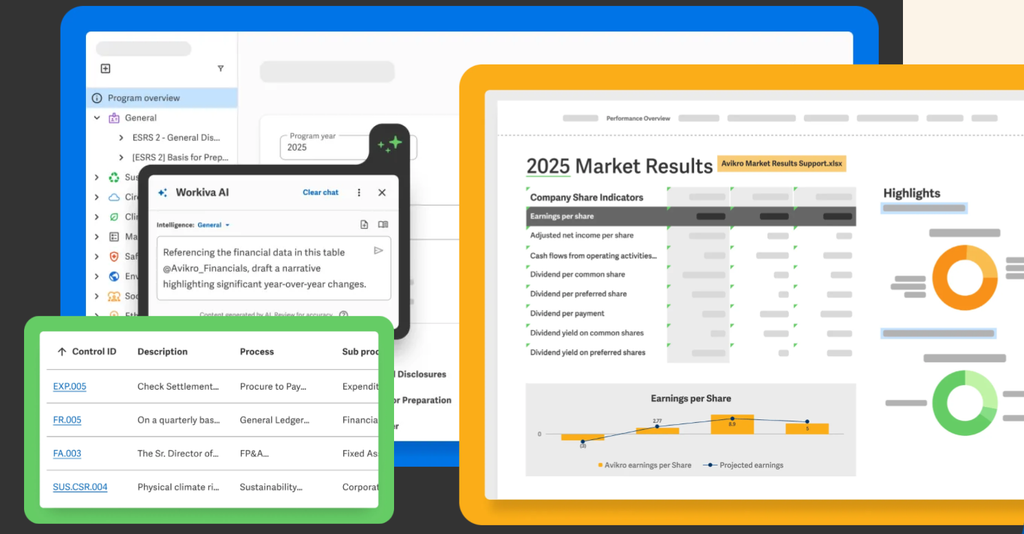
Workiva supports financial reporting, audit, and regulatory disclosure workflows. The platform links data across financial reporting, audit, risk, and ESG so a figure updated once updates everywhere it appears, which is the specific pain of assembling a regulated filing by hand.
Key features
- Real-time collaboration
- Automated data linking across documents
- Workflow automation
- Version control and audit trail
Additional information
- Integrations: Connectors for ERP, consolidation, and planning systems, plus Marketplace partners such as Trintech.
- Who is Workiva for? Accounting and finance, audit, risk and compliance, ESG, and legal teams with formal reporting obligations.
- Pricing: Pricing on request.
- What users say: Hershey says Workiva saved time, improved collaboration, and made its reporting process easier.
7. Oracle NetSuite
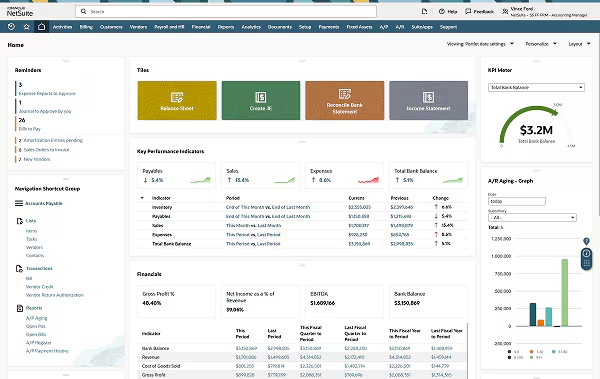
Companies already running NetSuite as their ERP can generate statements inside the system they close in. SuiteAnalytics handles standard reporting, and the planning module extends it into budgets and forecasts.
Key features
- Real-time modeling
- Automated budget allocations
- Multidimensional planning across the income statement, balance sheet, and cash flow
- Faster monthly close
Additional information
- Integrations: Salesforce, Shopify, and Amazon through NetSuite Connector, plus third-party apps on the SuiteApp Marketplace.
- Who is Oracle NetSuite for? Organizations from startups to enterprises that want financials and reporting in a single ERP.
- Pricing: Pricing on request.
- What users say: G2 reviewers point to ease of use, responsive support, and thorough documentation.
8. Sage Intacct
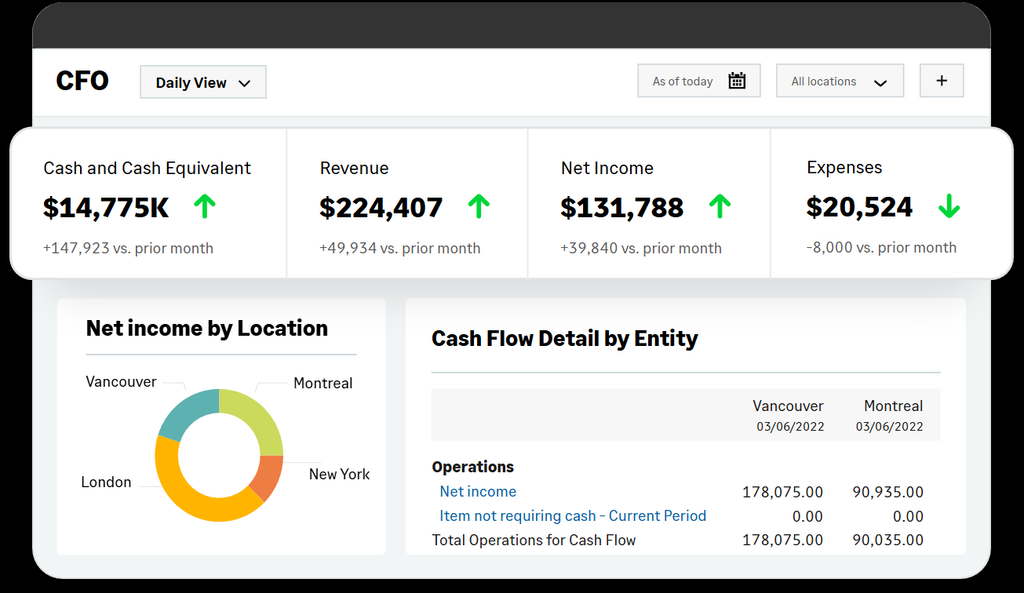
Sage Intacct built its reputation on the dimensional general ledger. Rather than stacking segments into an unwieldy account string, it tags transactions with dimensions such as department, location, project, or fund, which makes statement-level reporting sliceable without a rebuild. It is the AICPA’s preferred provider of financial applications, and Sage says more than 28,000 organizations use it.
Key features
- Multi-dimensional financial reporting
- Real-time multi-entity consolidation
- Revenue recognition and project accounting
- Fund accounting and grant tracking for nonprofits
Additional information
- Integrations: An open API and more than 350 Sage Intacct Marketplace integrations, including Salesforce.
- Who is Sage Intacct for? Services businesses, SaaS companies, and nonprofits that need accounting depth rather than a full-suite ERP. Manufacturing-heavy businesses typically need broader operational modules.
- Pricing: Sage publishes no price list. Subscriptions are quoted on users, entities, and modules.
- What users say: Finance leaders praise the multi-entity reporting and the Salesforce integration. The recurring criticisms are that reports are hard to build, the interface feels dated, and pricing is opaque.
9. Workday Adaptive Planning

Organizations running Workday HCM get the tightest fit here, since planning inherits headcount and compensation data without an export step. The platform handles planning and reporting at enterprise scale across industries and geographies.
Key features
- Built-in analytics
- Real-time modeling and analysis
- Flexible planning structures
- Integration with other business systems
Additional information
- Integrations: Native Workday connectivity, plus ERP and HCM source systems.
- Who is Workday Adaptive Planning for? Large businesses and enterprises, particularly those already invested in Workday.
- Pricing: Pricing on request.
- What users say: CNA moved from an annual plan that took four months to create to real-time planning, and reports it can now execute on C-suite decisions in one day.
10. Anaplan
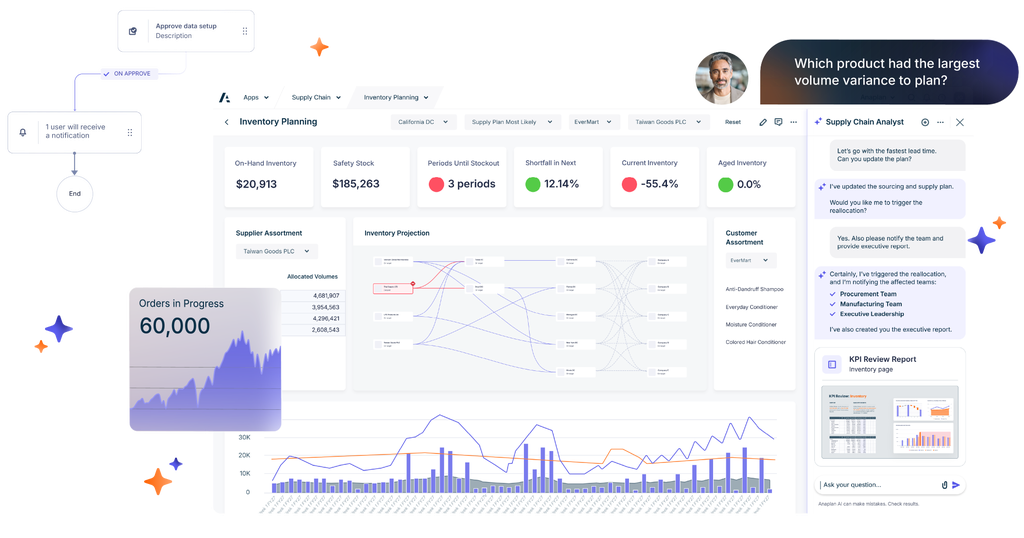
Anaplan sits at the enterprise end of the category, modeling finance alongside supply chain, sales, and workforce planning in one connected environment. That reach is the reason to buy it and the reason it rarely suits smaller teams.
Key features
- AI-driven scenario planning and analysis
- Financial consolidation and reporting
- Connected planning across business functions
- Predictive modeling
Additional information
- Integrations: ERP, CRM, and supply chain systems.
- Who is Anaplan for? Large companies with complex, multi-entity, cross-functional planning requirements and the resources to support the platform.
- Pricing: Pricing on request. Implementations typically require external consultants.
- What users say: A group financial accountant reviewing Anaplan on Capterra was direct about the tradeoff: “It was not easy to create meaningful outputs and it became someone’s full time job to manage it.”
11. Jedox
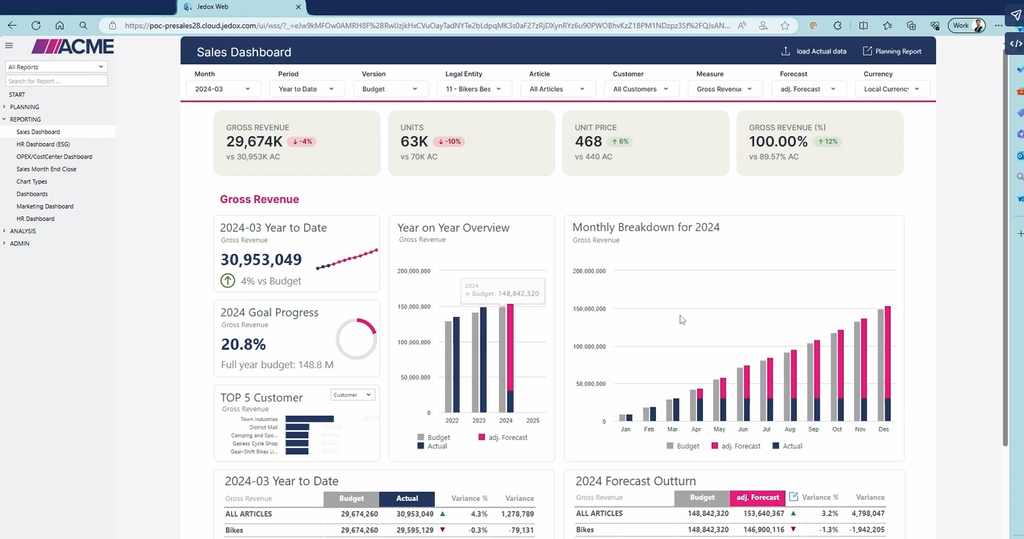
Jedox offers modeling that behaves like Excel without requiring code, which suits teams that want more structure than a spreadsheet but no scripting. It serves businesses across size bands rather than targeting one.
Key features
- Planning, budgeting, and forecasting
- Automated reporting
- Visual analytics
- Excel-style modeling with no coding required
Additional information
- Integrations: Microsoft Power BI, Qlik, and Salesforce.
- Who is Jedox for? Businesses of all sizes, with the strongest fit where modeling flexibility matters more than out-of-the-box structure.
- Pricing: Pricing on request.
- What users say: A reviewer on G2 summarized it as “a very user-friendly experience, simplifying budgeting, financial analysis and reporting process effortlessly.”
12. Centage
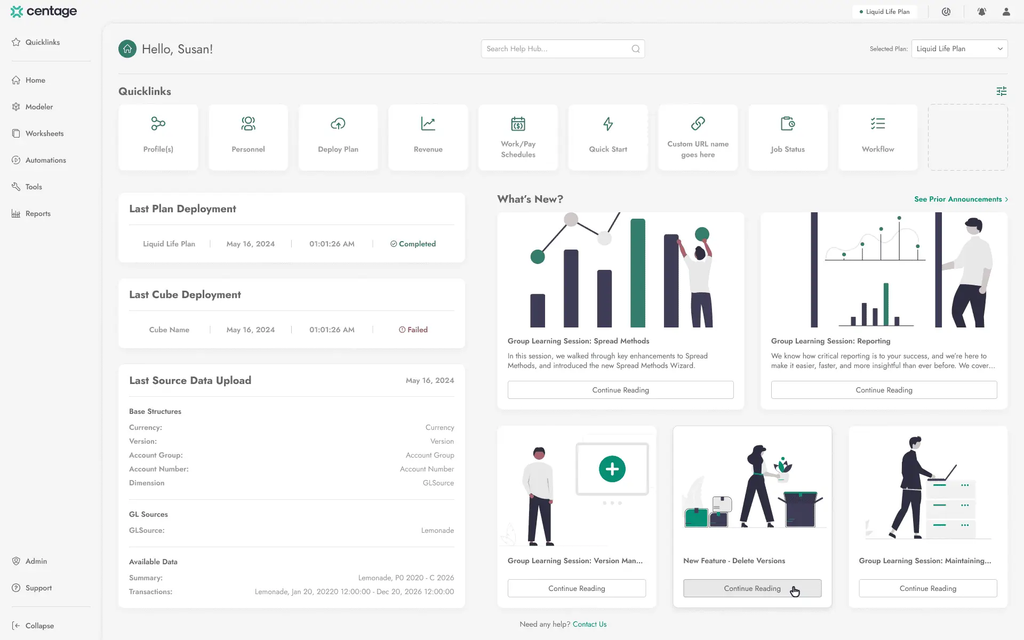
Centage, formerly Planning Maestro, targets mid-market teams looking to leave spreadsheets behind. Its differentiator is a formula-free approach, with financial logic built into the platform so budgets and forecasts update without linked formulas breaking, and synced P&L, balance sheet, and cash flow statements as the output.
Key features
- Driver-based budgeting and rolling forecasts
- Automated multi-entity consolidation with intercompany eliminations
- Native personnel module covering headcount, wages, benefits, and payroll tax
- Excel plug-in, dashboards, and drill-through to transaction detail
Additional information
- Integrations: QuickBooks, Sage Intacct, NetSuite, Microsoft Dynamics, Acumatica, SAP Business One, and Blackbaud, plus ADP, UKG, and Paylocity for payroll.
- Who is Centage for? Mid-market finance teams running multiple departments, locations, or entities, the segment Centage builds for.
- Pricing: From $699 per month billed annually, priced to entity count, chart of accounts size, and seats. Centage states most mid-market customers land between $18,000 and $40,000 per year.
- What users say: Karen P., an executive director of finance at a small business, credited it with replacing a legacy report writer and eliminating “many of the technical issues and spreadsheet errors we faced.”
13. Multiview ERP
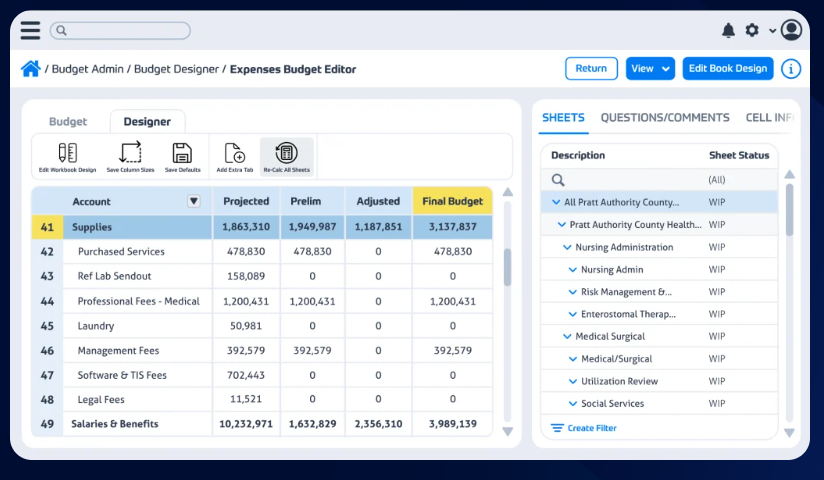
Multiview is a finance-first ERP, which is an unusual position in a market crowded with full-suite systems. It covers the general ledger, accounts payable, accounts receivable, budgeting, and reporting, and skips manufacturing and CRM modules.
Key features
- ViewPoint reporting engine delivering live financial data without batch processing
- Multi-entity consolidation with drill-down from summary to transaction
- Unlimited account dimensions
- Multiple budget versions supporting rolling forecasts
Additional information
- Integrations: Open API, plus Excel, Office 365, and Salesforce.
- Who is Multiview ERP for? Medium to large organizations that want accounting depth without full-suite ERP overhead, including nonprofits and project-driven teams with fund or grant reporting needs. Expect to pair it with other systems for operational functions.
- Pricing: Pricing on request.
- What users say: Reviewers on Capterra single out customizable reporting, drill-down queries, and document management for scanned invoices.
14. QuickBooks
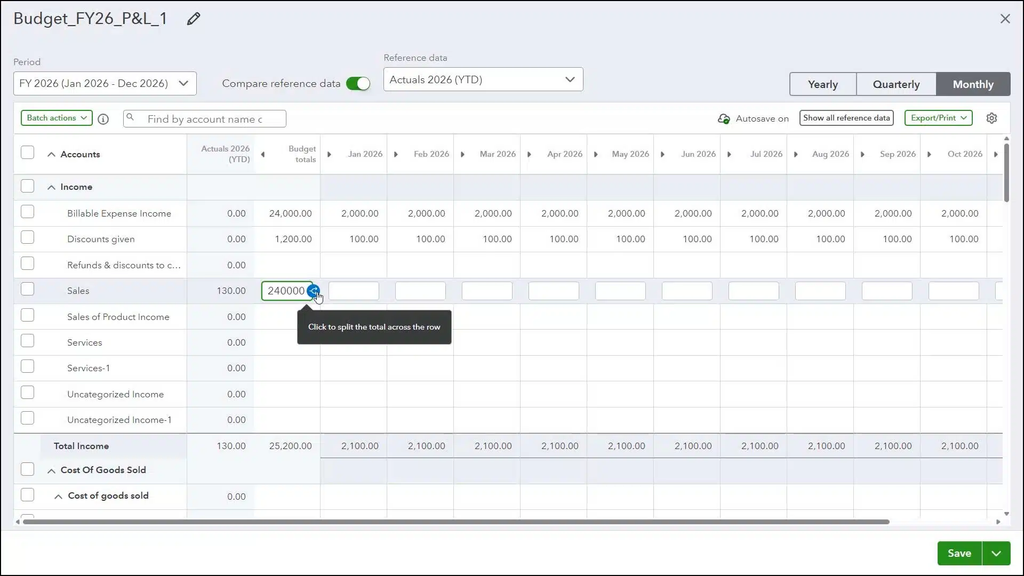
QuickBooks is accounting software for financial statements aimed at small businesses. Statements come directly from the general ledger, which covers the need until entity count or reporting complexity outgrows it.
Key features
- Automated financial reports including profit and loss and balance sheet
- Budgeting tools on Plus and above
- Comprehensive dashboard
- Excel sync and custom management reports on Advanced
Additional information
- Integrations: More than 750 apps through the QuickBooks app store.
- Who is QuickBooks for? Small businesses and solo operators that need straightforward bookkeeping and standard statements.
- Pricing: Simple Start is $38 per month, Essentials $85, Plus $140, and Advanced $340, at list price. Promotional rates run lower for the first three months.
- What users say: A G2 reviewer captured the typical experience: “I really appreciate how easy it is to use and how super easy the initial setup was.”
15. FreshBooks
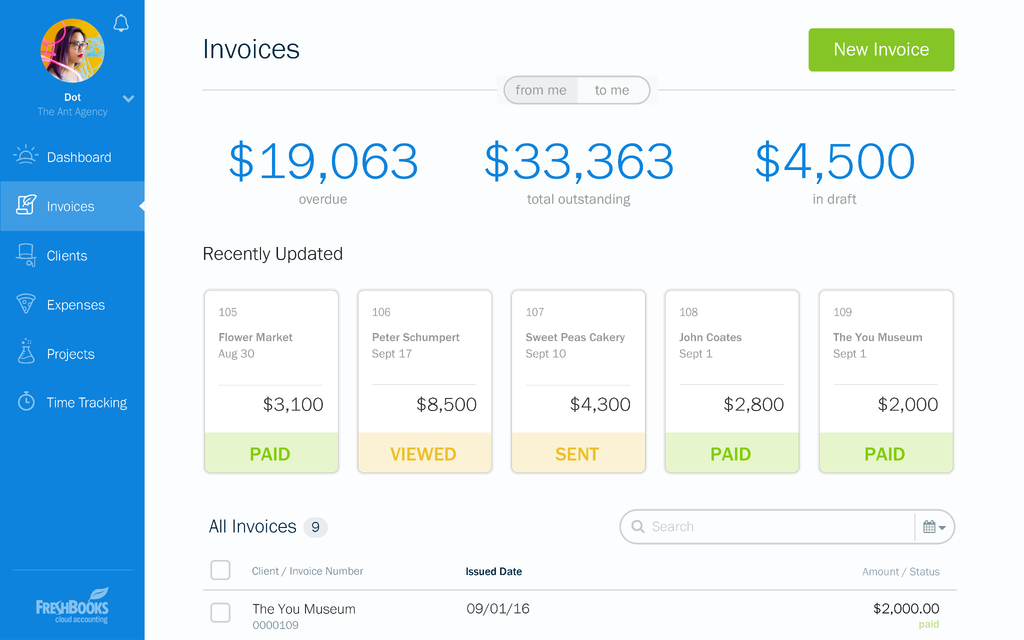
FreshBooks earns its place at the entry point of the market rather than the middle. The platform centers on invoicing and expense tracking, and its double-entry accounting reports arrive on the Plus plan and above. Finance teams closing multiple entities will outgrow it quickly, but solo operators get statements without the overhead of a full accounting system.
Key features
- Invoicing, billing, and expense tracking
- Double-entry accounting reports, including profit and loss
- Time tracking and project profitability
- Bank reconciliation and accountant access
Additional information
- Integrations: An app store covering Stripe, Gusto, and other small business tools.
- Who is FreshBooks for? Freelancers, self-employed professionals, and very small businesses.
- Pricing: Lite is $23 per month for 5 billable clients, Plus is $43 for 50, and Premium is $70 for unlimited. Select is custom priced. Team members add $11 per person per month.
- What users say: On G2, one user states: “The interface is clean, intuitive, and saves me time when creating invoices, tracking expenses, or managing projects.”
Matching the tool to your close
The 15 platforms above solve different problems. QuickBooks and FreshBooks handle statements for a single small entity. Sage Intacct, NetSuite, and Multiview put reporting inside the accounting system. Workiva governs regulated filings. Planful, Board, Anaplan, and Workday scale planning across the enterprise. Datarails and Vena support Excel-based workflows, Cube connects Excel and Google Sheets, and Jedox offers Excel-style modeling. Centage provides a formula-free planning environment.
For mid-market finance teams that work in Excel and consolidate across entities, the decision usually comes down to what sits underneath the statements. A report-formatting tool leaves the reconciliation work where it was. A governed data foundation can reduce repeated data preparation and make reconciliation easier.
Build every financial statement on one governed foundation
FinanceOS consolidates your ERP, CRM, HRIS, banking, and billing data into a single governed layer, then Datarails FP&A turns it into board-ready statements. All without leaving Excel.
Financial statement software FAQs
What is the difference between financial statement software and a financial data platform?
Financial statement software focuses on preparing financial statements. A financial data platform manages the data feeding reporting and planning, including mappings, permissions, and audit trails. Capabilities overlap: Datarails combines its FinanceOS data foundation with FP&A reporting tools.
What is financial data software?
Financial data software collects, organizes, and reconciles financial data from systems such as ERPs, CRMs, and banks. Some products also support consolidation, currency conversion, and reporting. Check which capabilities are included in the proposed package.
What is the difference between financial statement software and financial report software?
Financial statement software focuses on balance sheets, income statements, and cash flow statements. Financial report software also covers management reports, board packages, dashboards, and variance analysis. Many products support both; compare their actual reporting capabilities.
Do I need a financial data platform if I already have software for financial statements?
Not necessarily. First check whether your existing software already integrates and governs the data you need. A financial data platform may help when manual collection, inconsistent mappings, or reconciliation across systems delays reporting. Assess that gap before adding another platform.
What features should I look for in financial statement software?
Prioritize integrations with your existing systems, consolidation for your entity structure, and traceable data with permissions and version control. Then test templates, dashboards, collaboration, and ease of use with a representative reporting cycle.
What is the best financial statement software for small and midsize finance teams?
QuickBooks and FreshBooks suit straightforward small-business accounting. Mid-market teams can compare Datarails, Vena, and Cube for spreadsheet-connected workflows, or Centage for formula-free planning. The right fit depends on entity count, integrations, reporting requirements, and budget.