
It’s 9:14 on a Tuesday, and the first email of the day is from a vendor. Polite, brief, a little tense: has invoice 4471 been paid? It should take two minutes. Instead you open the ERP and find the invoice, approved. You check the payment run and it isn’t there. You search the AP inbox and find a thread from three weeks ago where someone asked for a corrected PO. You message the buyer on Slack. She’s out until Thursday. Twenty-five minutes later you have most of an answer and a reply that starts with “Apologies for the delay.” No finance ticketing system logged the request, and nothing put the records you needed in front of you.
By then there are four more emails waiting. A sales director wants to know why his team’s T&E is showing over budget. Someone in HR needs a payroll figure for a board slide. A customer says they were billed twice. Each one is reasonable, and each one starts another hunt.
Why finance requests pile up without a dedicated system
Nobody writes “answer questions” into a finance job description, but it’s a big part of the job. Vendors want to know when they’ll be paid. Customers dispute charges. Budget owners ask where their money went. Auditors ask for documents. Every one of them assumes finance has the answer at its fingertips, and finance usually does, somewhere.
It is recognized work, too. APQC’s Process Classification Framework, the cross-industry reference map of business processes, lists responding to AP inquiries as a process in its own right. Vendors have plenty of reason to ask: APQC’s benchmark across 471 organizations puts the median share of supplier invoices paid on time at 80%.
The trouble is how the questions arrive. Some come by email, some by Slack or Teams, some in a hallway conversation that ends with “can you just check?” There’s no single queue, so nobody can see how much is waiting or how long it has been waiting. There’s no owner, so two people sometimes answer the same question differently, and some questions are never answered at all. There’s no history either. When the person who handled last quarter’s dispute leaves, the context leaves with them.
Teams cope the way people always cope. A shared inbox. A spreadsheet tracker someone updates on Fridays. A habit of copying the controller on everything. It works until month-end, when the questions keep coming and the people who answer them have no time left.
Why generic ticketing tools can’t answer finance requests
The obvious move is to borrow what IT and customer support already use: a ticketing system. It helps with the first part of the problem. Requests land in one place, get an owner and a status, and stop falling through the cracks.
It doesn’t touch the second part, which is where the time goes. A generic ticket knows that a vendor asked about invoice 4471. It has no idea what invoice 4471 is, whether it was paid, or which contract it falls under. Someone still has to leave the ticket, open three systems and piece the answer together by hand.
Datarails CEO Didi Gurfinkel described the gap when Desk launched in September: “We didn’t want to build another queue that tracks a request and calls it solved. Desk is built on the idea that a finance ticket isn’t resolved until it’s grounded in the actual financial record behind it.”
How Datarails Desk brings the receipts to every finance request
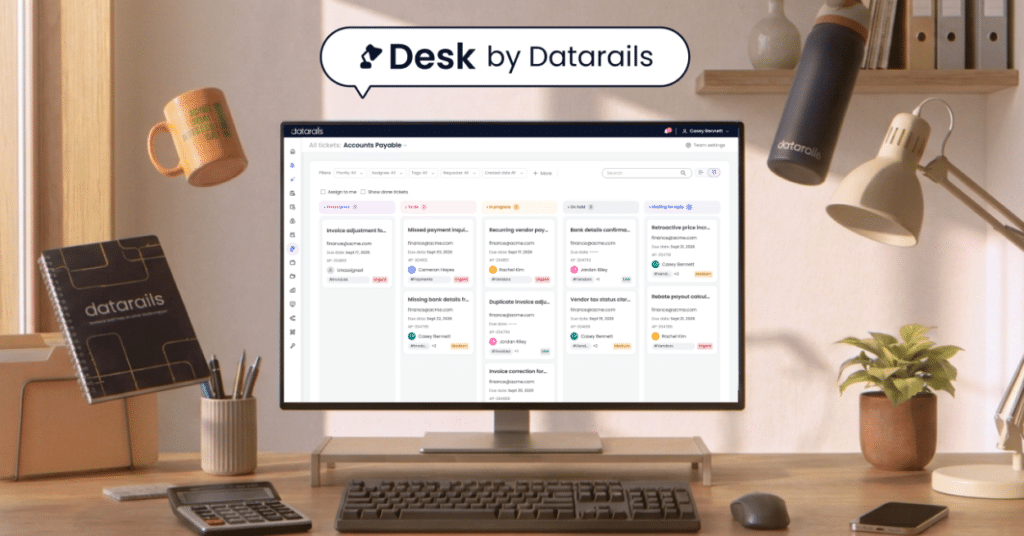
Datarails Desk is a purpose-built finance ticketing system. It handles the tracking, and then it goes after the part that eats the day: finding what you need to answer.
- Every request in one queue. Questions from email, Slack, Teams and other channels become structured tickets, each with an owner, a status and a history. A vendor email can turn into a ticket on its own, with the conversation and attachments kept together.
- The records come to the ticket. Desk runs on FinanceOS®, the governed data layer under every Datarails product. When a request mentions an invoice, a payment, a contract or a vendor, Desk pulls the matching records from your ERP, HRIS, CRM and other connected systems into the ticket. Nobody has to go looking.
- A drafted reply you can check. Desk’s AI agent reads the request and the records behind it, gathers the supporting files, flags anything missing, and drafts an answer based on them. A person on your team reviews it, edits it if needed and decides whether to send it. Where it doesn’t have enough certainty to act, it holds back, and the record shows what it did, what needed approval and where it stopped.
- Routing and response times that fit your team. Tickets go to the right team by request type, priority or source, with timers set to the service levels you choose.
- Each team sees only what it should. Permissions keep AP, AR, payroll, FP&A and legal data separate, and an audit trail records every action, by a person or by the AI.
- A view of the workload. Dashboards for each team and for finance leadership show open tickets, response times and where things are stuck.
The review step is deliberate. The NIST AI Risk Management Framework asks organizations to define and document how people oversee the AI systems they use, and in finance that oversight needs a record. Desk keeps one on every ticket.
Teams that also use Datarails Spend get more out of each ticket. Spend adds the purchase order, receipt and approval behind each invoice, so Desk can show the whole story of a purchase instead of a single document.
Datarails Desk gives finance teams their mornings back
Same vendor, same email, same 9:14.
This time it’s already a ticket when you open it, assigned to AP with a response timer running. Invoice 4471 is attached, along with its approval and the note that payment is on hold pending a corrected PO. A drafted reply is waiting: the invoice is approved, payment is held for one PO correction, and here’s what the vendor needs to send.
You read it, change one line and send it. Two minutes, which is what it should have taken in the first place.
The other four requests get the same treatment. The sales director’s question goes to FP&A with his budget lines already pulled in. The payroll figure goes to the one team allowed to see it. The double-billing complaint goes to AR with both invoices side by side.
None of this makes the questions stop. Vendors will still chase payments, and budget owners will still want to know where the money went. What changes is that answering them stops being a scavenger hunt, and the team gets its mornings back.
A demo is the best way to decide if Datarails Desk is right for your department.
FAQs
What is Datarails Desk?
Datarails Desk is a ticketing system for finance teams. It gathers requests from email, Slack, Teams and other channels into one queue and brings the related financial records into each ticket so the team can answer them.
What makes Datarails Desk different from generic finance ticketing tools?
A general ticketing tool tracks a request. Desk also pulls in the invoices, payments, contracts and vendor or customer records behind it, and its AI agent drafts a reply based on those records.
Does Datarails Desk’s AI send replies on its own?
Not by default. AI autonomy can be configured per organization. The AI drafts a response for review, and a person on the finance team decides whether to edit, send or discard it. The audit trail records what the AI did and what a person approved.
Which teams use Datarails Desk?
Any finance team that handles requests: accounts payable, accounts receivable, payroll, FP&A and legal. Team-based permissions keep each team’s sensitive data separate.
Do I need other Datarails products to use Desk?
Desk runs on FinanceOS, the data layer under every Datarails product, and connects to your financial systems through it. Pairing it with Datarails Spend adds purchase orders, contracts, receipts and payments to the context in each ticket.


