This review is published by Datarails, an Abacum competitor. It combines product documentation with attributed user reviews to help finance teams assess fit.
Product information and review ratings were checked on October 22, 2026. Vendor claims and user experiences are identified separately; confirm pricing, availability and rollout scope with each vendor.
Is Abacum a good FP&A tool? Our verdict
The answer is a qualified yes: Abacum is worth evaluating for mid-market and high-growth finance teams that need collaborative planning. Reviewers praise its ease of use, support and flexible driver-based models. Some report a learning curve on complex models and slower performance at scale. Buyers should test their own models, reporting outputs and permissions, including access through external AI tools.
So, is Abacum good for your team? Assess it against your models, integrations, reporting outputs and consolidation needs.
- Best for: Mid-market and high-growth teams seeking collaborative planning, with web modeling and connected Excel workflows.
- Look elsewhere if: You need a statutory consolidation engine or automatic intercompany eliminations. Abacum explicitly says it does not calculate eliminations; test these requirements before choosing a platform.
Abacum at a glance (checked October 22, 2026)
| Founded | 2020, by two former CFOs |
| Headquarters | New York, with offices in Barcelona, Toronto, Buenos Aires and the UK |
| Funding | $60M Series B led by Scale Venture Partners (June 2025); more than $100M raised in total, per Abacum |
| Customers | 500+ in 40+ countries, per Abacum |
| Best for | Mid-market and high-growth finance teams |
| Modeling environment | Web app, plus connected Excel and Google Sheets workflows |
| Integrations | 700+ finance and business systems, per Abacum, plus SFTP and Amazon S3 |
| AI | Abacum Intelligence (April 2026); Modeler agent for all customers at no extra cost (October 2026); MCP connection to Claude, Gemini and ChatGPT, per Abacum |
| User ratings | G2: 4.6/5; Gartner Peer Insights: 4.6/5 (checked October 22, 2026) |
| Pricing | Quote-based, with onboarding and support included; Vendr median $43,750 a year |
| Implementation | G2 reports a three-month user average; confirm a timetable for your own scope |
What is Abacum and who is it for?
Abacum is a web-based planning platform founded in 2020. It reports more than $100M in total funding and a New York headquarters, with offices in Barcelona, Toronto, Buenos Aires and the UK.
Its largest funding round was a $60M Series B led by Scale Venture Partners in June 2025. Abacum said the investment would support product development and US expansion.
Abacum FP&A software is aimed at mid-market and high-growth companies. Abacum lists software and technology, life sciences, professional services, nonprofit, construction, and retail among its industries. It says more than 500 customers in 40+ countries run their planning on Abacum, including DISH, Strava and Replit.
Abacum key features
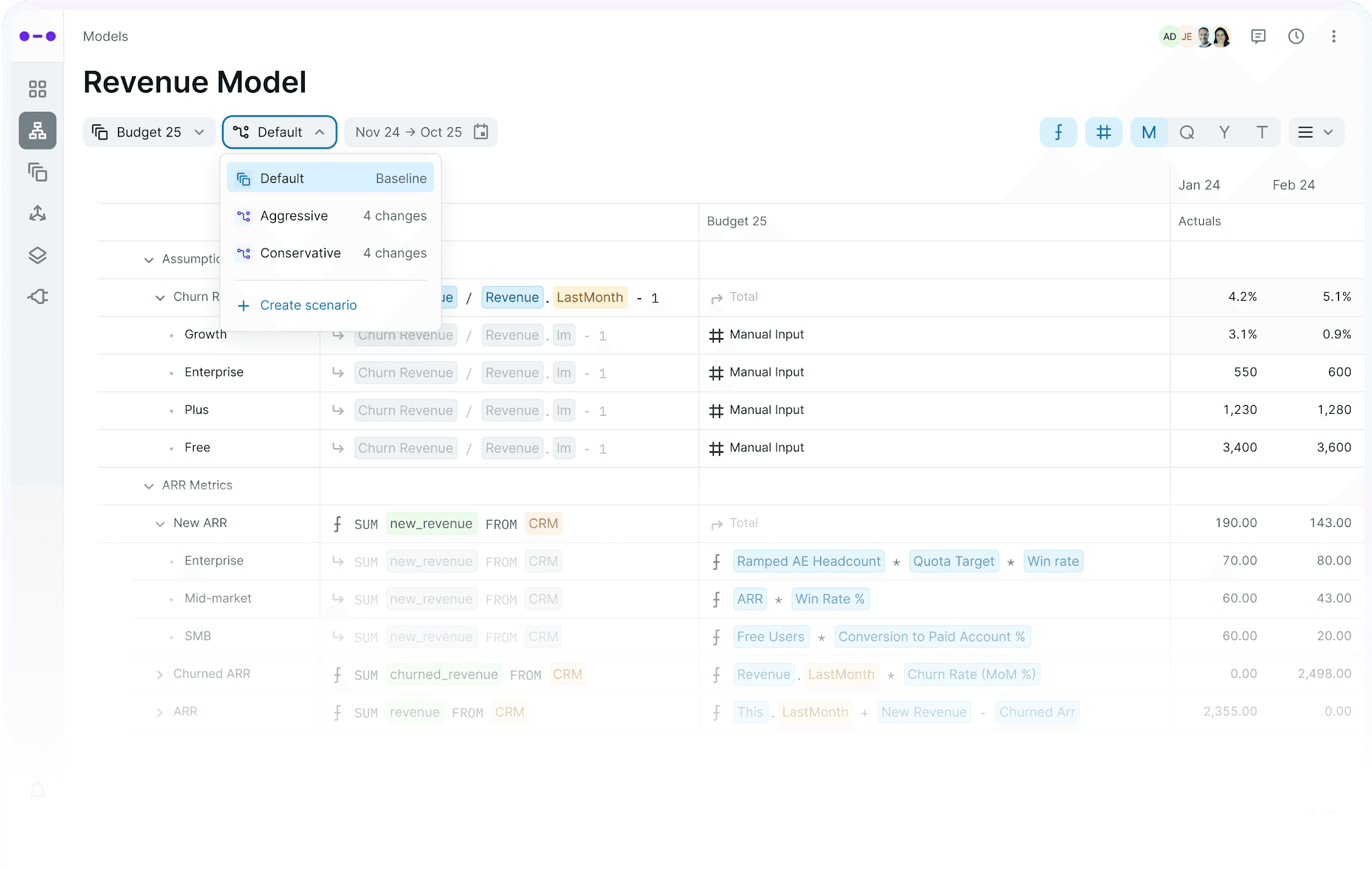
Abacum covers the core planning workflow in one web app. Here is how Abacum describes each part:
- Planning and forecasting: Driver-based plans that finance builds and updates in Abacum, with actuals flowing in from connected systems.
- Scenario modeling: What-if scenarios help finance and management test outcomes under different conditions, with base, bull, and bear cases built off the same base version.
- Headcount planning: Connects HRIS, payroll, and applicant tracking data to keep the hiring plan current.
- Reporting and dashboards: Actuals, rollups, and budget vs. actuals update automatically, with drill-down from KPIs to detail.
- Collaboration and workflows: Budget owners contribute in Abacum while finance controls definitions, timing, and approvals.
- Excel and Google Sheets: An Excel connector pushes and pulls data between Excel and Abacum, and a two-way Google Sheets integration supports hybrid models.
- Abacum integrations: Abacum says it connects to 700+ finance and business systems, including ERP, CRM, HRIS, spreadsheets and data warehouses, with SFTP and Amazon S3 for the gaps. Multi-entity roll-ups include FX normalization across currencies. Built-in ETL cleans and maps incoming data, and granular permissions, snapshots, and an automatic change log govern it, per Abacum.
What Abacum AI does in 2026
Abacum launched the current version of Abacum Intelligence in April 2026, an AI layer across the whole platform. It has five parts:
- Context Intelligence: Connects financial and operational data, flags anomalies, and classifies new accounts.
- Modeling Intelligence: Builds and edits models in plain language.
- Narrative Intelligence: Writes reports, variance summaries, and performance narratives.
- Scenario Intelligence: Answers what-if questions through Scenario Studio and AI forecasting.
- Workflow Intelligence: Automates budget input collection and approval routing.
On October 13, 2026, Abacum made Modeler available to all customers at no extra cost. Upload an Excel file, and Modeler reads its lines, sections, and totals, then rebuilds that model on the data already connected to Abacum. Abacum says full workbook import, including formulas and multi-tab files, will follow later this year.
Abacum advertises MCP connections to Claude, Gemini and ChatGPT, and an organic G2 reviewer describes using its Admin MCP with Claude. Ask for a live demonstration of permissions, traceability and the functions enabled in your chosen AI client. For a wider view of the category, compare these AI FP&A tools.
Abacum reviews from real users
Abacum G2 reviews and Gartner Peer Insights each show 4.6 out of 5, checked October 22, 2026. Reviewers praise ease of use and onboarding support. Some report a steep learning curve, slow performance on large models and limited reporting flexibility.
G2’s review tags highlight ease of use but a steep learning curve. The linked reviews include both organic and incentivized submissions. These Abacum pros and cons are selected customer experiences, not a representative survey or a test of every deployment. Review dates matter when assessing newly released AI features.
Abacum pros
Ease of use is the most-tagged pro, and reviewers also credit the onboarding team and the modeling flexibility.
- Ease of use: A VP Strategic Finance at a mid-market company calls the UI intuitive and easy to understand, in an incentivized review from September 2026.
- Support and onboarding: A mid-market reviewer credits the onboarding training and Abacum Academy in an organic July 2026 review.
- Flexible driver-based models: A mid-market financial services reviewer at a payments company builds take-rate and client-level drivers directly in Abacum and says reforecasting is faster.
Abacum cons
Some complaints concern complex models: a steep learning curve, fragile dependencies and slower performance as models grow.
- Learning curve: A mid-market reviewer describes a steep learning curve and fragile dependencies, where a change in one place can break another, in an incentivized review from October 2026.
- Performance on large models: “Performance has seemed like an ongoing issue for quite a while now,” wrote a finance analyst at a small business, who links it to running a full financial system in the browser. The review is incentivized, from October 2026.
- Implementation resources: The VP Strategic Finance quoted above says Abacum’s professional services team is small and few partners support implementation.
- Reporting flexibility: The financial services reviewer wants more formatting options and often exports to Excel or Slides for management outputs.
- Price: The finance analyst above says pricing feels high for this type of system.
Abacum pricing
Abacum does not publish a list price. Request a quote from its sales team. Its website describes expert onboarding and support as included; confirm the deliverables in your proposal.
Third-party data gives a rough range. Vendr lists a median Abacum contract of $43,750 a year, with contracts from $24,840 to $149,798, on a page checked in October 2026. G2 users report about 3 months to implement. Vendr also lists admin licenses, contributor licenses, and API or S3 integration as add-ons, so seats, license types, and connections drive the final price.
Datarails pricing is also quote-based, across three plans. Most mid-market teams invest $35,000 to $80,000 a year, and enterprise plans typically start above $100,000.
Planning to meet with Abacum? Bring these questions to Abacum’s sales team:
- What does Abacum onboarding include, and what work must our team complete before go-live?
- Which Abacum license types do we need, and who needs a paid seat?
- Does Abacum charge separately for entities, integrations or API access?
- How does Abacum pricing change at renewal?
Abacum vs Datarails: workflows, consolidation and governance
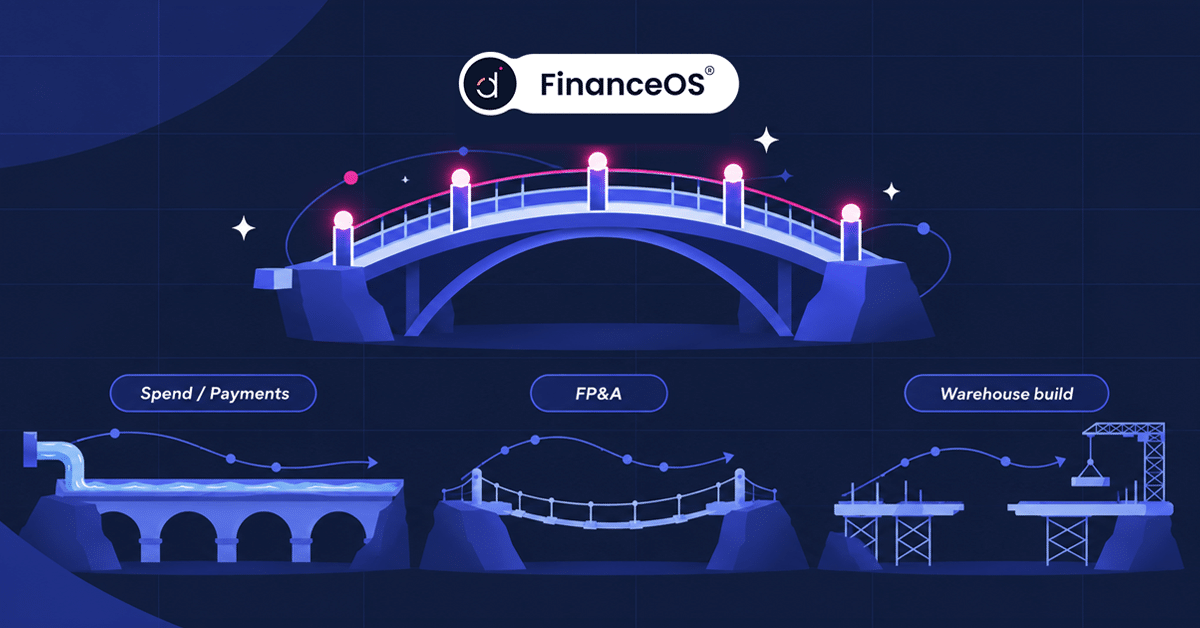
Exploring Abacum alternatives? Both platforms plan, forecast and report. Both support Excel workflows, permissions and connections to external AI. Datarails uses FinanceOS as the shared foundation for its finance applications. Abacum describes a governed layer for planning and connected AI tools. Compare which workflows, entities, definitions and permissions each can support in your implementation.
| Evaluation area | Abacum | Datarails |
|---|---|---|
| Where the model lives | Web app or connected Excel workflow; Excel and Sheets data sync. Modeler rebuilds uploaded structures in Abacum. | Existing Excel or Google Sheets models, plus the Datarails web app |
| Data and governance | Connected planning data, definitions, permissions and change history; MCP extends governed access to external AI | FinanceOS connects to 600+ data sources and shares financial definitions, consolidation logic, permissions and lineage across Datarails applications |
| Consolidation | Entity roll-ups and FX translation. Abacum says it does not calculate intercompany eliminations or provide a statutory consolidation engine. | Currency translation, intercompany eliminations, allocations and entity mappings. Validate your accounting and ownership rules. |
| Platform breadth | Planning, forecasting, headcount and reporting | FP&A, Month-End Close, Cash, Spend Management, Receivables and Desk on FinanceOS |
| AI | Abacum Intelligence and Modeler inside Abacum; MCP to Claude, Gemini and ChatGPT, per Abacum | AI Assistant and Inflow Agents; customer-specific Custom Agents; FinanceOS AI Connector for compatible external AI tools |
| Pricing | Quote-based; Vendr median $43,750 a year | Quote-based; typically $35K–$80K a year mid-market |
For either platform, ask for a rollout plan covering source access, data mapping, model validation and user training. Vendor estimates and review-site averages describe different implementations.
Abacum supports models built in its web app and hybrid workflows through its Excel connector. Modeler offers a separate route for rebuilding an uploaded model in Abacum. Datarails FP&A connects existing Excel workbooks to governed data while preserving formulas and formatting. Test your own workbook in both demos: identify which calculations stay in Excel, what syncs as inputs and what must be maintained in the platform.
Datarails FP&A runs on FinanceOS, the foundational operating layer shared by Datarails applications. FinanceOS connects to 600+ data sources and combines connected data with financial definitions, consolidation logic, permissions and lineage. Currency translation and intercompany eliminations support consolidated reporting. Test your entity structures, elimination rules and reporting requirements, and confirm who maintains mappings after go-live.
Datarails’ AI Assistant and task-specific Inflow Agents use governed FinanceOS data, financial definitions and permissions. Customer-specific Custom Agents are built by Datarails’ Forward-Deployed Financial Engineers. The FinanceOS AI Connector extends that financial context to compatible external AI tools. Finance teams should review AI outputs before relying on them. In both demos, test permission boundaries and trace answers to their sources. See our finance MCP server guide for the connection’s role.
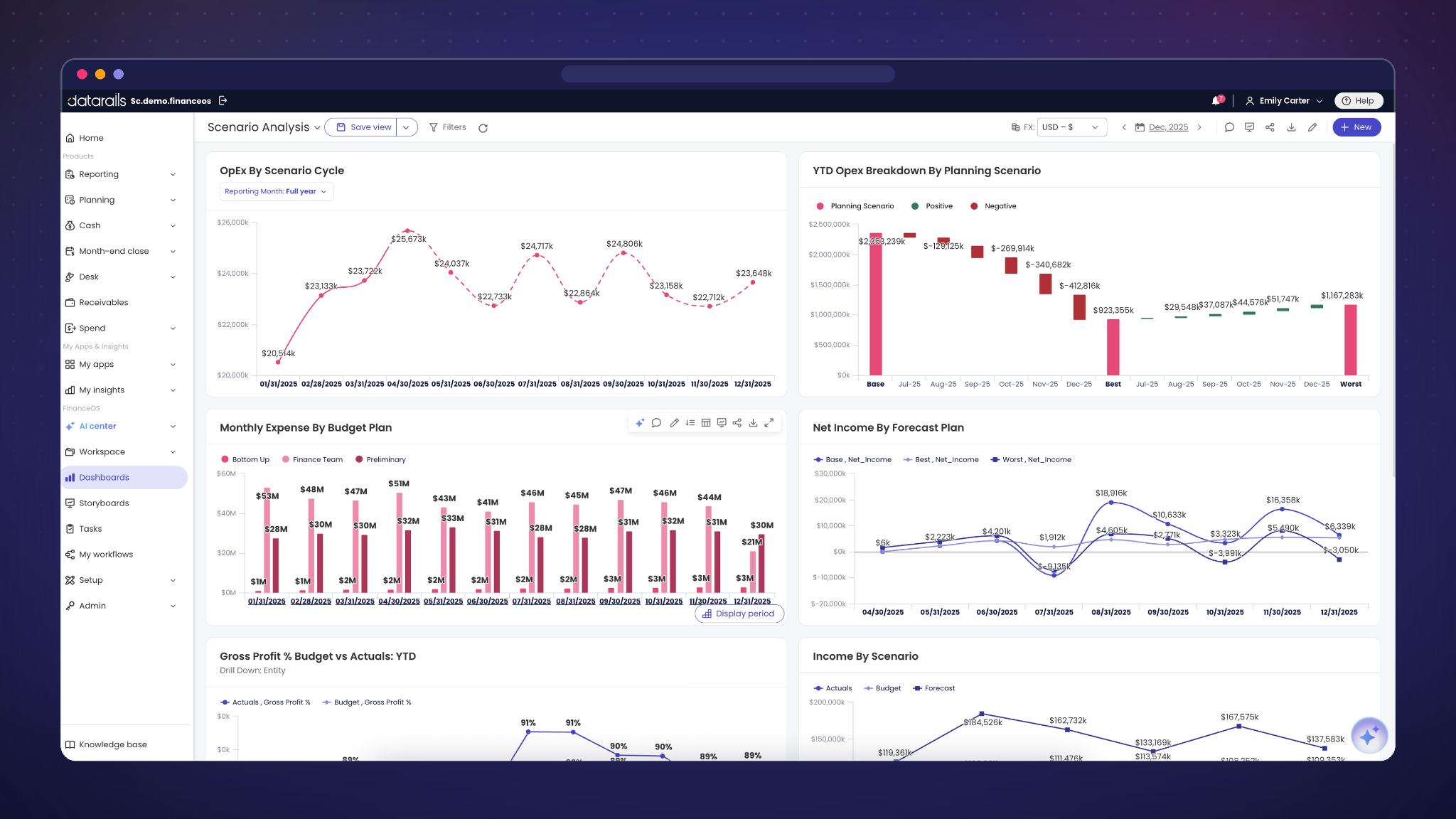
For 100% Speedlab, automating reporting helped its existing finance team support the business.
“Without Datarails I would’ve needed to double the current team size of 3.” Steven Carkey, VP of Finance & Operations, 100% Speedlab, a San Diego eyewear and apparel brand
When to choose Abacum or Datarails
Shortlist Abacum for collaborative planning in its web app or connected spreadsheets. Shortlist Datarails FP&A for planning and reporting on existing workbooks, with a shared foundation for other Datarails applications. Use the same model, reporting output and consolidation scenario in both demos before deciding.
Keep your Excel models and connect them to governed data and AI. Bring one model to a demo and see how Datarails runs it on consolidated data.
Best Abacum alternatives and competitors
Datarails, Pigment, Cube and Vena are four Abacum alternatives to evaluate. They differ in modeling environment, consolidation capabilities and wider application coverage. Datarails is the publisher and is listed first. For a wider field, read our article on the best FP&A software.
Abacum competitors compared (checked October 22, 2026)
| Evaluation area | Abacum | Datarails | Pigment | Cube | Vena |
|---|---|---|---|---|---|
| Modeling environment | Web app; Excel and Sheets workflows | Excel / Sheets-connected; web app | Web app; Excel / Sheets connectors | Excel / Sheets; two-way sync | Excel; Microsoft-centered |
| Best for | Mid-market and high-growth teams | Teams using existing spreadsheets | Enterprise planning | Teams using Excel or Sheets | Microsoft-centered teams |
| Integrations | 700+, per Abacum | 600+ data sources | Check source list | Hundreds, per Cube | Check source list |
| Multi-entity consolidation | FX roll-ups; no intercompany eliminations | FX and intercompany eliminations | Financial Consolidation | Rule-based roll-ups and eliminations | Financial Consolidation |
| AI and external access | Intelligence and Modeler; MCP | AI Assistant and agents; FinanceOS AI Connector | Analyst, Modeler and Custom Agents; MCP | FP&Agent teams; MCP from Silver | Planning Agent; new Analytics Agent in open beta; MCP |
| Pricing model | Quote-based | Quote-based; typically $35K–$80K a year mid-market, $100K+ enterprise | Quote-based | Quote-based | Quote-based |
| G2 rating (October 22, 2026) | 4.6 / 5 | 4.6 / 5 | 4.6 / 5 | 4.5 / 5 | 4.5 / 5 |
Ratings are from G2, checked October 22, 2026. Integration totals are vendor claims and may count different connection types; verify the source systems and synchronization functions you need.
1. Datarails
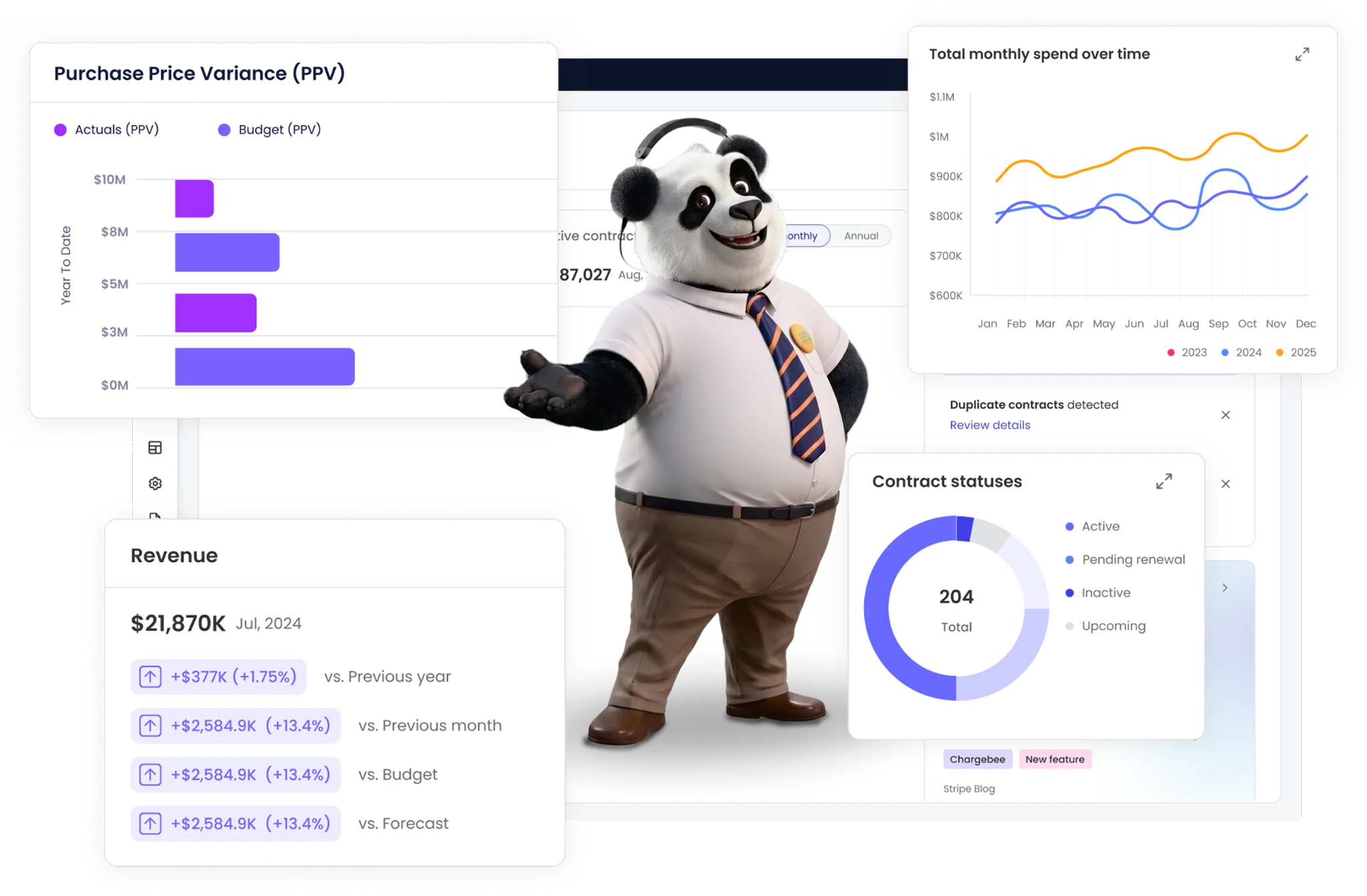
Datarails FP&A supports budgeting, forecasting, consolidation and reporting in existing Excel or Google Sheets models and in its web app. It runs on FinanceOS, the shared foundation for Datarails applications, which connects to 600+ data sources and carries financial definitions, permissions and lineage across workflows.
Datarails suits teams that want to keep their Excel models, but retaining workbooks does not remove setup and training work. Ask the vendor to scope data mapping, integrations, permissions and model testing against your requirements. Compare implementation plans for the same deliverables, rather than treating vendor estimates and user-reported averages as equivalent.
“It really works. At the click of a button, my financial statements are ready. From over a week to minutes.” Megan Hedderson, Controller, Spencer Butcher
- Best for: Mid-market finance teams that run their models in Excel and report across several entities or systems.
- Key difference to test: How each platform preserves workbook logic and maintains mappings, approvals and consolidation rules.
- Modeling environment: Existing Excel and Google Sheets models, plus the Datarails web app.
- AI: The AI Assistant and Inflow Agents use FinanceOS data; the FinanceOS AI Connector extends governed context to compatible external AI tools.
- G2 rating: 4.6 out of 5, checked October 22, 2026.
- Pricing: Quote-based across three plans: most mid-market teams invest $35,000–$80,000 a year.
2. Pigment
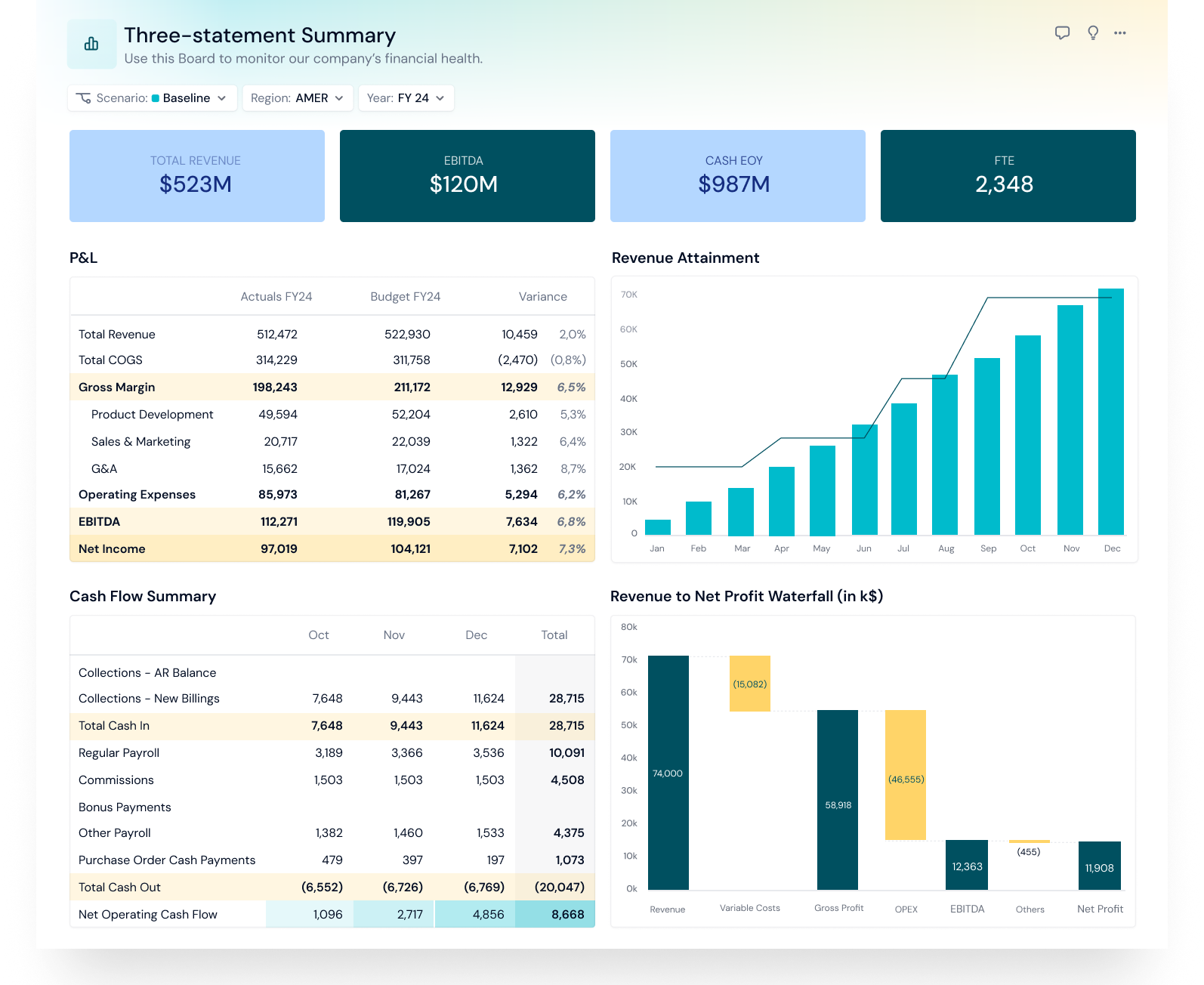
Pigment is an integrated business planning platform that Pigment says is powered by agentic AI. It targets enterprise finance teams, and its homepage lists customers including Unilever, Siemens and Uber.
Planning lives in Pigment’s web app. Pigment Financial Consolidation has been available to all customers since September 2025. Its Analyst and Modeler Agents work alongside customer-configured Custom Agents; a Planner Agent has been announced. Pigment also documents MCP connections for ChatGPT, Claude and Microsoft Copilot. Mid-market teams should check the scope and cost of an enterprise planning implementation.
- Best for: Enterprise finance teams building connected planning across departments.
- Key difference from Abacum: Pigment aims further up market, at enterprises such as Unilever and Siemens.
- Modeling environment: Web app, with Excel and Google Sheets connectors for importing and exporting data.
- AI: Analyst, Modeler, and Custom Agents built in, and an MCP server for outside AI tools.
- G2 rating: 4.6 out of 5, checked October 22, 2026.
- Pricing: Pricing on request, with Explorer, Contributor and Editor licenses.
3. Cube

Cube is an FP&A platform that keeps planning in Excel and Google Sheets, connected to a central data hub. Cube says its two-way sync works in both spreadsheets and that it connects to hundreds of source systems. Its multi-entity roll-ups and intercompany eliminations use finance-defined rules.
Its Silver plan includes Cube’s MCP server for Claude, ChatGPT and Copilot. Four FP&Agent teams cover data, analysis, planning and business partnering under a super agent. Datarails covers the platform in more depth in its Cube reviews.
- Best for: Finance teams that want to keep planning in Excel or Google Sheets.
- Key difference to test: Cube’s two-way spreadsheet workflow against Abacum’s connector and web-model workflows.
- Modeling environment: Excel and Google Sheets, with two-way sync.
- AI: Four FP&Agent teams built in, and MCP from the Silver plan.
- G2 rating: 4.5 out of 5, checked October 22, 2026.
- Pricing: Pricing on request, with Bronze, Silver and Gold plans. Confirm whether multicurrency consolidation is included or an add-on in your proposal.
4. Vena
Vena is an Excel-native FP&A platform built around Microsoft tools, which Vena bills as Microsoft-native. It serves mid-market to enterprise teams and connects ERP, CRM and HRIS data, with Power BI and Microsoft Fabric integrations.
Vena Financial Consolidation became generally available on August 26, 2026. Its Planning Agent is generally available, its new Analytics Agent is in open beta, with general availability expected later in October 2026, and its MCP server connects Claude, ChatGPT and Microsoft Copilot to Vena data. See the Vena reviews and the Datarails vs Vena comparison for more detail.
- Best for: Mid-market to enterprise teams standardized on Microsoft tools.
- Key difference from Abacum: A Microsoft-centered planning stack with Excel as its main modeling environment.
- Modeling environment: Excel-native.
- AI: Planning Agent generally available; new Analytics Agent in open beta as of October 22, 2026; MCP for compatible external AI tools.
- G2 rating: 4.5 out of 5, checked October 22, 2026.
- Pricing: Pricing on request, with Professional and Complete plans.
Two names from older Abacum comparisons have changed. Runway, the FP&A tool in those comparisons, now operates under the name “cfo.ai,” which launched an AI CFO for founders in September 2026. HiBob acquired Mosaic in 2025. As of October 22, 2026, its Bob Finance page says the product is being reworked and will return in a few months. Confirm availability before shortlisting it.
Compare Datarails and Abacum in detail
Want every row of the comparison before your next demo? Read Datarails vs Abacum for the full side-by-side.
What Abacum reviews add up to
Abacum reviews describe a well-rated planning platform, with praise for ease of use and support. Some users report a learning curve on complex models, slower performance at scale and management reports that end up back in Excel or Slides.
Both Abacum and Datarails support Excel workflows. The decision depends on which models, consolidation rules and governance controls each can support for your team. Datarails FP&A adds planning and reporting on the FinanceOS foundation shared by other Datarails applications.
Test Datarails with your model and board pack
Bring last month’s board pack and the model behind it, and see how Datarails runs both on governed data.
Abacum reviews FAQs
What do Abacum reviews say about the platform?
Abacum holds 4.6 out of 5 on G2 and Gartner Peer Insights, checked October 22, 2026. Reviewers praise ease of use, onboarding and flexible driver-based models. Some report a steep learning curve, slower performance on large models and limited reporting flexibility.
How does Abacum pricing work?
Abacum uses custom quotes and does not publish a list price. Its website describes onboarding and support as included. Vendr lists a median contract of $43,750 a year, a third-party estimate. Users, license types, and add-ons such as API access drive the final price. Ask for an itemized proposal covering integrations, entities and renewal terms; third-party contract estimates do not establish your price.
What are the best Abacum alternatives?
Datarails, Pigment, Cube and Vena are Abacum competitors to evaluate. Datarails and Cube support spreadsheet-connected planning, Pigment targets enterprise planning across departments, and Vena fits teams centered on Excel and Microsoft tools. Choose based on model ownership, reporting and consolidation needs, implementation work and a scoped proposal.
Is Abacum FP&A software Excel-based?
Abacum FP&A supports web models and connected Excel workflows. Its Excel connector pushes and pulls data; this is separate from Modeler’s route for rebuilding an uploaded model in Abacum. Full workbook import, including formulas and multi-tab files, is planned for later in 2026, according to Abacum.
What does Abacum AI do?
Abacum Intelligence covers context, modeling, narrative, scenario, and workflow tasks across the platform. Its Modeler agent, available to all customers since October 13, 2026, reads an uploaded Excel model and rebuilds it on the data already connected to Abacum. Abacum says customers can also connect via MCP to Claude, Gemini, or ChatGPT.
How many Abacum integrations are there?
Abacum advertises 700+ connections across finance and business systems. SFTP and Amazon S3 support file-based feeds where appropriate. Directory listings can cover a subset of the vendor total; verify each required connection’s supported data, refresh schedule and cost.