Considering the big impact financial management software can have on an organization, choosing a platform is a choice you want to make carefully.
But when there are so many different financial management tools, how can you spot the best from the rest?
We put together a comprehensive guide explaining what business financial management software does, how it helps finance and CFOs, and a comparison of the 8 best tools available in 2024.
Let’s jump right into it.
What is financial management software?
The term financial management software can mean a few different things.
- Personal financial management- This could be anything from tracking expenses and helping save for retirement to personal accounting tools for your independent business.
- Financial management software for businesses- This type of software is usually broken down into 2 categories, ERP tools and FP&A software. It is used to manage an organization’s financial department and how it effects the rest of the company’s decisions.
We will be focusing on the second type – financial management for businesses. If you are looking for a personal financial management tool, Tech Radar has a great article ranking the best personal ones.
A good business financial management software tool will help reduce errors, control audit trails, and keep all of the company’s data in one place.
Choosing the Best Financial Management Software for Your Business
When selecting the ideal business financial management software, consider the size of your organization, industry-specific needs, and budget. Consider scalability, integration capabilities, user-friendliness, and customer support.
Let’s dive deeper into the questions you’ll ask about your organization to help you determine which financial management software is right for you.
What Size Is Your Organization?
An organization’s size will significantly affect the type of financial management software that best suits your needs. Simple yet powerful accounting solutions like FreshBooks may suffice for small businesses and startups.
However, larger organizations with more complex financial processes may require advanced features and integrations offered by platforms like Datarails. In fact, Datarails is ideal for organizations of all sizes as it’s highly customizable and can be tailored to fit any industry or business type.
What Industry Are You In?
Different industries have varying financial management needs. For example, a retail business may need inventory tracking features, while a service-based company may require robust invoicing capabilities. Consider your industry’s specific requirements and ensure your chosen software meets them.
What Is Your Budget?
Financial management business software can range from free or low-cost options to more expensive, enterprise-level solutions. Determine how much you’re willing to spend and what features are vital for your organization before deciding on a platform.
Don’t let price be your only deciding factor, though—remember that investing in quality financial management software can help save time, reduce manual errors, and increase efficiency in the long run.
Other Factors to Consider When Choosing Financial Management Software for Businesses
Aside from size, industry, and budget, there are other notable factors to consider when choosing financial management software. These include:
- Scalability
- Integration capabilities
- User-friendliness
- Customer support
Scalability refers to the software’s ability to adapt and grow with your organization as it expands. Choose a platform that can accommodate ongoing growth and handle increased volumes of financial data.
Integration capabilities are also essential, especially if your organization uses other software and tools for different business functions. Look for financial management software that can easily integrate these systems to streamline processes and improve efficiency.
User-friendliness is another integral factor to consider. The financial management software should have a simple and intuitive interface. This makes navigating and using the software more accessible for any user.
Lastly, don’t forget to account for the quality of customer support the financial management software company provides. In case you run into any issues or have questions while using the platform, having a useful and responsive support team that can help you swiftly will make a world of difference.
The 8 best financial management tools for businesses
1) Datarails: Streamlined Financial Management Made Simple

FP&A or ERP? Datarails is an FP&A software.
Who‘s it for? Small and Medium sized businesses.
Datarails stands out as a comprehensive financial management solution designed to streamline your processes. Known for its ease of use and Excel native interface, Datarails offers a streamlined budgeting process that ensures efficient planning and decision-making. With this financial management tool, you can easily track expenses, optimize cash flow, and monitor financial performance without hassle.
Apart from these features, Datarails also provides detailed reports and dashboards to help you gain valuable insights into your business finances. It integrates seamlessly with other business tools (including Excel and over 200 third party integrations) and supports collaboration, making it a top choice for businesses looking to improve their financial management processes.
Two of the most exciting features Datarails offers are known as DataRails AI and Storyboards. DataRails AI is an AI-powered chat tool that provides finance teams with quick answers based on complete and consolidated financial data from across their company.
And Storyboards creates AI generated presentations based on financial data which saves finance teams dozens of hours on creating and editing reports each month.
Sloane Kolt, head of Datarails Labs, explains:
“With conversational AI, answers and charts can be generated instantly based on the precise turn a board meeting takes, or the latest pressing request from a department. AI will help to automate many ad hoc reports, eliminating the massive amount of time wasted on one time tasks.”
2) Oracle: End-to-End Financial Management
FP&A or ERP? Oracle is an ERP system
Who’s it for? Best for large companies with established IT systems as Oracle is a complete system but also complicated and costly.
Oracle provides an end-to-end cloud-computing financial management solution that covers everything from accounting and financial planning to risk management and compliance. Its comprehensive suite of applications caters to businesses of all sizes and industries, but is best for larger companies due to its complexity and complete ERP system.
With Oracle, CFOs gain real-time visibility into their organization’s financial performance, enabling proactive decision-making. Moreover, Oracle’s advanced analytics capabilities help uncover valuable insights to drive growth and profitability.
Oracle also has subsets of its complete ERP system, with software such as Oracle Essbase.
3) QuickBooks: All-in-One Financial Management

FP&A or ERP? Quickbooks provides accounting functions which is one of the components of an ERP.
Who’s it for? Quickbooks is the go to name in financial management accounting systems and is fit for businesses of any size. However large businesses tend to outgrow it.
QuickBooks is an all-in-one financial management solution trusted by millions of businesses worldwide. Whether you’re a freelancer, a small business owner, or a mid-sized company, QuickBooks could have tailored solutions to meet your needs.
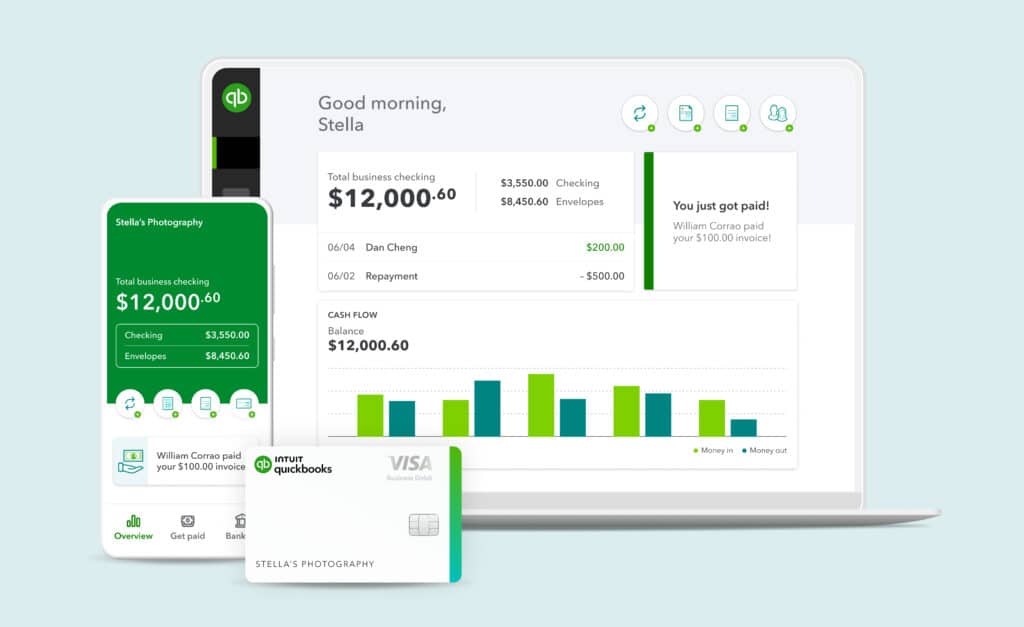
QuickBooks simplifies every aspect of financial management, from accounting and invoicing to payroll and inventory management. Its mobile app helps you manage your finances while you’re on the move. Its extensive integrations also ensure seamless connectivity with other business tools.
While Quickbooks is still the most common name in accounting software and comes out with many new features for planning and automating, it does have it’s limitations in regards to forecasting and large datasets which is why many companies are turning to FP&A software.
4) Vena: Flexible Financial Management Solutions

FP&A or ERP? Vena is an FP&A software.
Who’s it for? Vena is good for medium and large businesses that need the rigid process and planning controls of pre-built FP&A processes in Excel.
Vena offers flexible financial management solutions tailored to the unique needs of businesses. Known as “the only complete planning platform natively integrated with Microsoft 365,” the platform allows for seamless collaboration among finance teams, facilitating budgeting, planning, and reporting processes.
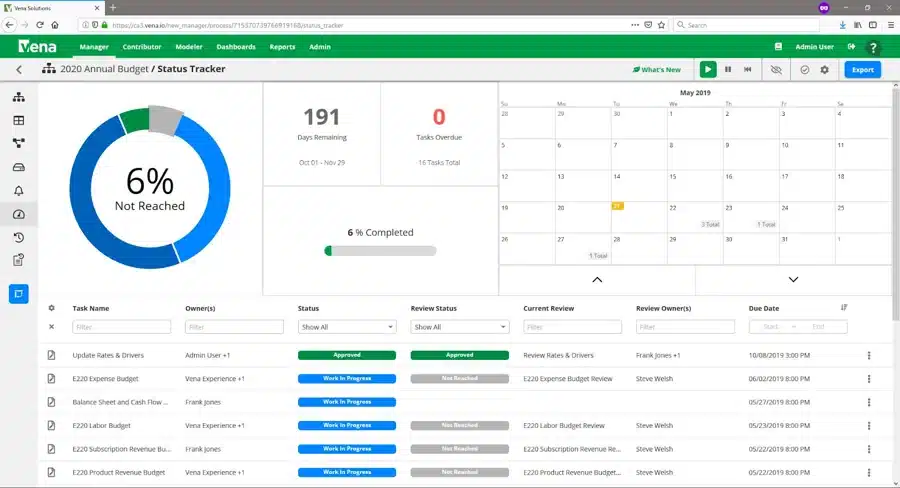
Vena’s automation features streamline routine tasks, freeing time for strategic analysis and decision-making. Whether a medium business or a large enterprise, Vena adapts to various requirements.
5) Xero: Simplified Accounting and Invoicing
FP&A or ERP? Xero provides accounting functions which is one of the components of an ERP.
Who’s it for? Xero is an accounting software meant for small and medium sized businesses.
Xero is a cloud-based accounting software that simplifies financial management for small businesses and startups. Its intuitive features make accounting tasks like invoicing, payroll, and expense tracking more straightforward. Xero’s real-time reporting capabilities provide valuable insights into your business’s financial health, allowing for informed decision-making.
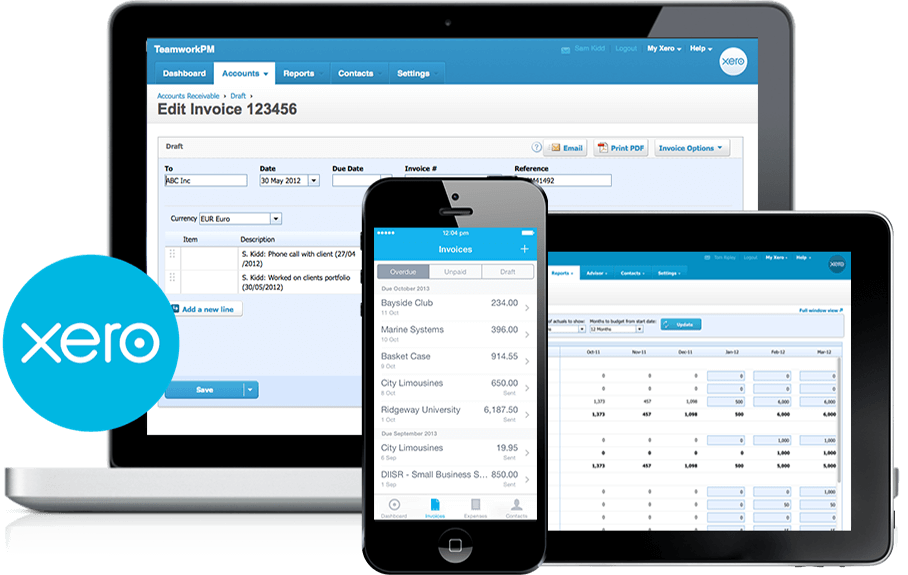
Its seamless integration with other business applications also streamlines workflows and enhances productivity.
Xero and Quickbooks are often compared as they are similar software that offer similar functionalities. While you can’t go wrong with either, Xero offers cheaper pricing for the most basic plans for small businesses, while Quickbooks seems to be the more popular for larger organizations. But of course, you can’t go wrong with either!
6) Cube: Empowering Financial Planning and Analysis

FP&A or ERP? FP&A
Who’s it for? Cube is an FP&A software meant for startups and small businesses.
Cube empowers CFOs and finance professionals with advanced financial planning and analysis capabilities. Its user-friendly interface allows for easy budgeting, forecasting, and scenario modeling, enabling organizations to make data-driven decisions confidently.
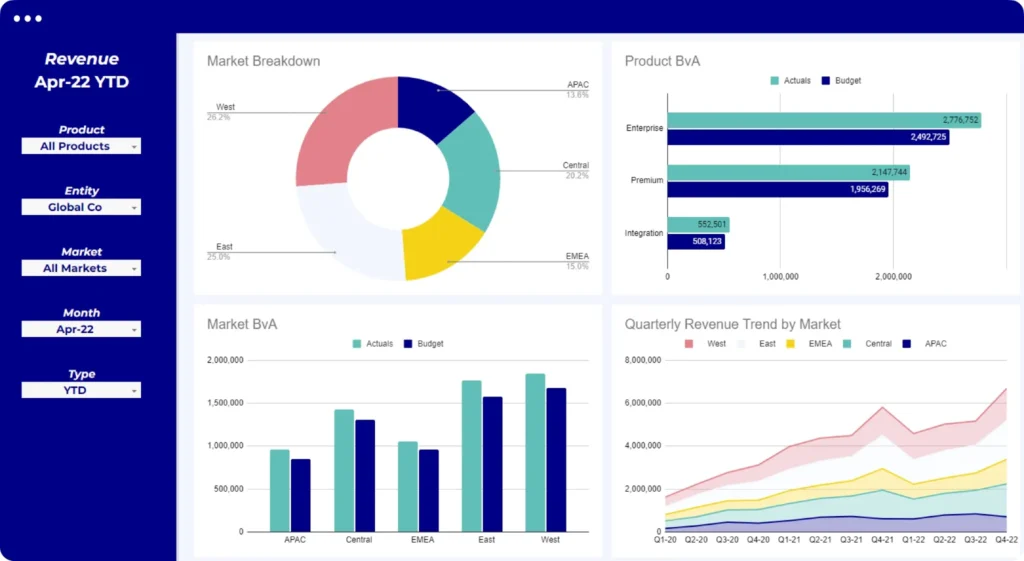
Cube’s integration with various data sources ensures accurate and up-to-date financial information, while its customizable and flexible dashboards provide actionable insights at a glance.
Deciding between Datarails vs. Cube? Read this before you make your decision.
7) FreshBooks: Simple Accounting for Small Businesses

FP&A or ERP? Freshbooks provides accounting functions which is one of the components of an ERP.
Who’s it for? Freshbooks is an accounting software that focuses on small businesses
Built primarily for business owners and accountants, FreshBooks is considered a simple yet powerful accounting software tailored for small businesses and self-employed professionals. Its user-friendly interface and straightforward features make invoicing, expense tracking, and time management a breeze.
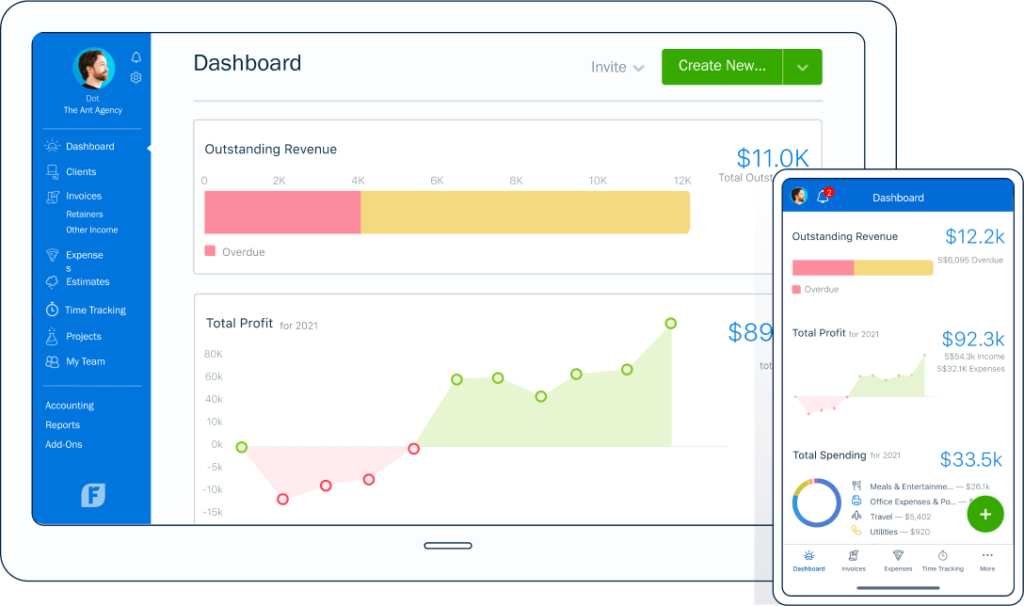
FreshBooks integrates with 100+ platforms, allowing easy access to financial data from anywhere, ensuring flexibility and convenience. Plus, its automated features save time and reduce manual errors.
Freshbooks joins the Xero and Quickbooks debate although in this case, Freshbooks really is best for small businesses while the other have a larger target audience.
8) Sage Intacct: Cloud Financial Management

FPA& or ERP? ERP
Who’s it for? Sage is meant for small businesses (up to 200 employees)
Sage Intacct is a cloud-based financial management tool that many growing businesses choose. Its scalable platform offers advanced accounting, budgeting, and revenue recognition features, empowering CFOs to drive strategic growth initiatives.
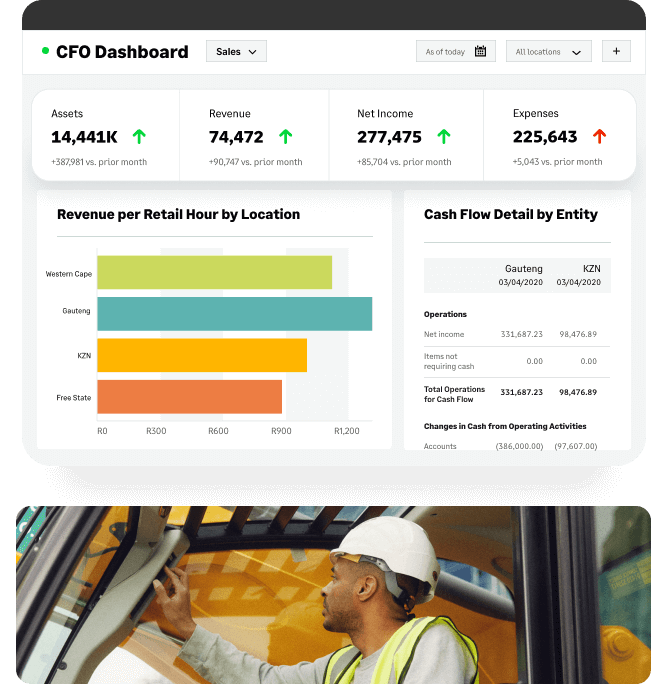
Sage Intacct’s automation capabilities streamline processes and improve efficiency—they claim to be able to cut close time by 70%. Simultaneously, its customizable reports provide actionable insights for informed decision-making.
Sage is one of the oldest financial management software and is quite customizable.
Wrapping Up: Datarails’ Financial Management Software for Businesses
With all the above considerations in mind, Datarails stands out as a clear choice for the best financial management software. It offers a robust and comprehensive platform that caters to organizations of all sizes, scopes, and industries with budget-friendly pricing plans.
Its scalable design, integration capabilities, AI-powered features, user-friendliness, and exceptional customer support make it an obvious pick for any business eager to improve its financial management processes.
Investing in quality financial management software like Datarails can significantly impact an organization’s success and growth.
The Best Financial Management Software for Businesses: FAQs
Still curious about Datarails or financial management software in general? Here are some frequently asked questions about them and their answers.
What is financial management software?
Financial management software is a technology tool designed to help organizations manage their financial data, processes, and tasks efficiently. It automates various financial tasks such as budgeting, forecasting, reporting, and analysis, allowing businesses to make informed decisions and improve their financial health.
Depending on the software provider, financial management software may offer features like data integration, real-time tracking, and AI-powered insights.
What makes Datarails stand out from other financial management software?
Regarded as the best financial management software, Datarails offers a comprehensive and scalable solution that caters to organizations of all sizes and industries. With AI-powered tools, various integrations, and robust solutions for data visualization, scenario planning, and more, Datarails stands out as a top choice for organizations looking to streamline their financial management processes.
How do financial management tools help CFOs?
CFOs turn to financial management tools for several reasons, many of which come down to time. With financial management software, CFOs can automate their most labor-intensive tasks, such as data entry and report generation. This gives them more time to analyze financial data, make strategic decisions, and provide valuable insights to the organization.
Accuracy is another vital factor for CFOs, and using financial management tools means data is entered correctly and consistently. This dramatically cuts down the risk of human error and provides reliable data for decision-making.
Did you learn a lot about different tools for financial management in this article?
Here are three more to read next: