Click for Takeaways: Best AI for Finance
- The failure mode frame: Most AI comparisons focus on features. The more useful question is what goes wrong when the tool doesn’t fit the workflow, because that’s where the real differences show up.
- Match the default to the task: Each tool has a default behavior that either protects you or works against you. Claude defaults to caution and qualification. ChatGPT defaults to speed and confidence. Copilot defaults to context. Match the default to the failure mode you can’t afford.
- The sequence matters: For high-stakes workflows like scenario modeling, the tools work better in sequence than in competition – Claude for framing assumptions and narrative, Claude or ChatGPT with Code Interpreter for stress-testing them quantitatively.
- Automation is an architecture question: For agentic workflows, the model matters less than the guardrails around it. The right question before deployment isn’t which AI to use; it’s who approves the action before it executes, and what the recovery path is if it’s wrong.
- The data layer is the prerequisite: Every tool in this stack performs only as well as the data going in. The AI decision is the second decision. The first is whether your financial data is clean, consolidated, and governed well enough to trust the outputs.
The search for the best AI for finance usually starts with a capability comparison. Longer context windows. Better reasoning. Faster outputs. But finance AI pilots usually fail, with 95% failing to deliver measurable P&L impact. That’s often because they depend on a tool whose defaults aren’t suited to the workflow they need.
AI tools for finance teams each have distinct defaults. The right question is what goes wrong if you don’t use the right LLM. Failure modes are more useful than feature lists, because failure modes are where the differences show up under real working conditions.
This article maps AI tools to finance workflows, organized around what breaks when the fit is wrong.
The tools and their defaults
First, here are brief characterizations of each tool’s default behavior.
Claude defaults to caution. It qualifies statements, reflects ambiguity, and maintains narrative consistency across long documents. It is not the fastest tool and not the most computationally capable, but its outputs require less editing for tone and less AI hallucination risk from overconfidence.
ChatGPT defaults to confidence and computation. It moves fast, iterates readily, and with Code Interpreter active, it runs numbers rather than reasoning about them. Its default register is direct and structured, which is an asset in some contexts and a liability in others.
Copilot defaults to context. It lives inside Excel, PowerPoint, and Outlook, which means it sees the actual sheet, the actual deck, or the actual thread. That embedded awareness is its primary advantage over general-purpose tools.
Gamma defaults to speed for AI presentation creation. Give it a brief or a document and it produces a structured, designed presentation faster than anything else in this category. The output requires refinement, but the first draft is seriously quick.
Perplexity defaults to sourcing. Every claim comes with a citation. For finance teams that need external benchmarks or peer data, that transparency matters.
The mapping
Board reporting and financial narrative
The failure mode: commentary that shifts register mid-document, overconfident framing in sections written under time pressure, or a CFO package that reads like it was written by three different people… because it was, just three different prompts.
Use Claude for board reporting and CFO narrative writing. Its default tendency toward measured, qualified language and narrative continuity across long documents makes it the most consistent performer for multi-page financial narrative. ChatGPT can match this with deliberate prompting but requires more intervention to maintain executive register by default. Finance teams looking to eliminate the manual rebuild every cycle should also explore how AI Finance Agents now generate board-ready reports automatically from unified ERP and CRM data.
Variance analysis and data interrogation
The failure mode: describing what the numbers show instead of actually running them. An AI that reasons about variance analysis without computing it will sound plausible and miss things a calculation would catch.
Use ChatGPT with Code Interpreter for financial data interrogation. It takes uploaded data, runs actual calculations, and iterates across multiple cuts of the same dataset. Copilot in Excel is the alternative for teams that want to stay inside the spreadsheet without an export step. For teams that want variance analysis embedded in a governed data layer, see building a flexible budget variance analysis in Excel with Datarails.
Scenario modeling and forecasting
TThe failure mode: structuring scenarios thoughtfully but never stress-testing the assumptions quantitatively. Well-reasoned financial scenario modeling that hasn’t been computed is still just opinion.
Use Claude or ChatGPT with Code Interpreter for the quantitative work — stress-testing financial assumptions, running probability-weighted outcomes, iterating on driver logic. They work better in sequence than in competition. For the underlying data that makes scenario outputs trustworthy, see how leading financial forecasting software handles scenario modeling and driver-based planning.
Month-end commentary
The failure mode: overstating a variance driver. A tool that defaults to confident, declarative language will tell you gross margin declined because of product mix when the real picture is more complicated. That commentary travels up to the board. The downstream decisions are built on it.
Use Claude for month-end financial commentary. The tendency that makes it slower and more hedged in other contexts is structurally correct here. This overlaps closely with the framing challenges covered in board reporting.
Ad hoc CFO queries and thinking partner
The failure mode: slow, over-structured responses when you need a fast pressure-test. A CFO asking “what am I missing in this assumption” or “what questions should I be asking FP&A” doesn’t need a formatted report.
Use ChatGPT. It’s faster, more conversational, and better at the rapid back-and-forth that thinking-partner work requires. This is the category where ChatGPT is most dominant in actual finance team usage, and where the comparison to Claude is least competitive.
Excel formula and model building
The failure mode: a technically correct formula that doesn’t account for what’s actually in the sheet. A general-purpose tool writing formulas from a text description doesn’t know your named ranges, your column structure, or the logic of the model it’s operating inside.
Use Claude for Excel or Copilot in Excel for contextual formula writing. Both see your actual sheet and write against it. Claude for Excel handles more complex multi-sheet tasks; Copilot suits teams already on Microsoft 365 who want to stay within their existing license.
Presentation creation
The failure mode: two hours on slide design and layout instead of the narrative and the argument. The deck is the deliverable, but it’s not where the thinking happens.
Use Gamma for first draft speed and structure. It produces the strongest initial output from a brief, and the time saving on the build is real. Like every AI-generated deck, it requires refinement before a CFO audience, but that is true of every tool in this category, including Copilot in PowerPoint. Copilot is the better choice for teams working inside existing corporate templates where design consistency matters more than first-draft speed.
Research and benchmarking
The failure mode: synthesis without sourcing, or sourcing without synthesis. An AI that produces confident benchmarks without telling you where they came from is a liability in a board presentation. An AI that produces citations without coherent analysis hasn’t saved much time.
Use Perplexity when source transparency is the priority: external benchmarks, peer comparisons, industry data, where you need to know where the number came from. Use ChatGPT with search when the task is synthesizing multiple sources into a coherent financial narrative.
Agentic workflows — AR, AP, close automation
The failure mode: an agent with access and no governance. It acts. Nobody approved it. The Cursor incident — a coding agent that deleted an entire company database in nine seconds, backups included — is the extreme version of a failure mode that applies at every level of AI automation, including finance.
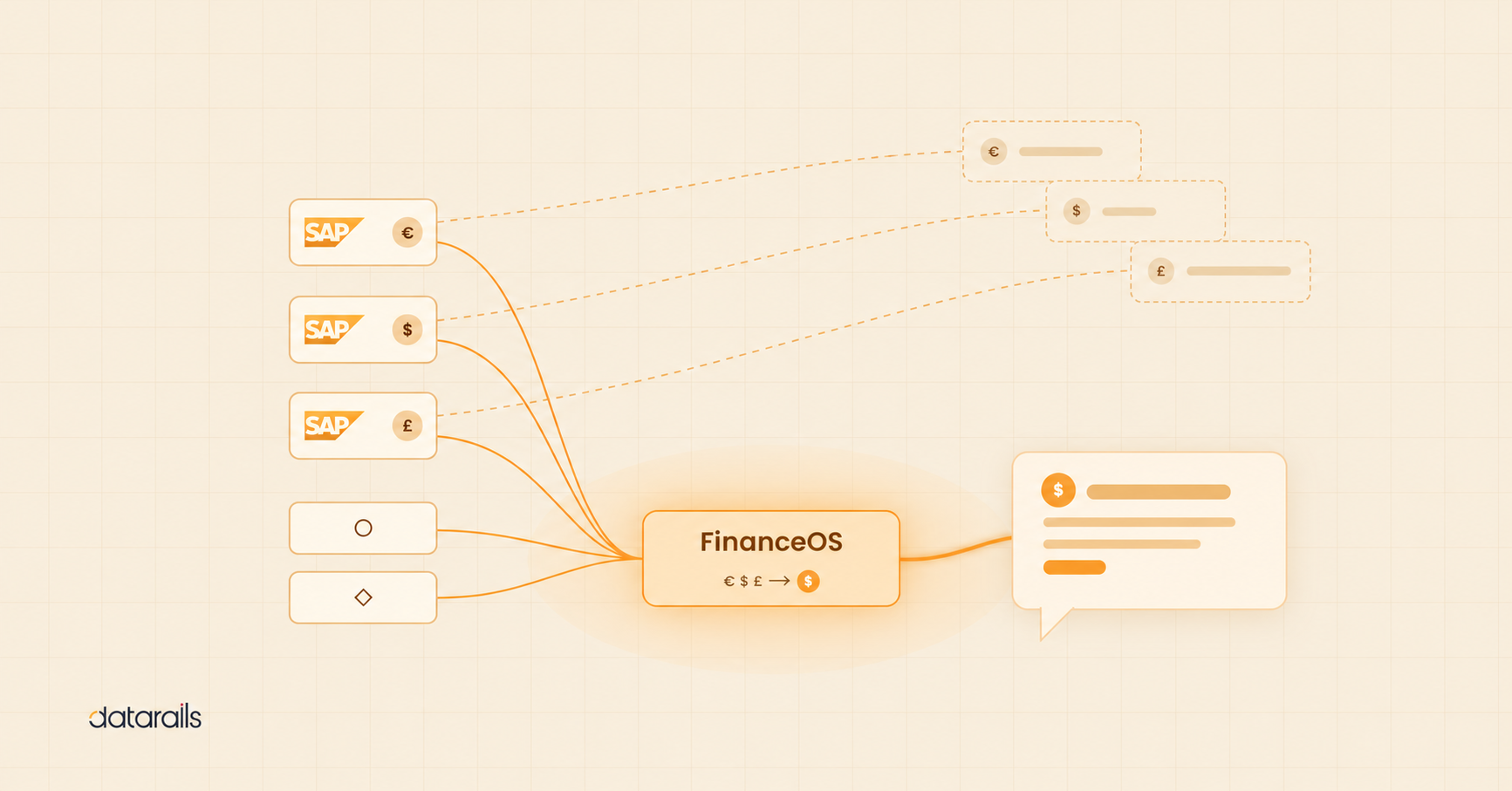
The tool matters less here than the integration architecture and the guardrails around it. Claude’s MCP framework and ChatGPT’s function calling both support agentic finance workflows. The question to ask before deployment isn’t which model but who approves the action before it executes, and what happens if it’s wrong. Finance teams evaluating agentic deployment should understand how FinanceOS provides the governed data layer that makes AI agents in finance auditable and safe.
Why there’s no single best AI for finance
High-performing finance teams don’t standardize on one model. They build a stack, matching tools to tasks the same way they’d match analysts to workstreams. The comparison question isn’t which AI wins. It’s which defaults protect you in this specific workflow, against this specific failure mode.
That frame also makes the evaluation more durable. Models improve fast. Default behaviors shift more slowly. A tool comparison organized around failure modes will age better than one organized around features that will be outdated in six months.
The floor beneath all of it
Every failure mode above assumes the data going in is clean, consolidated, and governed. Claude won’t overstate a variance driver if the variance figures themselves are wrong. ChatGPT won’t produce reliable scenario outputs if the assumptions it’s stress-testing are built on unreconciled actuals from three different spreadsheets.
The AI tool is the second decision. The first is whether the financial data layer is ready: structured, connected, and governed well enough that the outputs from any of these tools can actually be trusted. Without the solid foundation of a finance operating system the mapping above is theoretical. With it, it’s operational.
Best AI for Finance FAQs
There’s no single best AI for financial analysis — the right tool depends on the task. ChatGPT with Code Interpreter is strongest for running calculations and iterating on data. Claude is stronger for financial narrative and board commentary, where tone and qualification matter.
Not yet, and not in the near term. AI eliminates the mechanical parts of analysis — formatting, structuring, drafting — but the judgment layer still requires a human. The teams winning with AI are using it to do more analysis, not fewer analysts.
ChatGPT is the most widely used AI among finance teams and leads for ad hoc analysis, thinking-partner work, and data interrogation with Code Interpreter. Its limitations are overconfidence in narrative tasks and no native connection to ERP or financial systems.
For specific tasks, yes. Claude’s default tendency toward qualified, measured language makes it more reliable for board commentary, month-end narrative, and any output where overstating a finding carries real risk. For speed, computation, and back-and-forth analysis, ChatGPT has the edge.
The main risks are overconfident outputs in narrative workflows, unverifiable calculations without human review, and — in agentic deployments — actions taken without human approval. Governance and data quality are the foundation; without them, AI amplifies bad inputs as fast as good ones.