So, you want to learn how to use ChatGPT to write Excel formulas? The good news is, AI-powered platforms like ChatGPT can now complete tasks (including the one at hand: creating Excel formulas) with more ease, accuracy, and speed than ever before. Still, this doesn’t mean it’s a foolproof approach.
To ensure you get the most out of ChatGPT when writing Excel formulas, we’re diving deep into how ChatGPT can be employed to write Excel formulas, transforming your Excel into a lean, mean FP&A machine with step-by-step instructions, best practices, FAQs, and much more.
ChatGPT for Excel Formulas: The Basics
Input Method
Using ChatGPT to write Excel formulas is as straightforward as providing a textual description of what you want the formula to achieve. For instance, you could tell the AI, “Calculate the quarterly sales growth for this column of numbers.” Then, the AI would generate an Excel formula that accomplishes exactly that. (This is a simplified explanation of how to get Excel formulas from ChatGPT—we’ll dive deeper in a moment!).
Output Method
You can directly input the generated formula into Excel and integrate it into your broader corporate budgeting or financial consolidation software systems. This approach centralizes all your data and allows easy manipulation to produce accurate reports, forecasts, and other financial analyses.
Extended Step-by-Step Guide: Using ChatGPT to Write Excel Formulas
Given that the FP&A functions can be intricate and the Excel formulas that back them even more so, it’s critical to understand the detailed process of using ChatGPT to generate Excel formulas.
Here’s an extensive step-by-step guide to help you achieve this:
Step 1: Pre-Assessment and Planning
Before you ask ChatGPT for help, assess what exactly you need the formula to accomplish in the context of your FP&A tasks. Do you need to aggregate data for financial consolidation, or are you looking to create a predictive model for your budget? Write down the specifics so you can clearly convey them to the AI.
Tips:
- Create a rough sketch of the data points you have and the output you desire.
- Make a list of variables and how they relate to each other, especially if your formula will be complex.
Step 2: Framing the Query for ChatGPT
The next step is to frame your request for ChatGPT. Be as specific as possible and try to avoid ambiguous language.
For example, instead of asking, “Give me a formula for revenue growth,” you might say, “I need an Excel formula to calculate the quarter-over-quarter revenue growth rate using Column A for the past revenue and Column B for the current revenue.”
Tips:
- Use specific column references and desired time frames to help the AI understand your needs.
- Run a test query first to see how well the AI understands your requirement before framing your final question.
Step 3: Running the Query
Once you have framed the question, input it into the ChatGPT interface. You’ll receive an Excel formula as an output. Copy this formula.
Tips:
- Save the formula in a text document as a backup, especially if it’s complex or you plan to make modifications later.
- If the output is not as expected, refine your query and try again.
Step 4: Validation and Review
Before integrating the formula into Datarails, test it on a sample Excel worksheet. Then, make sure it’s providing the desired results. Lastly, validate the formula under different scenarios to ensure it’s robust.
Tips:
- Cross-verify the formula’s output with manual calculations to ensure accuracy.
- If the formula involves more complex financial metrics, consider involving a subject matter expert for validation.
Step 5: Integration into Datarails
Once validated, you can import the Excel formula into your Datarails environment. This FP&A platform offers seamless integration with Excel, and the formula can be put to use for tasks like financial consolidation, budgeting, or generating KPI dashboards (more on those in a moment).
Tips:
- Use Datarails’ version control features to keep track of the different formulas you integrate.
- Leverage Datarails’ collaboration features to share the formula with relevant team members for further refinement or validation.
Step 6: Ongoing Maintenance and Updating
It’s vital to closely monitor the performance of your formula and stay vigilant to any necessary adjustments. By regularly reassessing and updating your approach, you can ensure it remains aligned with the dynamic demands of the environment, enabling continued success and growth.
Tips:
- Set periodic review cycles to assess the formula’s efficiency and accuracy.
- Use Datarails’ comprehensive records and audit trails to monitor how the formula has been used and the outputs over time.
Learn how AI can help with regulatory compliance next.
Use Cases in FP&A
If we have yet to convince you of the efficiencies and success ChatGPT can bring to FP&A, let’s take a closer look at some specific use cases:
Automated Consolidation
The Challenge:
Financial consolidation often involves merging data from multiple departments and even entities within a corporate structure. Manually aggregating this data can be incredibly time-consuming and prone to errors…especially when it involves intricate Excel formulas for currency conversion, intercompany eliminations, etc.
How ChatGPT Helps:
You can leverage ChatGPT to create complex Excel formulas that handle these tasks seamlessly. You can prompt the AI to generate formulas that auto-calculate currency conversions. These conversions are based on real-time exchange rates or formulas that negate intercompany transactions for a unified financial picture.
Real-World Applications:
- Mergers and Acquisitions: Easily consolidate financial data from multiple entities for better decision-making. (Don’t miss this post next to read how AI is also changing M&A due diligence.)
- Monthly Financial Close: Reduce the time and effort it takes to close the books each month.
- Audit Trails: Create consolidated reports that are more transparent and easier to audit, courtesy of automated and error-free formulas.
KPI Dashboards
The Challenge:
To put them to good use, you always need to be on top of monitoring Key Performance Indicators (KPIs). Fortunately, dashboards offer a real-time snapshot of a company’s performance. The formulas driving these dashboards need to be accurate and timely, pulling data from multiple sources.
How ChatGPT Helps:
Chat GPT can help build the backend Excel formulas that power these real-time KPI dashboards in Datarails. Whether it’s calculating customer acquisition costs, revenue growth, or employee turnover rates, ChatGPT can generate the formulas needed to track these metrics effectively.
Real-World Applications:
- Sales Monitoring: Real-time dashboards can be created to track sales metrics like conversion rates, average deal size, and revenue per sales rep.
- Customer Relationship Management: Keep a real-time pulse on customer satisfaction metrics like Net Promoter Score (NPS) as well as Customer Lifetime Value (CLV).
- Operational Efficiency: Monitor production metrics, such as throughput rates or machinery downtime, to identify bottlenecks.
Budgeting and Forecasting
The Challenge:
Creating a robust budget or financial forecast is no easy task and often requires complex modeling. Accurate forecasting models can inform strategic decisions but often rely on multifaceted Excel formulas considering various variables.
How ChatGPT Helps:
ChatGPT can assist in building these complex Excel models by generating the necessary formulas to perform linear regression, time-series analysis, and other advanced forecasting techniques. These formulas can then be integrated into your FP&A software to automate your budgeting and forecasting processes.
Real-World Applications:
- Cash Flow Projections: Use ChatGPT-generated formulas to create more reliable cash flow forecasts, considering variables like seasonality and economic indicators.
- Revenue Forecasting: Integrate advanced formulas to predict revenue based on several drivers like market demand, competitor actions, and promotional activities.
- Expense Management: Better track and predict future expenses with customized Excel formulas that can be adapted as your business grows or changes.
How to Use ChatGPT to Write Excel Formulas: FAQs
Now that we’ve discussed how ChatGPT can help with budgeting and forecasting, let’s review any lingering questions you might have.
How reliable does ChatGPT generate the Excel formulas?
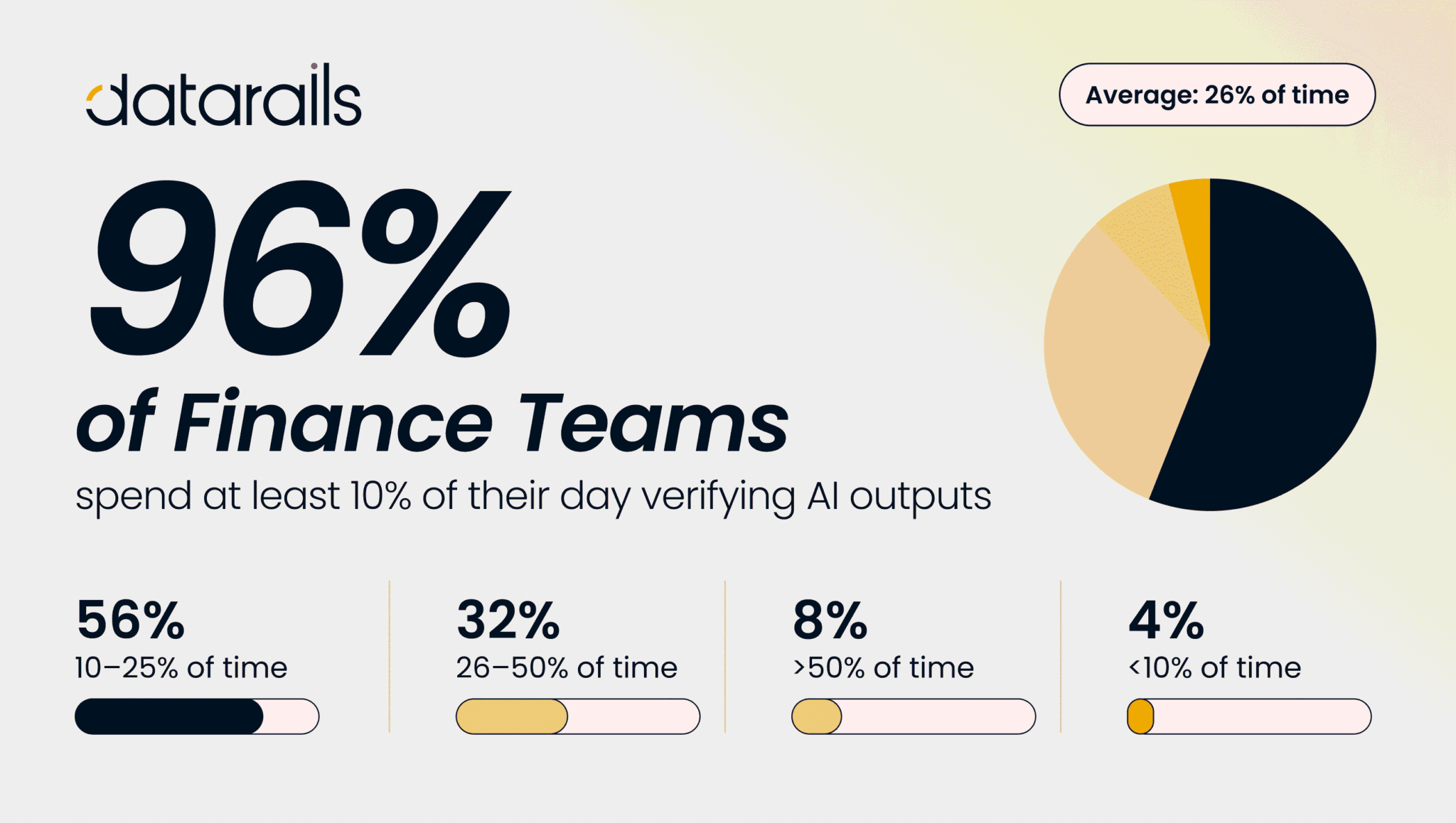
Sure, ChatGPT can generate impressively accurate formulas based on the input provided. Regardless, validating these formulas for your specific use cases within the FP&A framework is crucial. Always test thoroughly before full-scale implementation.
Can ChatGPT do data analysis?
Yes, Chat GPT can perform various types of data analysis to provide insights used in budgeting and forecasting. This includes providing summary statistics for trending analysis and correlation and regression analysis.
How do I analyze ChatGPT data in Excel?
To analyze the data generated by ChatGPT in Excel, you must first import it into your spreadsheet. You can do this easily with the “Data” tab on the Excel ribbon or via CSV file upload. Once imported, you can use powerful lookup and reference functions to access and analyze the data quickly.
Can ChatGPT understand and generate complex financial formulas?
ChatGPT is capable of generating an impressive range of formulas, but the complexity of the formula it can generate depends on how well you define your requirements. If you need a highly complex formula, you may need to break it down into components and then integrate them manually.
Conclusion: How to Use Chat GPT to Write Excel Formulas
ChatGPT offers powerful capabilities for streamlining various FP&A tasks, including automating financial consolidation, creating KPI dashboards, and assisting in complex budgeting and forecasting.
Still, the effectiveness of these generated Excel formulas depends on how well you frame your queries and validate the results. The full potential of ChatGPT is best realized when integrated with a robust FP&A platform like Datarails. Together, they offer an incredibly comprehensive solution for your financial planning and analysis needs.
Would you like to see how Datarails can turn your Excel spreadsheets into a supercharged FP&A tool, complete with ChatGPT-powered Excel formulas? Request a demo today and experience the future of financial planning and analysis.