An AI tool can only analyze the numbers it can reach, and most finance data sits scattered across the ERP, the CRM, payroll, and a shared drive full of Excel models.
That gap explains why two tools with the same chat window can give a CFO very different answers. One sees the general ledger. Another sees the ledger, the sales pipeline, and headcount, and can explain why gross margin slipped last quarter.
Vendors in every corner of finance now put “AI” on the product page, whether the tool codes bank transactions or rebuilds a rolling forecast. For finance leaders comparing FP&A AI tools, the hard part is telling planning platforms apart from bookkeeping assistants and AP automation.
The nine tools below are labeled by the work they do best, with current pricing and the limits worth knowing before a demo.
Two sections come first. One covers what AI changes in day-to-day FP&A work, and the other covers what to check in AI financial planning software, as well as how to spot AI tools for financial analysis that fit your team.
How is AI changing finance and accounting?
Many finance professionals worry that AI will take their jobs, or change them beyond recognition. This anxiety has a precedent. Before digital spreadsheets, accountants did every calculation by hand, and fixing numbers on paper took up most of the working day.
When spreadsheets arrived, many believed the software would put them out of work. Some bookkeeping roles did disappear. Those who stayed moved from arithmetic to analysis, and Excel became where finance teams think. It still is.
AI is now taking on the work around the spreadsheet: pulling data from source systems, reconciling versions, and drafting the first pass of a variance explanation.
Deloitte’s Q2 2026 CFO Signals survey of 200 CFOs at North American companies with $1B+ in revenue found that 44% say finance uses AI for financial planning and budgeting, and 41% use it to analyze financial data. In Deloitte’s Q4 2025 survey, 54% of CFOs said integrating AI agents into finance will be a transformation priority.
Datarails’ 2026 CFO Sentiments Survey, meanwhile, revealed that 76% of finance leaders are under high (67%) or very high (9%) pressure to fully implement AI.
AI is changing finance and accounting in several specific ways:
- More realistic forecasts: Models refresh as actuals arrive, so forecasts reflect the latest closed period.
- Automated data management: Data flows from source systems into one model without copy and paste.
- Mergers and acquisitions (M&A) due diligence: AI reads contracts and financial statements in bulk and flags items for a human to review.
- Faster financial analysis: Analysts get a first draft of the variance story and spend their time checking it.
Careers shift along with the work. Roles move toward interpretation, review, and business partnering, and the FP&A Salary and Career Guide tracks how that shows up in job titles and pay.
Benefits of FP&A AI tools for analysis and planning
Speed is the benefit finance leaders report most. In a Gartner survey of 204 finance leaders carried out in March 2026, 66% of those at organizations using AI named greater efficiency and productivity as a top benefit.
Gartner’s follow-up analysis of the same survey found that 45% of finance leaders say their AI investments lean toward productivity, and just 20% say they lean toward decision quality. The benefits below cover both kinds of value, from saved hours to better calls.
Less time collecting and reconciling data
Before any analysis begins, someone exports actuals from the ERP, matches them to CRM and payroll data, and fixes the mismatches. FP&A AI tools that sit on a consolidated data layer skip most of that step, so analysis can start as soon as the books close.
Forecasts that update with the business
Machine learning models build a baseline forecast from history and adjust it as new actuals arrive. Forecasting sits high on the CFO agenda, and a Gartner survey of 200+ CFOs found that 51% rank improving forecast accuracy and quality in their top five priorities for 2026. Teams that pair an AI baseline with driver-based budgeting and forecasting get a number the business can challenge line by line.
Variance explanations in plain language
A variance report shows that revenue missed plan. AI tools for financial analysis go a step further and draft the explanation, including which accounts moved, whether the change looks one-time or recurring, and which region or product drove it. The analyst’s job becomes checking and sharpening that draft.
Scenario answers in the meeting
Management asks “what if” questions constantly, and analysts can arrive in meetings unprepared to answer them. With a conversational layer on the planning model, an analyst can run a pricing or hiring scenario in the room and show the effect on cash and margin before the discussion moves on.
Anomalies flagged before they reach the board
Anomaly detection scans every account, every period, and flags spend or revenue that breaks its usual pattern. A duplicated vendor payment or a miscoded accrual can be caught during review, which protects the finance team’s credibility when the board pack goes out.
Reports that start from a first draft
Board decks and monthly management reports follow a pattern of charts, commentary, and the few items leadership should act on. AI can assemble the first version from live numbers, so the team spends its time on judgment. More of these workflows are covered in the complete guide to AI in FP&A.
More analyst hours for business partnering
Every hour an analyst stops spending on copying data goes somewhere. Teams can move those hours into work with department heads, such as pricing reviews, hiring plans, and investment cases, where finance shapes decisions before they are made.
What to look for in AI financial planning software
AI financial planning software applies AI to the planning cycle itself: budgets, forecasts, scenarios, and the analysis that explains results against plan. It reads the general ledger along with CRM, HRIS, and billing data, because a forecast needs pipeline and headcount as much as last month’s actuals.
General AI finance tools cover a wider, more transactional set of jobs. Bookkeeping assistants categorize bank feeds, AP platforms extract invoice data and route approvals, and audit tools check contracts against accounting standards. The guide to finance automation tools for finance teams sorts that transactional layer by use case, and our best AI finance app comparison shows where general assistants fit.
The table shows how the two groups differ.
| AI financial planning software | AI accounting and AP tools | |
|---|---|---|
| Main job | Forecast, plan, and explain performance | Record, process, and check transactions |
| Data it needs | ERP, CRM, HRIS, billing, and bank data together | Bank feeds, invoices, receipts, and contracts |
| Typical user | CFO, FP&A team, business partners | Controller, AP team, bookkeeper, auditor |
| Output | Forecasts, scenarios, variance analysis, board reports | Coded transactions, approved invoices, audit evidence |
| Examples below | Datarails AI, Pigment, Planful AI, Vena | Booke.AI, Stampli, Nanonets, Trullion |
For planning tools, these five questions separate a strong demo from a strong product.
Does it work from governed, consolidated data?
An AI answer is only as good as the data behind it. Ask which systems the tool connects to natively, how often data refreshes, and who controls access. Governance is hard to get right, and Deloitte’s full Q2 2026 report found that 59% of CFOs name balancing pressure to deploy AI quickly with managing risk as the biggest challenge to building an enterprise-wide AI governance framework.
Can analysts keep working in Excel?
Finance teams build and check models in Excel, and a tool that forces a rebuild in a new interface adds a model rebuild and user retraining before the AI delivers anything. Look for Excel-connected tools that keep existing formulas and formats intact, so AI adds speed to models the team already trusts.
Can you trace every answer to source numbers?
A CFO can’t take an AI-generated variance explanation to the board without knowing where the numbers came from. Ask the vendor to drill down from an AI answer to the underlying transactions, and check whether answers name the report or account they used.
Who changes the model when the business changes?
New entities, new cost centers, and reorganizations happen every year. Rigid, cube-based models often need consultants for structural changes. Ask who makes those changes on each platform and how long they take, and weigh the answer against the size of your team.
Which AI agents exist today?
Chat assistants answer questions. Agents go further and draft forecasts, build reports, or flag anomalies as part of the planning cycle. Two vendors in the list below, Pigment and Vena, label some agents “coming soon,” so ask which agents are live and which are still on the roadmap.
Pricing deserves the same scrutiny. Some tools charge per business, others by usage credits, and most FP&A platforms quote custom, so ask for a price at your current size and at the size you expect in three years. For planning platforms compared beyond their AI features, see our roundup of best FP&A software solutions.
Best FP&A AI tools and AI tools for financial analysis
Finance teams buy AI for different jobs, so the list mixes tool types. Four tools focus on FP&A and financial analysis, one is a BI platform, and four handle bookkeeping, AP, and audit work. Each profile names the job the tool does best.
For planning platforms only, the list of best AI-based FP&A tools goes deeper. For the transactional side, see the roundup of AI accounting tools.
| Tool | Strongest at | Pricing |
|---|---|---|
| 1. Datarails AI | FP&A and financial analysis | Custom quote |
| 2. Domo | Financial analysis and reporting (BI) | Credit-based, custom quote |
| 3. Pigment | FP&A and financial analysis | Not published |
| 4. Booke.AI | Bookkeeping | $129 per business per month |
| 5. Stampli | AP and procure-to-pay | Not published |
| 6. Nanonets | AP and document processing | Free start, then usage-based |
| 7. Planful AI | FP&A and financial analysis | Not published |
| 8. Trullion | Accounting and audit | Not published |
| 9. Vena Insights | FP&A and financial analysis | Not published |
1) Datarails AI
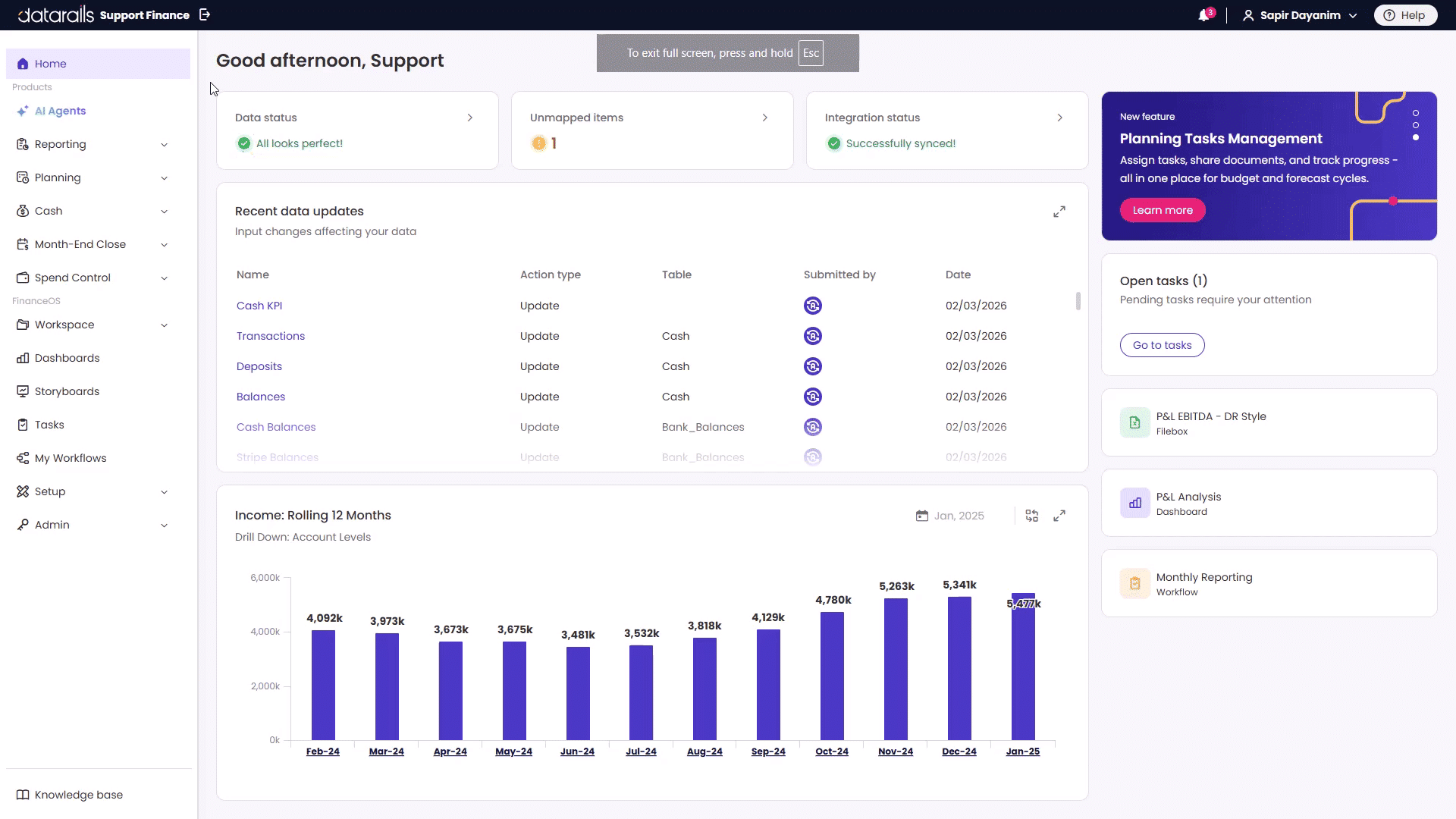
Datarails AI is the AI layer of Datarails, the AI operating system for finance teams. Datarails FP&A is built on FinanceOS®, a governed data layer that connects to 600+ data sources and applies the company’s own financial definitions, so AI answers start from consolidated numbers the finance team already uses.
When the CEO asks a question nobody prepared for, an analyst can type it into Datarails AI and get an answer drawn from FinanceOS data.
- Reporting, Planning, and Strategy Agents: Build reports, draft forecasts, and answer strategic questions in plain language.
- Insights and Storyboards: Summarize what changed in the numbers and turn the analysis into a presentation for management.
- Excel add-in and FinanceOS AI Connector: Keep working in existing Excel models, and give AI tools such as Claude and ChatGPT governed finance data, plus the definitions behind it, through the FinanceOS AI Connector.
Datarails sells Datarails AI as part of the full platform. Most Datarails FP&A implementations go live within 4 to 6 weeks, depending on the complexity of the data and models.
- Best for: Finance teams at companies that plan in Excel and pull data from many systems.
- Strongest at: FP&A and financial analysis.
- Pricing: Custom quote. Most mid-market teams invest $35,000 to $80,000 per year, and enterprise plans typically start above $100,000. See the Datarails pricing guide for what each plan includes.
2) Domo

Domo is a data and BI platform that says it connects 1,000+ data sources to shared dashboards. Progress Software completed its acquisition of substantially all the assets of Domo’s AI and data platform business on September 22, 2026, so Domo now sits inside the Progress data and AI portfolio.
Domo integrates data from Excel, Salesforce, SAP, and other systems into one dashboard for business decision-makers. Its AI features include AI Chat, custom AI agents, and model management.
- Low-code apps and dashboards: Non-technical users build their own views, and technical teams work with the data directly.
- Unlimited users: Domo charges by credits consumed, with no per-user fees.
- Free trial: 30 days, with no credit card required.
Domo is built for BI and reporting, so confirm how it handles budgeting and forecasting before choosing it as a planning tool. The case for a BI alternative for finance departments explains where that gap shows up.
- Best for: Companies that want one BI layer across finance, sales, and operations.
- Strongest at: Financial analysis and reporting.
- Pricing: Custom quote on a credit-based consumption model.
3) Pigment

Pigment is an enterprise planning platform built around AI agents and used by finance, sales, HR, supply chain, and ESG teams. The Analyst Agent scans metrics, flags anomalies, and builds reports. The Modeler Agent turns a plain-language description into a governed model, and a Planner Agent for scenario recommendations is listed as coming soon. Custom Agents let teams build their own agents from their instructions and documents.
- Predictions: Machine learning forecasts for revenue, expenses, and headcount.
- Assistants: Data, navigation, and documentation assistants answer questions inside the platform.
- MCP server: Connects Pigment to outside AI tools such as Claude and ChatGPT.
- Spreadsheet integrations: Connections to Excel and Google Sheets.
Pigment suits companies that want one planning model across departments. Models live inside Pigment, so teams moving from Excel-based planning should budget time to rebuild them and train users.
- Best for: Larger companies linking finance plans with sales, workforce, and supply chain plans.
- Strongest at: FP&A and financial analysis.
- Pricing: Not published. A free trial is available.
4) Booke.AI
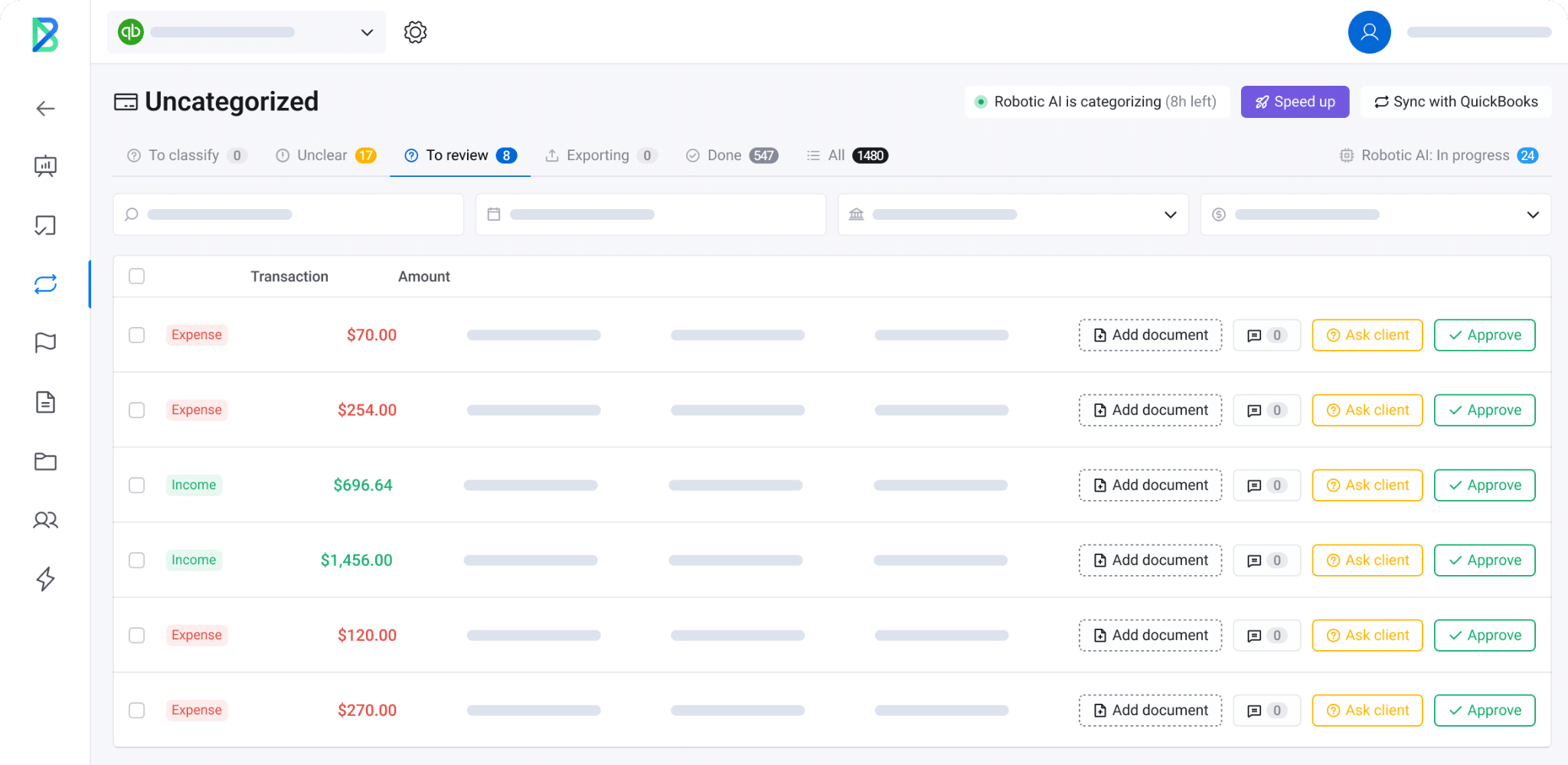
Booke.AI is an AI bookkeeper that works inside QuickBooks Online and Xero. It reviews bank feeds, categorizes transactions, matches documents, and prepares reconciliations, then sends exceptions to a person for review.
- Automation: Booke says its AI Bookkeeper automates 80% of daily bookkeeping.
- Document matching: OCR reads bills, invoices, and receipts and matches them to transactions.
- Missing documents: Automated requests chase receipts and supporting documents.
- Exception review: Unusual items go to a reviewer, with an audit trail.
Booke helps small finance teams and accounting firms keep the books current between closes. It works at the transaction level and does not forecast or plan.
- Best for: Small businesses and accounting firms on QuickBooks Online or Xero.
- Strongest at: Bookkeeping.
- Pricing: $129 per business per month for the Business plan. Accounting firm pricing is on request, with white-label available.
5) Stampli
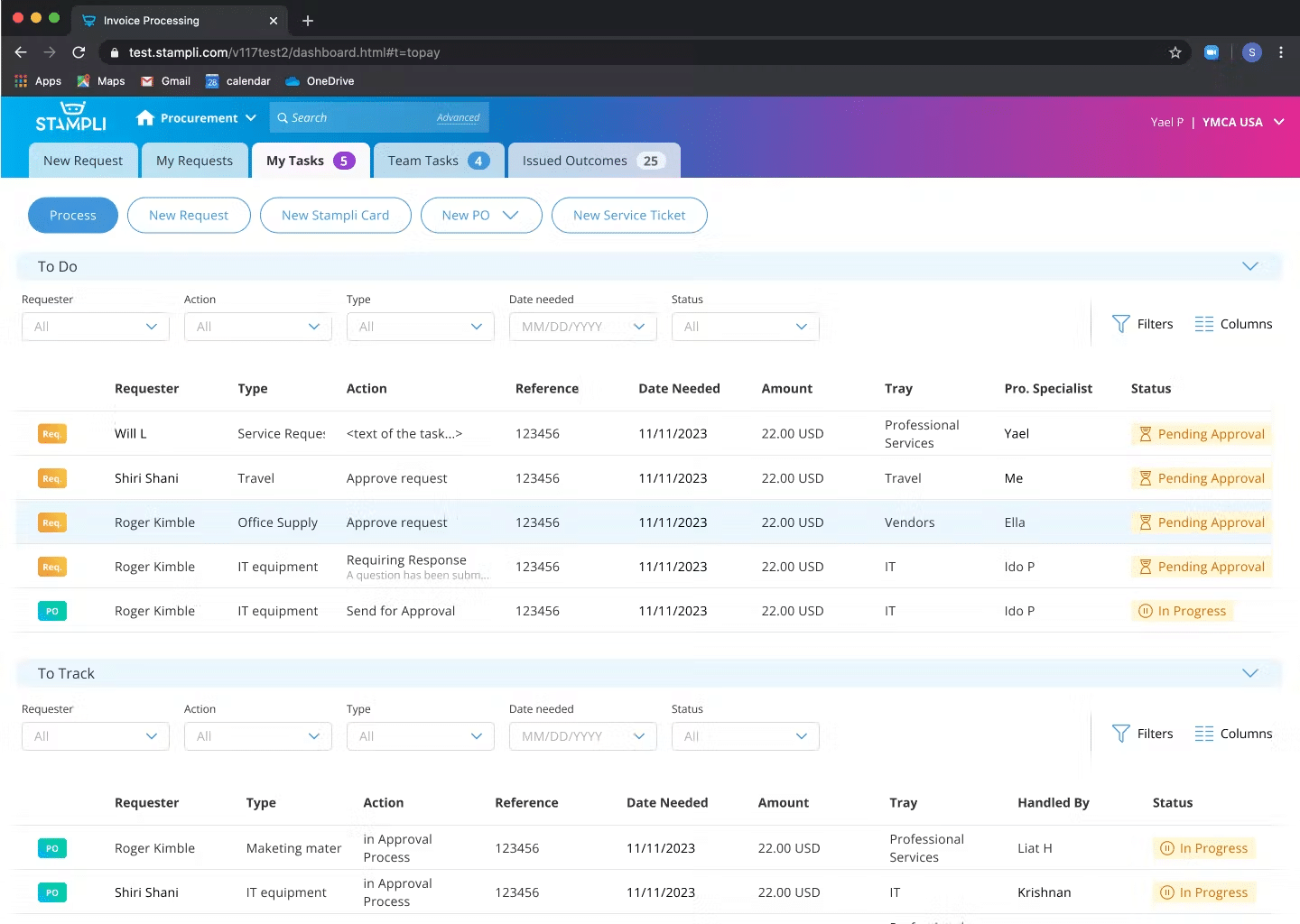
Stampli is a procure-to-pay platform that connects procurement, accounts payable, vendor management, expenses, and payments. Its AI assistant, Billy, learns how the team processes invoices and takes on more of the work over time. Stampli says Billy performs 89% of the work on average.
- ERP coverage: Stampli lists integrations with 70+ ERPs, including Sage, Microsoft, SAP, Oracle, QuickBooks, and Acumatica.
- Invoice collaboration: Users communicate directly on invoices, so approvers see questions and answers in one place.
- Audit trail: Every action on an invoice is tracked in real time.
- Deep Finance: A newer feature that turns finance questions into analyses.
Stampli fits AP teams that want to keep their ERP and add an AI layer for invoice processing. Deep Finance adds some analysis, and planning and forecasting sit outside Stampli’s scope.
- Best for: AP teams with high invoice volume on an existing ERP.
- Strongest at: AP and procure-to-pay.
- Pricing: Not published. Quotes are on request.
6) Nanonets
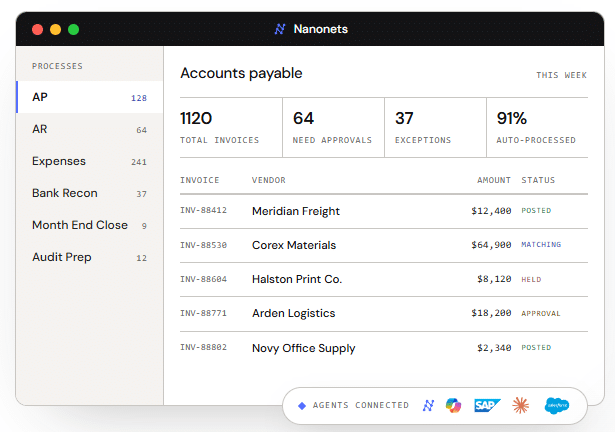
Nanonets builds AI agents from a company’s own policies, procedures, and systems, and accounts payable is one of its main use cases. The agents extract data from invoices and pass it into approval and posting workflows.
- Straight-through processing: Nanonets cites 95% straight-through processing for AP.
- ERP connections: Integrations with SAP, NetSuite, and QuickBooks.
- Pay-per-run pricing: Each workflow step is billed by complexity, from $0.02 to $0.30 per run.
Nanonets suits teams that want to automate document-heavy AP work without a per-seat license. The usage model rewards careful workflow design, since Nanonets says a typical invoice runs through 4-6 steps.
- Best for: AP and operations teams processing high document volumes.
- Strongest at: AP and document processing.
- Pricing: Free Starter tier with $50 in credits, then $100 per month for 100 credits. Growth is volume-priced, and Enterprise is custom.
7) Planful AI
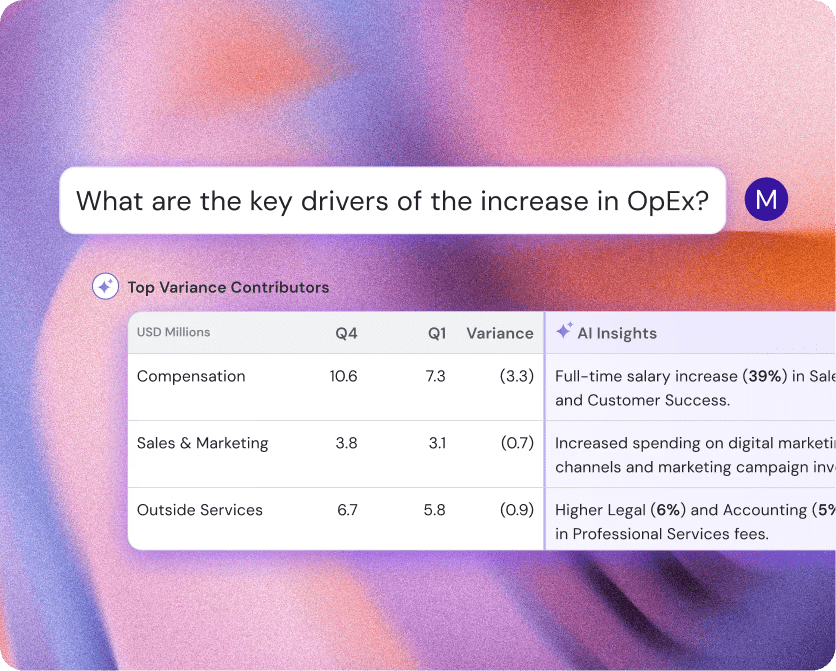
Planful AI is the AI layer of Planful’s FP&A platform. Planner builds plans, budgets, and rolling forecasts from plain-language requests. Analyst writes up variance explanations and separates one-time events from recurring patterns.
- Signals: Surfaces variances and anomalies in the data and explains what caused them.
- Projections: Machine learning builds a baseline forecast and selects the best-fit statistical model.
- Help: Finds reports and answers how-to questions from Planful’s documentation.
- MCP server: Connects Claude to Planful data with read-only access and the user’s existing Planful permissions, with ChatGPT, Copilot, and Gemini support announced.
Planful’s AI sits inside Planful’s FP&A platform, so its answers draw on the plans and actuals already loaded there. Buyers evaluate it as part of the Planful platform.
- Best for: Mid-size and enterprise finance teams running planning on Planful.
- Strongest at: FP&A and financial analysis.
- Pricing: Not published. Planful quotes through a demo.
8) Trullion
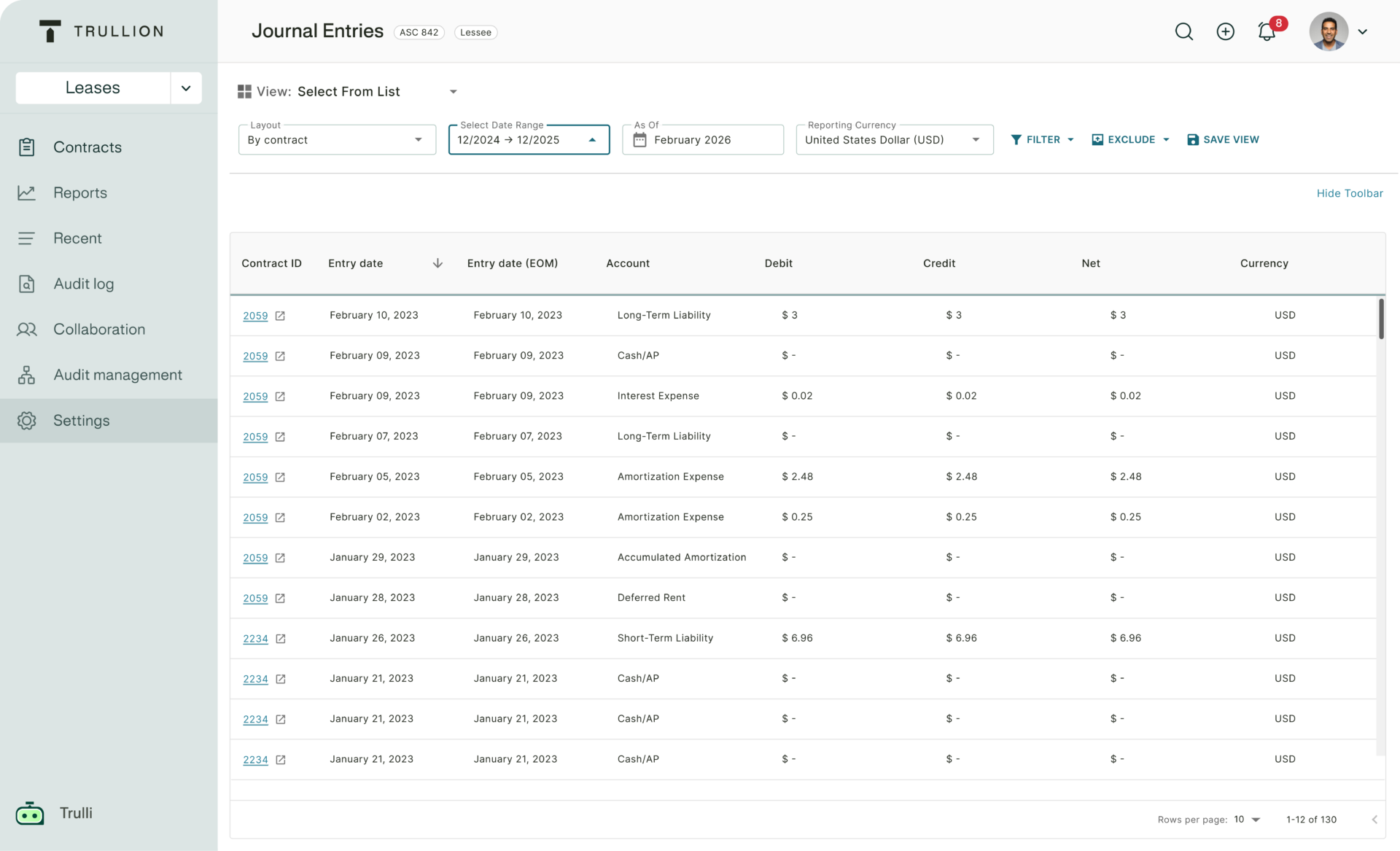
Trullion is an AI-powered accounting platform for accounting and audit teams. Its Trulli agents interpret accounting standards, analyze documents, and return answers that cite their sources.
- Lease accounting: Uses OCR to pull key lease data from source documents and generates auditable journal entries and disclosure reports.
- Audit prep and testing: Document matching, data extraction, and substantive testing.
- Financial statement checks: Financial statement validation and revenue leakage detection.
Lease portfolios can include office space, vehicles, and equipment, and each contract needs support for its accounting under standards such as ASC 842. Trullion targets technical accounting work and sits closer to the controller than to FP&A.
- Best for: Controllers and audit teams handling lease accounting and audit preparation.
- Strongest at: Accounting and audit.
- Pricing: Not published.
9) Vena Insights
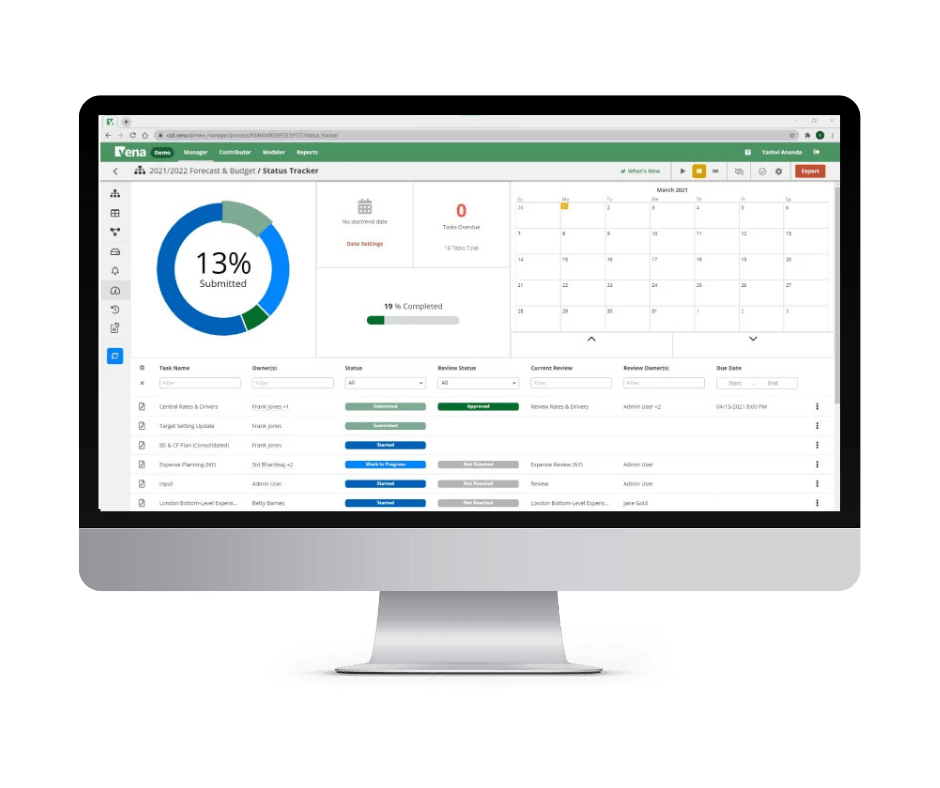
Vena Insights is an analytics add-on for Vena, which describes itself as a Microsoft-native planning platform. Insights gives users customizable dashboards, predictive analytics, and anomaly detection, with Power BI embedded.
- DAX engine: A Data Analysis Expressions (DAX) calculation engine for creating calculated measures in the data model.
- Vena AI: Planning, Reporting, and Analytics Agents under the Vena Copilot name, listed in both plans with some capabilities at extra cost. A Scenario Agent is listed as coming soon.
- Plans: Professional and Complete.
Vena suits teams already standardized on Microsoft tools. Vena Insights is included in the Complete plan and costs extra on Professional, so confirm which AI and analytics features your quote covers.
- Best for: Mid-size and enterprise finance teams working in Microsoft tools.
- Strongest at: FP&A and financial analysis.
- Pricing: Not published. Nonprofits and Microsoft Dynamics 365 Business Central users may qualify for discounted pricing.
Match the tool to the work that slows down your team
Finance has traditionally been one of the most manual and repetitive departments in a company. AI tools remove that work at different points in the workflow, so the right choice depends on where your team’s hours go.
- Invoices and approvals: Stampli or Nanonets.
- Bookkeeping and reconciliations: Booke.AI.
- Audit prep and lease accounting: Trullion.
- Dashboards across departments: Domo.
- Planning, forecasting, and variance analysis: Datarails AI, Pigment, Planful AI, or Vena.
For FP&A teams, the deciding factor is usually the data underneath the AI. A tool that answers from consolidated, governed numbers gives the CFO figures the board can rely on. A tool that sees one system can only answer questions about that system.
Get board-ready answers from one source of truth
Datarails runs on FinanceOS, which connects to 600+ data sources, so your FP&A team gets AI answers from numbers it already trusts, in the Excel models it already uses.
Want to see it in action and discuss your specific needs?
FP&A AI tools FAQs
The strongest FP&A AI tools work from consolidated planning data and cover forecasting, scenario modeling, and variance analysis. Datarails AI, Pigment, Planful AI, and Vena all fit that description. Datarails runs its AI on FinanceOS, which connects to 600+ data sources and keeps analysts in Excel, while Pigment and Planful run AI agents inside their own planning models and Vena builds on Microsoft tools.
AI financial planning software uses machine learning and AI agents to build budgets, forecasts, and scenarios and to explain results against plan. It draws on ERP, CRM, HRIS, and billing data together. AI accounting tools work differently, processing individual transactions such as invoices or bank feeds.
For company-level analysis, the strongest options connect to all your finance data and explain variances in plain language. Datarails AI, Planful AI, Pigment, and Vena Insights fit that description, and Domo works well for BI-style analysis across departments. Some AP platforms now add AI financial analysis tools, such as Stampli’s Deep Finance, though these cover a narrower slice of the business.
AI mostly automates tasks, starting with repetitive, manual work like data entry and reconciliation, similar to how Excel changed accounting decades ago. Some roles change or disappear, as some bookkeeping roles did when spreadsheets arrived. Analyst time moves toward reviewing AI output, partnering with the business, and supporting decisions.
Pricing varies widely. Booke.AI lists $129 per business per month, and Nanonets starts with free credits and moves to usage-based pricing. Datarails, Pigment, Planful, and Vena quote custom pricing, so request a quote at your current size.
Finance-specific AI tools should connect to governed, verified company data, with access controls set by role. Ask each vendor for its security certifications, how it limits access, and whether the AI can change data or only read it. Datarails holds SOC 2 and ISO 27001 certification. Datarails AI reads your data for analysis only, its outputs are drafts your team can review, edit, or discard, and customer data is not used to train AI models.