Click for Takeaways: Financial Reporting Software
- AI adoption in finance has more than doubled in a single year, climbing from 34% to 72%: AI-powered reporting is now a baseline expectation, not a competitive edge.
- The right platform depends on your primary bottleneck (multi-entity consolidation, a slow close, board reporting, compliance, or planning) so diagnose the constraint before you shortlist tools.
- Dedicated FP&A platforms such as Datarails, Planful, Vena, and Prophix bring reporting, planning, forecasting, and consolidation into one environment.
- ERP-native reporting (NetSuite, SAP, Oracle) delivers deep operational visibility but usually needs IT to customize, while BI tools like Power BI and Tableau demand data-modeling skills most finance teams don’t have.
- Modern platforms close the gap by automating consolidation and intercompany eliminations, generating board-ready management commentary, and syncing directly with the ERP, a change projected to drive a 30% faster financial close by 2028.
Finance teams have always needed reports. This isn’t a new phenomenon. Some things have changed, though, including the amount of data, the speed of decision-making, and the expectations placed on finance leaders.
Now, executives expect near-instant visibility into performance, cash flow, profitability, and operational trends. The problem is many teams still rely on spreadsheets, manual exports, and disconnected systems to produce reports.
The gap between what leadership expects and what finance teams can realistically deliver has become increasingly obvious.
Consider these findings:
- Research from Protiviti found that AI adoption in finance increased from 34% to 72% in just one year.
- KPMG’s research across roughly 1,800 companies found the large majority are already piloting or using AI in financial reporting, with near-universal adoption expected within a few years.
- ISG/Ventana research found 69% of organizations that automate all of their close processes substantially within six business days, versus just 29% of teams with partial or no automation.
Taking into account these numbers, it’s clear that many organizations sit in an uncomfortable middle ground. Sure, they have enough systems to create complexity, but not necessarily enough automation to eliminate manual work.
Only a few years ago, businesses may have wondered whether to invest in financial reporting software, and if so, how much.
Now, the real question has become this: “Which platform gives finance teams the reporting intelligence, ERP connectivity, automation, and AI-powered analysis they need to support growth?”
What Is Financial Reporting Software?
Financial reporting software refers to specialized tools and systems that enable businesses to efficiently gather, process, analyze, and present financial data in a structured and meaningful manner.
At its most basic level, it automates the creation of:
- Income statements
- Balance sheets
- Cash flow statements
- Budget versus actual reports
- Variance reports
- Board reporting packages
Financial reporting tools provide organizations with accurate, up-to-date information to evaluate their financial performance, make informed decisions, comply with regulatory requirements, and communicate financial information to stakeholders.
Modern financial reporting software goes much further. Many platforms now combine reporting with planning, forecasting, consolidation, dashboards, scenario modeling, and AI-generated commentary.
Depending on your company’s needs, good financial reporting software will also be good financial close software, budgeting software, and financial consolidation software.
For finance leaders, financial reporting software has become the central layer connecting accounting systems, ERP platforms, spreadsheets, and executive reporting.
What Is the Best AI-Powered Financial Reporting Software?
The answer depends on the type of finance team and the workflow you’re trying to improve.
- For Excel-native finance teams: Datarails stands out for integrating AI directly into spreadsheet workflows. Datarails AI includes Reporting Agent, Planning Agent, and Strategy Agent, along with Insights for variance analysis and Storyboards for board-ready reporting.
- For mid-market companies seeking a dedicated FP&A platform: Prophix offers AI-powered anomaly detection and automated explanations that help finance teams understand performance changes without manually investigating every variance.
- For enterprise organizations: Workday Adaptive Planning combines AI-assisted forecasting with enterprise-scale planning and reporting capabilities.
- For SaaS companies: Mosaic combined SaaS metrics such as ARR, MRR, and churn with financial reporting, but following its 2025 acquisition by HiBob, SaaS teams evaluating it should weigh roadmap uncertainty. Datarails covers SaaS KPI reporting through integrations with Stripe, Salesforce, and other operational systems.
- For organizations seeking a balance among AI, reporting, consolidation, and planning: Datarails currently offers one of the most comprehensive AI reporting environments for finance teams without requiring them to abandon Excel.
Types of Financial Reporting Software: Which Category Is Right for Your Team?
Financial reporting software comes in many different sizes, prices, and complexities. Some software solutions are free and simple, while other reporting tools are just a small part of complex software that automates the entire financial planning process.
Financial reporting software can cover any of these categories:
Accounting software with built-in reporting
Many accounting software solutions provide built-in financial reporting features and are important for monthly and yearly reports to the CFO and management. An example of this is QuickBooks, which is accounting software but also has reporting capabilities.
Examples: QuickBooks, Xero
Best for:
- Small businesses
- Basic financial statements
- Transaction-level reporting
Limitations:
- Limited consolidation
- Minimal planning capabilities
- Little support for multi-entity reporting
ERP-native reporting modules
ERP systems integrate various business functions, including finance and accounting, and typically include financial reporting capabilities, as well as more advanced analysis and drill-down reporting.
Examples: NetSuite SuiteAnalytics, SAP Analytics, Oracle Reporting
Best for:
- ERP-centric organizations
- Operational reporting
- Enterprise reporting environments
Limitations:
- Customizations often require technical resources
- Reporting is tied closely to ERP structures
- Limited finance-owned flexibility
BI and visualization tools
BI tools offer advanced analytics and reporting features, allowing users to create customized financial reports with interactive dashboards. Many include advanced analysis and drill-down reporting functions.
Examples: Power BI, Tableau, Looker
Best for:
- Data analytics teams
- Custom dashboard creation
- Enterprise analytics
Limitations:
- Not designed for finance workflows
- Requires data modeling expertise
- Limited planning functionality
FP&A platforms with reporting
FP&A software combines reporting, budgeting, forecasting, consolidation, and analysis in a single environment. Many include dashboards, automation, and AI-powered insights.
Examples: Datarails, Planful, Vena, Cube, Adaptive Planning
Best for:
- Finance teams
- Forecasting
- Consolidation
- Budgeting
- Variance analysis
Limitations:
- Higher investment than accounting software
- May require implementation support
AI-native reporting platforms
AI-native reporting platforms are built around automation, machine learning, and generative AI rather than treating AI as an added feature. They’re often utilized to explain variances, generate management commentary, and assist with forecasting.
Examples: Prophix, Mosaic, Runway
Best for:
- Finance teams prioritizing automation
- AI-driven analysis
- Narrative reporting
Limitations:
- Varying maturity levels
- Some have narrower use cases
Which category fits your team?
| Team Type | Recommended Category | Recommended Platforms |
| Startup Finance Team | Accounting Software / SMB FP&A | QuickBooks |
| Multi-Entity Mid-Market | FP&A Platform | Datarails, Vena |
| Enterprise Finance Team | Enterprise FP&A | Adaptive Planning, OneStream |
| SaaS Finance Team | SaaS FP&A | Datarails, Mosaic (roadmap uncertain post-HiBob) |
Benefits of Financial Reporting Software in 2026
The biggest benefit of financial reporting software is automation, but businesses reap the rewards throughout nearly every part of their organization:
Financial reporting automation
Manual report preparation consumes significant finance resources. Automated reporting reduces repetitive work and allows teams to spend more time analyzing results.
AI-generated narrative reporting
Modern platforms can generate written commentary explaining variances, trends, and performance drivers. Instead of presenting raw numbers, finance teams can provide context and recommendations.
Real-time ERP synchronization
Many finance teams wait days after close before updating reports. Connected reporting platforms eliminate much of this lag through direct ERP synchronization.
Faster multi-entity consolidation
Organizations operating across multiple entities can automate consolidations, intercompany eliminations, and currency conversions.
Audit trails and governance
Reporting software makes it easier to see who changed what, who approved it, and who has access to sensitive data. Spreadsheets often make that much harder to track.
Improved decision-making
Executives receive more accurate information faster so they can act sooner.
Financial Reporting Software Comparison Table
See how Datarails connects to your ERP, automates your financial reports with AI, and gives your CFO real-time answers.
| Tool | AI-Powered Reporting | Excel-Native | ERP Integrations | Multi-Entity Consolidation | Real-Time Data Sync | Company Size Fit | Pricing Tier | G2 Rating |
| Datarails | ✓ | ✓ | 600+ | ✓ | ✓ | Mid-Market | Mid-Market | 4.6/5 |
| Oracle NetSuite | Partial | ✗ | Extensive | ✓ | ✓ | Mid-Market to Enterprise | Enterprise | 4.0/5 |
| Workday Adaptive Planning | ✓ | Partial | 350+ | ✓ | ✓ | Enterprise | Enterprise | 4.3/5 |
| Planful | ✓ | Partial | Extensive | ✓ | ✓ | Mid-Market | Mid-Market | 4.3/5 |
| Vena Solutions | Partial | ✓ | 100+ | ✓ | Partial | Mid-Market | Mid-Market | 4.5/5 |
| Prophix | ✓ | Partial | 130+ | ✓ | ✓ | Mid-Market | Mid-Market | 4.4/5 |
| Cube Software | Partial | ✓ | 70+ | Partial | Partial | SMB to Mid-Market | Mid-Market | 4.5/5 |
| OneStream | ✓ | Partial | 150+ | ✓ | ✓ | Enterprise | Enterprise | 4.6/5 |
| Workiva | Partial | ✗ | 100+ | Partial | Partial | Enterprise | Enterprise | 4.5/5 |
| Mosaic (HiBob) | Partial | ✗ | Moderate | Partial | ✓ | SaaS Companies | Mid-Market | 4.6/5 |
10 Best Financial Reporting Software Tools for 2026
1. Datarails
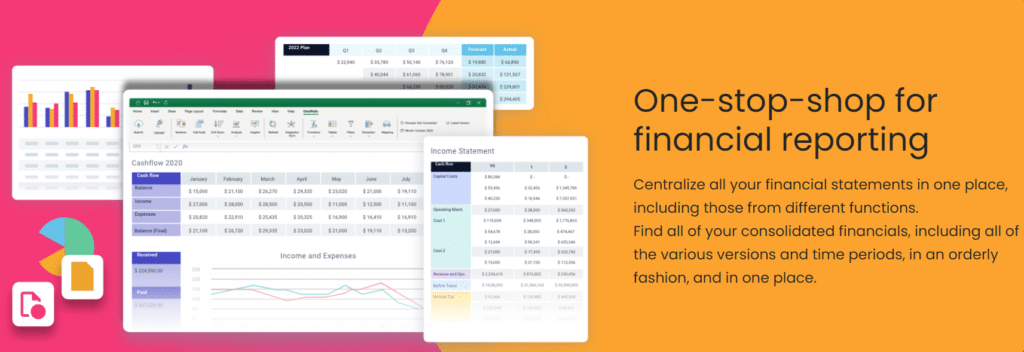
Datarails is one of the leading FP&A reporting software tools that caters to mid-market finance teams. While most FP&A software has some financial reporting capabilities, Datarails stands out for its dashboards with live updates and visuals, pre-built and customized data models, and a complete AI function called Datarails AI that provides instant, automated reports.
Key Reporting Features
- Multi-entity consolidation
- Automated board reporting
- Executive dashboards
- Variance analysis
- Drill-down reporting
- Financial statement automation
AI Capabilities
- Reporting Agent
- Planning Agent
- Strategy Agent
- Insights
- Storyboards
These tools help finance teams generate reports, explain variances, build forecasts, identify anomalies, and create board-ready presentations.
ERP Integrations
600+ integrations, including:
- NetSuite
- QuickBooks
- Sage
- Microsoft Dynamics
- SAP
- Salesforce
Best For
Mid-market finance teams with multiple entities, complex reporting needs, and Excel-heavy workflows.
Pricing
Mid-market. Datarails provides customized quotes based on complexity, number of users, integrations, and other factors.
Pros
- Excel-native
- Strong AI functionality
- Fast implementation
- Extensive integration ecosystem
Cons
- More capability than very small businesses require
- Not designed as a full ERP replacement
G2 Rating: 4.6/5 (331 reviews) (June 2026)
“At the click of a button, my financial statements are ready. From over a week to minutes.” – Megan Hedderson, Controller, Spencer & Butcher
2. Oracle NetSuite

Oracle NetSuite’s financial reporting software is a cloud-based solution that helps businesses efficiently create, analyze, and distribute financial reports. Oracle is one of the biggest names in the financial software industry.
Key Reporting Features
- Includes customizable report creation and real-time data visibility.
- Multi-dimensional reporting, consolidated reporting, and built-in financial analytics.
- Collaboration and distribution capabilities, compliance and governance tools, and seamless integration with other NetSuite modules.
AI Capabilities
NetSuite’s native reporting runs through SuiteAnalytics (saved searches, workbooks, dashboards). AI-assisted analytics, including predictive and ML features, sit in NetSuite Analytics Warehouse, a separate paid add-on built on Oracle Analytics Cloud. AI-generated narrative reporting isn’t a native capability.
ERP and Integrations
Integrates natively with NetSuite modules and supports third-party connections through SuiteCloud and APIs.
Best For
Mid-market to enterprise companies already committed to NetSuite who need reporting within the ERP. Not a standalone FP&A reporting solution.
Pricing
Enterprise. Oracle NetSuite’s financial reporting software is typically tailored to each organization’s needs. Contact the company for a customized quote.
Pros
- Deep integration with transactional data, no data export required
- Strong multi-entity reporting for companies on a single NetSuite instance
Cons
- While it offers comprehensive functionality, a potential con is the learning curve for new users.
- The need for customization for specific reporting requirements.
- Complex software meant for finance teams that want more than just financial reporting.
G2 Rating: 4.0/5 (4,621 reviews) (June 2026)
3. Workday Adaptive Planning
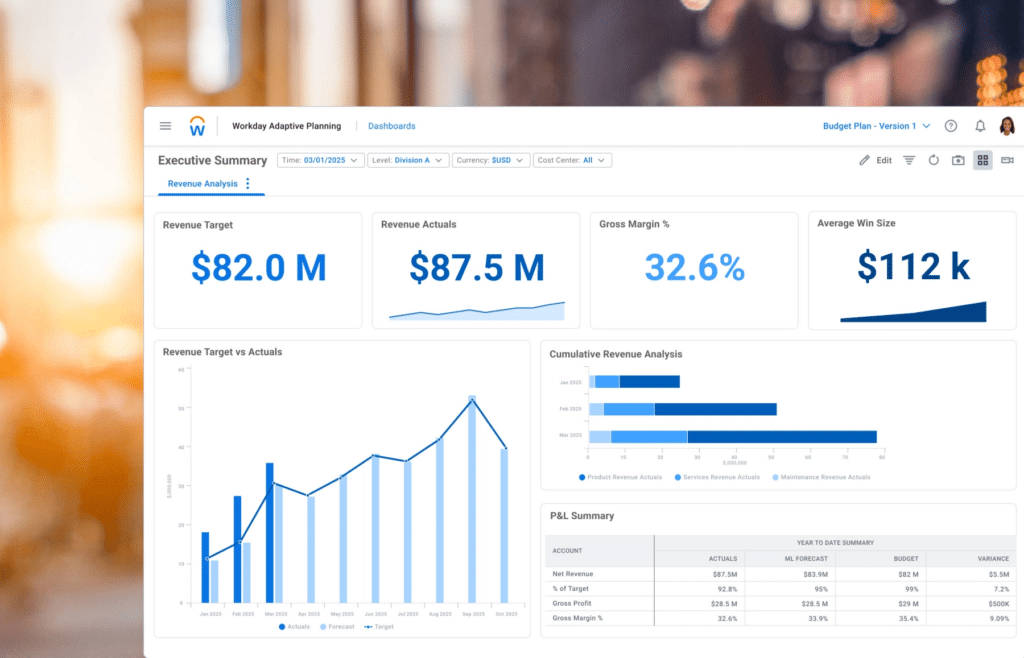
Workday Adaptive Planning is an enterprise FP&A platform designed for large organizations with complex planning, consolidation, and reporting needs.
Key Reporting Features
- Enterprise-grade financial consolidation and reporting
- Pre-built dashboards with role-based access
- Scenario planning and driver-based modeling
- Integration with Workday HCM for workforce planning aligned to financials
AI Capabilities
AI-assisted forecasting with predictive analytics surfaced through the Workday platform. Not at the depth of dedicated AI reporting agents (like Datarails or Prophix).
ERP and Integrations
Integrates natively with approximately 350 unique source systems, including Workday Financial Management and Workday HCM.
Best For
Enterprise finance teams ($500M+ revenue) already in the Workday ecosystem.
Pricing
Enterprise. Offers a free 30-day trial. Contact the company for customized price quotes.
Pros
- Best-in-class for enterprise workforce and financial planning integration
- Strong scenario modeling and driver-based forecasting
Cons
- Heavy implementation, typically six to twelve months
- Pricing and complexity make it the wrong choice for most mid-market teams
- Not Excel-native
G2 Rating: 4.3/5 (337 reviews) (June 2026)
4. Planful
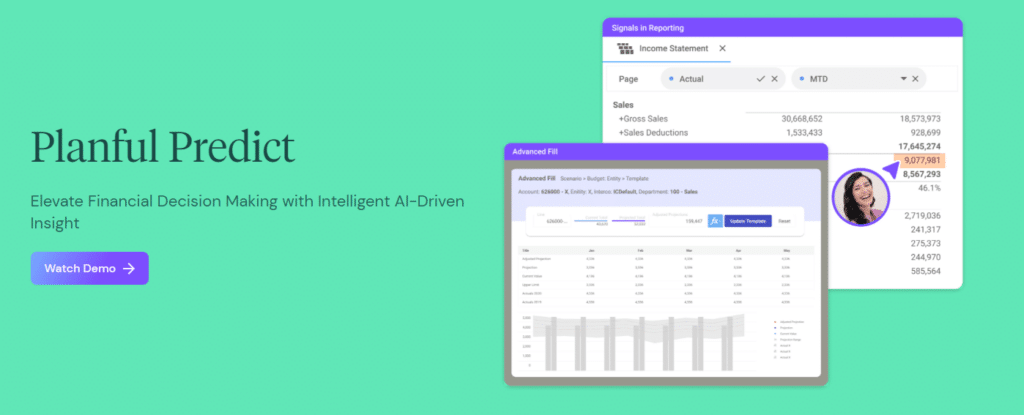
Planful offers a cloud-based financial planning and reporting solution that helps finance teams automate complex processes and provide insightful reports.
Key Reporting Features
- Structured financial consolidation with intercompany eliminations
- Workflow management for collaborative close and reporting
- Pre-built financial report templates
- Dynamic reporting with drill-down to transaction level
- Allows for collaboration across teams with workflow management and version control
AI Capabilities
Planful Predict is an ML-based forecasting module that generates variance explanations and identifies patterns in financial data. Meaningful ML capability for planning, but not a full AI reporting agent suite.
ERP and Integrations
Connects with NetSuite, Workiva, SAP, Oracle, Microsoft Dynamics, Sage Intacct, QuickBooks, and other ERP and accounting systems.
Best For
Mid-sized to large organizations that need comprehensive planning and consolidation capabilities. Contact for a custom quote.
Pricing
Mid-market. Planful offers customized pricing based on the needs of each business. Contact the company for customized price quotes.
Pros
- Strong consolidation engine for structured reporting workflows
- Planful Predict adds genuine ML value to forecasting
Cons
- Not Excel-native, steeper learning curve than Datarails or Vena
- Some users note a lack of customization and flexibility
- Users encounter challenges with report generation
G2 Rating: 4.3/5 (418 reviews) (June 2026)
5. Vena Solutions
Vena is financial reporting and planning software designed to help businesses of all sizes streamline their financial processes. Its unique Excel-based interface makes it familiar to finance professionals while adding powerful automation and collaboration features.
Key Reporting Features
- Excel-based platform with added automation for financial reporting, budgeting, and forecasting.
- Comprehensive pre-built templates for financial statements and reports.
- It integrates with ERP, CRM, and other business tools.
AI Capabilities
Vena Copilot: an AI assistant for FP&A workflows, including report generation and variance commentary. Functional but less mature than Datarails AI’s named agent suite.
ERP and Integrations
100+. Integrates with Microsoft Dynamics 365, NetSuite, SAP, Sage Intacct, QuickBooks, Oracle, and other ERP platforms.
Best For
Mid-market finance teams that want Excel-native governance and are comfortable with a longer implementation process.
Pricing
Mid-market. Customized based on company size and needs. Contact for a quote.
Pros
- Robust audit trail and version control; strong governance layer
- Excel-native without compromising formula flexibility
- Established enterprise customer base with proven consolidation workflows
Cons
- While Vena’s Excel-based approach is advantageous for some, others may find it limiting compared to more comprehensive solutions.
- Some users report a learning curve with setup and automation.
- Some users also note slow performance when dealing with large datasets.
G2 Rating: 4.5/5 (476 reviews) (June 2026)
6. Prophix

Prophix is an AI-native FP&A platform for mid-market finance teams that want AI agents that execute tasks, not just assist with them. Its Prophix One platform launched a second wave of AI agents in April 2026.
Key Reporting Features
- Board-ready report generation from a governed financial data model
- AI-powered variance explanations with drill-down to transaction level
- Automated XBRL/iXBRL tagging for compliance reporting
- Multi-currency and multi-GAAP consolidation
AI Capabilities
- Architect Agent: Transforms customer data and reports into a validated Prophix model in hours rather than weeks.
- Consolidation Agent (Spring 2026): Natural-language querying of Audit Trail data, surfacing group totals, top contributors, and unusual balances on demand.
- Copilot for Microsoft Teams: Role-based FP&A intelligence delivered inside Teams.
Prophix also generates board-ready reports with AI-driven variance commentary, though this is a platform capability rather than a separately branded agent.
ERP and Integrations
Supports 130+ integrations with Microsoft Dynamics, NetSuite, Sage Intacct, Oracle, SAP, QuickBooks, and other ERP systems.
Best For
Mid-market finance teams wanting an AI-agent-first platform; teams that need compliance reporting alongside FP&A; organizations in the Microsoft ecosystem.
Pricing
Mid-market. Contact the company for customized price quotes.
Pros
- Most developed AI agent suite for mid-market finance alongside Datarails
- Microsoft Teams integration reduces friction for finance teams in the Microsoft ecosystem
- Strong compliance reporting including XBRL/iXBRL
Cons
- Newer platform with a smaller customer base than Datarails, Planful, or Vena
- Less mature Excel-native workflow than Datarails
G2 Rating: 4.4/5 (218 reviews) (June 2026)
7. Cube Software

Cube is a financial planning and analysis platform designed to complement Excel and Google Sheets. It allows finance teams to retain their existing workflows while benefiting from automation and data centralization.
Key Reporting Features
- Bidirectional sync with both Excel and Google Sheets
- Real-time reporting with multi-scenario modeling
- Drill-down capabilities for detailed financial analysis
- Fast implementation, typically under two weeks
AI Capabilities
AI-assisted analysis is available, but lighter than the dedicated agent suites in Datarails or Prophix. Better suited to automating data consolidation than generating AI narrative reporting.
ERP and Integrations
70+. Connects with NetSuite, QuickBooks, Sage Intacct, Xero, Workday Adaptive Planning, and major business applications.
Best For
Cube is ideal for growing companies that need flexible, scalable solutions for financial reporting.
Pricing
Mid-market. Starts at $2,000/month. Contact the company for customized price quotes.
Pros
- Only platform with native bidirectional Google Sheets and Excel sync
- Fast implementation and minimal IT involvement
- Strong for lean teams that need centralization without complexity
Cons
- AI features are not as extensive as the AI tools available in Datarails or Prophix.
- Some users report performance slowdowns when working with larger datasets.
- Organizations managing many entities may find its consolidation capabilities less comprehensive than some enterprise-focused platforms.
G2 Rating: 4.5/5 (131 reviews) (June 2026)
8. OneStream
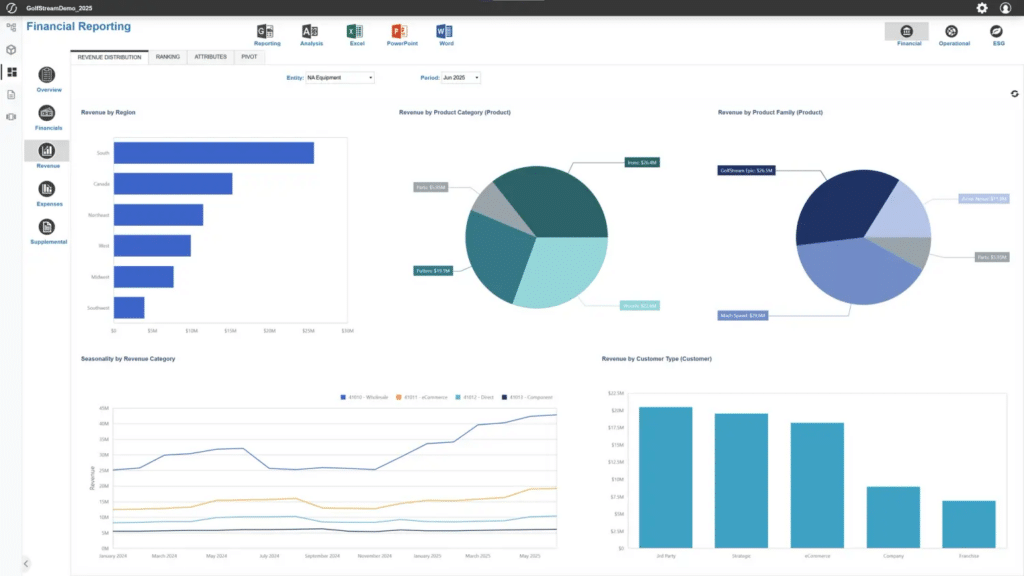
OneStream is a unified CPM platform designed for large enterprises with complex multi-entity consolidation requirements. Its architecture unifies financial consolidation, planning, reporting, and analysis on a single platform, eliminating the data reconciliation overhead of running separate tools.
Key Reporting Features
- Unified CPM architecture (consolidation, planning, and reporting) in a single data model
- Complex multi-entity consolidation with intercompany eliminations
- Financial close management with comprehensive audit trail
- Advanced financial dashboards with real-time data
AI Capabilities
Includes AI and machine learning capabilities for forecasting, anomaly detection, and predictive analysis through Sensible ML.
ERP and Integrations
Over 150 integrations, including with SAP, Oracle, NetSuite, Microsoft Dynamics, Workday, and other enterprise ERP platforms.
Best For
Large enterprises ($500M+ revenue) with complex multi-entity consolidation; companies running CPM programs requiring unified data governance.
Pricing
Enterprise. Contact the company for customized price quotes.
Pros
- World-class consolidation engine; it’s the benchmark for complex multi-entity structures
- Unified platform eliminates reconciliation between separate planning and reporting tools
- Strong audit trail and governance for regulated industries
Cons
- Enterprise pricing and implementation complexity (not appropriate for mid-market)
- Implementation typically six to twelve months
- Requires dedicated CPM expertise to configure and maintain
G2 Rating: 4.6/5 (157 reviews) (June 2026)
9. Workiva
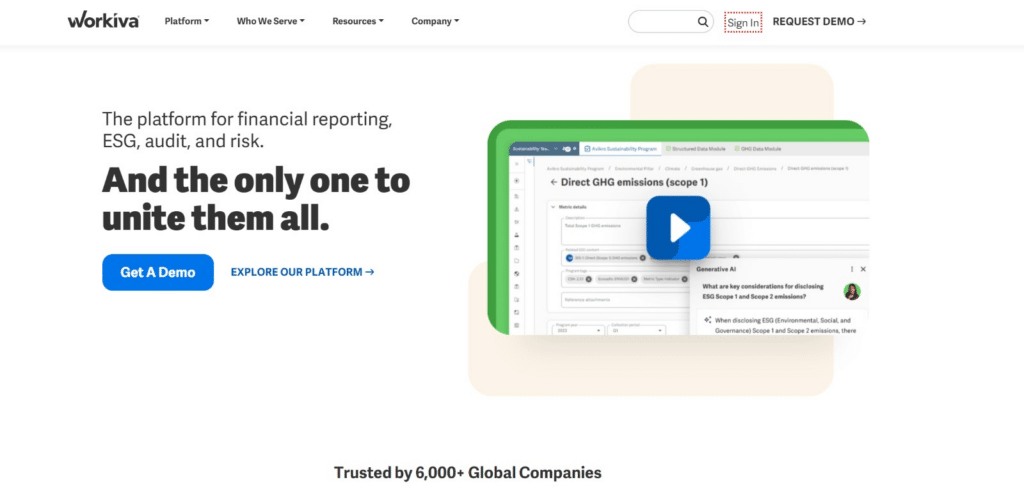
Workiva is a leading provider of cloud-based financial reporting software designed to streamline and enhance the reporting processes for large businesses and corporations.
Key Reporting Features
- XBRL/iXBRL tagging and SEC/EDGAR filing workflows
- Collaborative reporting with version control and audit trail
- ESG and sustainability reporting
- Real-time data connectivity for compliance documents
AI Capabilities
Workiva AI focuses on disclosure reporting, document review, narrative drafting, and compliance workflows rather than FP&A forecasting or planning.
ERP and Integrations
Over 100 integrations. Connects to ERP, CRM, and cloud data sources including SAP, Oracle, NetSuite, Workday, Salesforce, and Microsoft systems.
Best For
Public companies and regulated industries that need SEC compliance, XBRL filing, and auditable disclosure workflows.
Pricing
Enterprise. Contact for customized price quotes.
Pros
- Best-in-class XBRL compliance and SEC reporting
- Strong audit trail meets SOX requirements
Cons
- Not an FP&A platform, so it doesn’t replace financial close software, budgeting tools, or AI reporting
- Some users may find the learning curve steep initially, especially if they are new to cloud-based reporting platforms.
- Workiva uses spreadsheet functions instead of native Excel. This makes it difficult for finance professionals accustomed to Excel, as not all functions and flexibility are the same.
G2 Rating: 4.5/5 (2,145 reviews) (June 2026)
10. Mosaic (now HiBob)
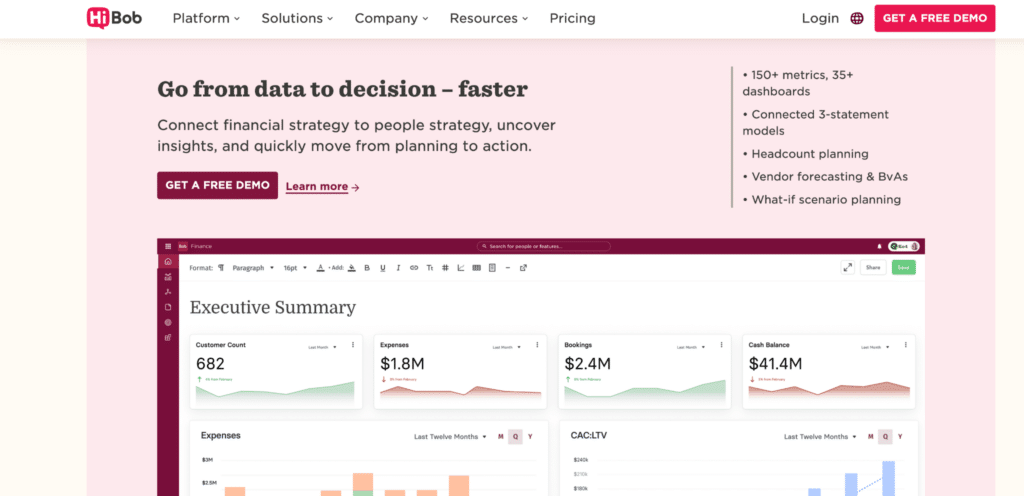
Mosaic was purpose-built for high-growth SaaS companies that needed real-time SaaS metrics (ARR, MRR, churn, CAC) alongside standard financials. In February 2025, Mosaic was acquired by Hibob (an HR platform) for $35 million.
Key Reporting Features
- Real-time SaaS metrics dashboard (ARR, MRR, churn, CAC, LTV)
- Financial reporting alongside operational KPIs
- Headcount planning integrated with financials (now deeper post-Hibob)
AI Capabilities
Mosaic uses AI-assisted forecasting and SaaS performance analysis to identify trends across ARR, MRR, churn, and customer growth metrics. Its AI functionality is focused on SaaS operating metrics rather than broader FP&A workflows.
ERP and Integrations
Integrates with NetSuite, QuickBooks, Xero, Salesforce, Stripe, HubSpot, and HR systems.
Pricing
Mid-market. Contact for customized price quotes.
Pros
- Strong SaaS metrics and financial integration before acquisition
- Fast implementation for SaaS companies
Cons
- Roadmap uncertainty following Hibob acquisition in February 2025
- Post-acquisition direction may prioritize HR integration over standalone FP&A depth
- Smaller team and customer base than primary FP&A platforms
G2 Rating: 4.6/5 (217 reviews) (June 2026)
How to Choose the Right Financial Reporting Software: Buyer Decision Framework
Map your specific workflow problem to the right platform before spending time on demos. The eight examples below show which types of platforms tend to work best for each reporting challenge.
Our close takes 15+ days, and most of it is data collection
Consider Datarails or Vena. The bottleneck is usually data sourcing rather than report creation. Live integrations and automated consolidation address the root cause.
We have multiple entities and consolidation is painful
Consider Datarails for mid-market organizations or OneStream for enterprise environments.
We need board-ready reports faster
Datarails Storyboards and Reporting Agent help automate board package preparation. Planful is another reasonable option.
We are a SaaS company
Datarails supports SaaS KPI reporting through integrations with Stripe, Salesforce, and other operational systems. Mosaic focuses specifically on SaaS metrics, though SaaS teams should weigh roadmap uncertainty following its HiBob acquisition.
We need SEC and XBRL reporting
Workiva remains the category leader for external reporting compliance.
We want AI-generated management commentary
Datarails and Prophix currently provide some of the strongest AI-powered reporting capabilities for finance teams.
We already use NetSuite
Start with SuiteAnalytics. Add Datarails if you need advanced consolidation, Excel-native workflows, AI analysis, or board reporting automation.
We need fast implementation
Datarails and Cube are both strong choices for organizations seeking quicker deployments.
“Without Datarails, I would have needed to double my current team of three just to produce what we’re delivering today.” – Steven Carkey, VP Finance Operations, Butternut Box
Conclusion: What This Means for Finance Teams and CFOs in 2026
The right financial reporting platform in 2026 does three things your current process probably doesn’t:
- It pulls data from your ERP automatically the moment the period closes
- It generates the report narrative rather than waiting for a human to write it
- It delivers the output in a format your CFO and board can consume without a briefing call
For mid-market finance teams, Datarails combines all three: 600+ ERP integrations, Datarails AI (Reporting Agent, Insights, Storyboards), and an Excel-native workflow that doesn’t require a platform migration.
See how Datarails connects to your ERP, automates your financial reports with AI, and gives your CFO real-time answers.
Explore our month-end close resources and variance analysis guide to understand where the biggest wins typically come from.
Best Financial Reporting Software FAQs
Financial reporting software focuses on reporting, analysis, planning, consolidation, and executive reporting. Accounting software primarily records transactions and manages bookkeeping functions.
Datarails, Planful, Vena, and Prophix are among the strongest options for mid-market finance teams.
Datarails is among the leading AI-powered reporting platforms because it combines Reporting Agent, Planning Agent, Strategy Agent, Insights, and Storyboards within a single FP&A platform.
Automation limits time spent on manual data collection, report creation, consolidation, reconciliation, and distribution activities.
Prioritize features like reporting automation, ERP integrations, consolidation capabilities, AI functionality, governance controls, implementation speed, and scalability.
Yes. Datarails, Vena, and Cube all support Excel-native workflows.
Healthcare, manufacturing, retail, financial services, technology, and multi-entity organizations often see considerable benefits from reporting automation and consolidation.