
Click for Takeaways: Best Financial Modeling Software
- Where the time goes: FP&A teams spend roughly 46% of their time on data collection and validation rather than analysis
- The real error problem: 94% of business spreadsheets used in decision-making contain at least one significant error. There is dedicated software to solve this, but not to replace Excel wholesale.
- Extend Excel, don’t replace it: Excel remains the universal modeling language for finance, but multi-entity consolidation, version control failures, and audit requirements are the actual triggers for needing dedicated software.
- Two different categories: FP&A software and financial modeling software aren’t the same thing; this is an important distinction.
- Best fit for most mid-market teams: Datarails, ranked first for financial analysis out of 199 offerings on G2, is the strongest fit for Excel-native finance teams (particularly those managing multiple entities) thanks to its 600+ integrations, FinanceOS AI connector, and native AI features.
Choosing financial modeling software is really a decision about how your finance team will work every day.
The biggest change over the last few years isn’t the software, but rather the expectation. Executives don’t want to wait until next week to see another scenario. They want answers while decisions are still being discussed.
CFOs are asked to model the impact of a rate change, a new product line, or a headcount reduction before the next all-hands. And inevitably, the tools many teams built those models in (fragile, manually-maintained Excel workbooks) are breaking under the weight of that expectation.
FP&A teams spend roughly 46% of their time on data collection and validation rather than analysis. This points to a serious process problem, as opposed to a software problem, as one might assume. The right financial modeling software reclaims that time by automating data consolidation, version control, and reporting, so analysts can focus on the work that actually drives decisions.
More than 80% of finance professionals continue using spreadsheets even after their companies buy dedicated planning software (BPM Partners, 2023 Pulse Survey). Rather than being an argument against dedicated software, it actually comes down to the importance of choosing the right kind: tools that extend Excel’s strengths rather than replace them.
What Is the Best Financial Modeling Software in 2026?
Datarails is the best financial modeling software in 2026 for most finance teams (especially those managing multiple entities in Excel). The platform combines an Excel-native architecture with 600+ live integrations and a full Datarails AI suite (Reporting Agent, Planning Agent, Strategy Agent, Insights, and Storyboards), letting teams model, forecast, and report without leaving the spreadsheets they already use.
That said, the right tool depends on your stage and needs.
We’ll explore these in more detail in a moment, but here’s a quick overview:
- Startups and early-stage teams: BILL or Excel/Google Sheets are fast to implement, founder-friendly, and sufficient for simpler modeling needs.
- Growth-stage SaaS companies: HiBob or Jirav are built for SaaS-specific metrics and stakeholder-ready dashboards.
- Excel-native, single or multi-entity: Datarails keeps your existing models intact while automating consolidation and reporting around them.
- Teams needing Google Sheets alongside Excel: Cube is the only serious Excel-and Sheets-native option in this tier.
- Large organizations needing strict workflow governance: Vena Solutions offers deep Microsoft 365 integration with audit trails.
- Enterprise, cross-functional planning: Anaplan is built for large-scale models spanning finance, sales, and supply chain.
- Pure multi-dimensional model building: Quantrix is for organizations that need linked models across entity, product, region, and scenario outside spreadsheets.
What to Look for in Financial Modeling Software
Before we get into specific software options, let’s discuss what to look for in financial modeling software.
1. Ease of Use
In financial modeling, ease of use means a non-technical FP&A analyst can build a driver-based model without calling a consultant. An excellent financial modeling software should have a user-friendly interface and intuitive navigation, allowing users of all levels to easily create complex models without extensive training.
Datarails ranks first on the G2 Usability Index for Financial Analysis at 92%, outscoring Prophix (88%), Pigment (87%) and Vena (87%).
Look specifically at whether the tool supports driver-based modeling through point-and-click configuration or requires scripting knowledge to set up assumptions.
2. Comprehensive Features
Financial modeling involves various tasks such as budgeting, forecasting, scenario planning, and data analysis. For financial modeling tools specifically, prioritize multi-scenario what-if analysis, driver-based forecasting, and multi-entity consolidation. Budgeting and forecasting, and financial reporting capabilities should be native, not add-ons.
3. Data Security
With sensitive financial data being handled, security is a significant concern in the finance industry. For financial modeling specifically, look for SOC 2 Type II certification, role-based access controls on individual models, complete audit trails showing who changed what and when, and encryption in transit and at rest.
4. Customization Options
Most software can produce a custom dashboard. Fewer platforms let your finance team reshape the model without outside assistance. As your company grows, that distinction can save a lot of time and frustration.
5. Collaboration Capabilities
Financial modeling often involves collaboration between team members and stakeholders. The actual pain point is version control on live models. When three analysts work in the same workbook, or when a model is sent to a CFO who makes changes without a clear audit trail, the risk of error compounds fast.
Prioritize tools with genuine version history, named snapshots, and clear ownership of model changes.
6. Integration with Other Systems
To maximize efficiency, the financial modeling software should be able to integrate with other systems and tools used by the organization. This is the make-or-break criterion in 2026.
We mentioned above that FP&A teams spend roughly 46% of their time on data collection; most of it exporting from ERP, importing to Excel, fixing mismatched charts of accounts, and repeating the next month.
Evaluate integrations not by the number of logos on a marketing page but by the depth of the connection: does it pull live actuals automatically, or require a manual CSV export?
7. Training and Support
Even with a user-friendly interface, the software still has to offer training and support resources for users to fully utilize its features. Weight implementation speed heavily here. Weeks versus months is a real differentiator.
Ask vendors specifically: what does week one look like, and what can the team do independently by week four?
8. Scalability
As a company grows, its financial modeling needs may also grow and change right alongside it. The critical question: Does the tool scale from single-entity to multi-entity without a full re-platform? If multi-entity is on your near-term roadmap, test that scenario before you sign.
The Best Financial Modeling Software: Full Comparison
We evaluated the tools below using vendor documentation, G2 and Capterra ratings, and real pricing or pricing-model data where available. We have presented these options in order of best overall fit for the broadest range of finance teams, not alphabetically or by sponsorship.
1. Datarails
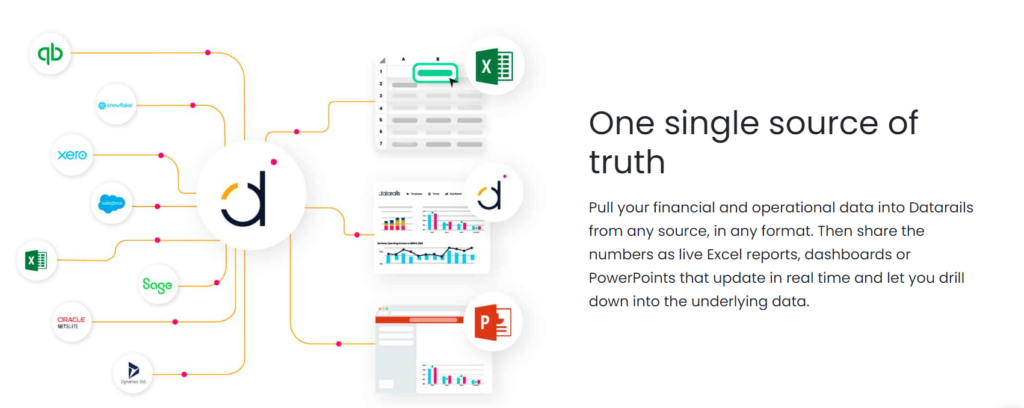
Datarails is an Excel-native FP&A platform built around FinanceOS, a governed data layer that consolidates financial data from 600+ accounting, ERP, CRM, banking, and HRIS systems and connects it all to any AI tool, allowing finance teams to continue modeling, planning, and reporting entirely in Excel.
What makes Datarails structurally different is that it doesn’t ask teams to abandon Excel. It automates what Excel can’t do on its own: pulling live data from every system of record into a governed model, maintaining version control across contributors, and enabling one-click financial reporting and data consolidation across entities.
The Datarails AI suite (part of the broader shift toward AI in FP&A) includes five distinct capabilities:
- The Reporting Agent (analyzes actuals and surfaces drivers behind variances)
- The Planning Agent (ad-hoc forecasting and scenario analysis without rebuilding models)
- The Strategy Agent (big-picture trade-off analysis for leadership)
- Insights (configurable automated summaries)
- Storyboards (turns financial data into board-ready narrative in a few clicks)
“At the click of a button, my financial statements are ready. From over a week to minutes.” — Megan Hedderson, Controller, Spencer & Butcher
“Without Datarails, I would’ve needed to double my current team of three just to produce what we’re delivering today.” — Steven Carkey, VP Finance Operations, Butternut Box
Key Features: FinanceOS (finance operating system) for connecting consolidated, governed data to AI, budgeting and forecasting, financial reporting and month-end close, scenario planning and variance analysis, financial dashboards, Datarails AI (Reporting Agent, Planning Agent, Strategy Agent, Insights, Storyboards), 600+ integrations, cash management.
Best for: Excel-native finance teams working for SMBs or enterprises. It’s particularly well-suited to those managing multiple entities who want to keep existing models rather than rebuild from scratch.
Pros: Fastest implementation as per G2 at 3.4 months compared to Prophix at 3.9 months, and Pigment at 5 months. Impressive drill-down and consolidation reporting. High-rated customer support. Preserves existing Excel models and institutional knowledge. 600+ live integrations covering every major ERP, CRM, and HRIS.
Cons: Most teams will need some time to get their data organized during implementation. Higher-end functionality isn’t included in every plan.
Pricing: Tiered (Professional, Premium, Enterprise), quote-based.
2. Cube
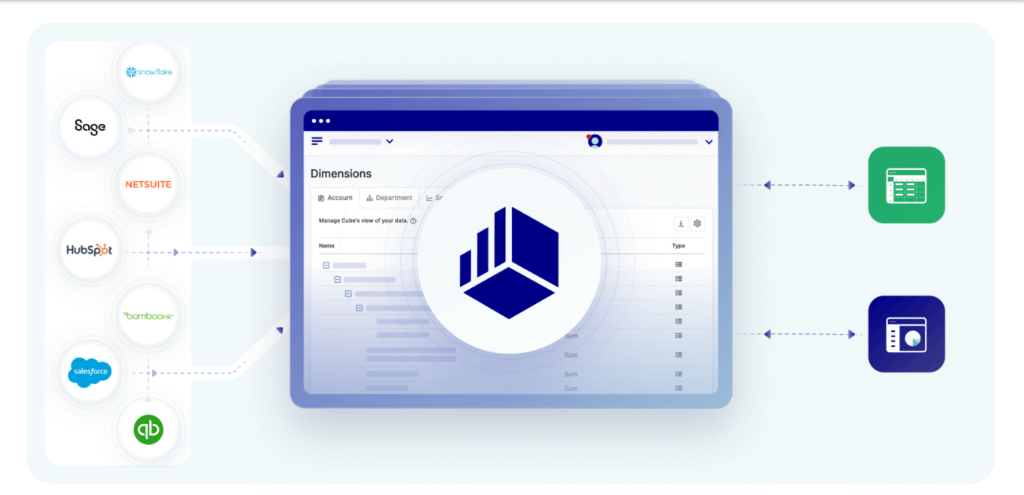
Cube is a spreadsheet-native financial modeling platform that connects to both Excel and Google Sheets, layering a centralized planning database behind the files teams already use. Currently available only in the US and Canada.
Best for: Teams who want spreadsheet flexibility across both Excel and Google Sheets; the latter is not natively supported by either Datarails or Vena.
Pros: One of Cube’s strongest features is that it works natively with both Excel and Google Sheets instead of forcing teams to choose one. The AI assistant integrates with Slack and Microsoft Teams, and the interface is easy for finance and non-finance users alike to navigate when reviewing forecasts, reports, or budget approvals.
Cons: Geographic availability is currently limited to the US and Canada. The published starting price is higher than several alternatives on this list. Some users note a learning curve in setting up dimension structures.
Pricing: Enterprise plans reportedly start at around $30,000/year, but there are cheaper versions for smaller teams. Contact for an individualized quote.
3. Vena Solutions
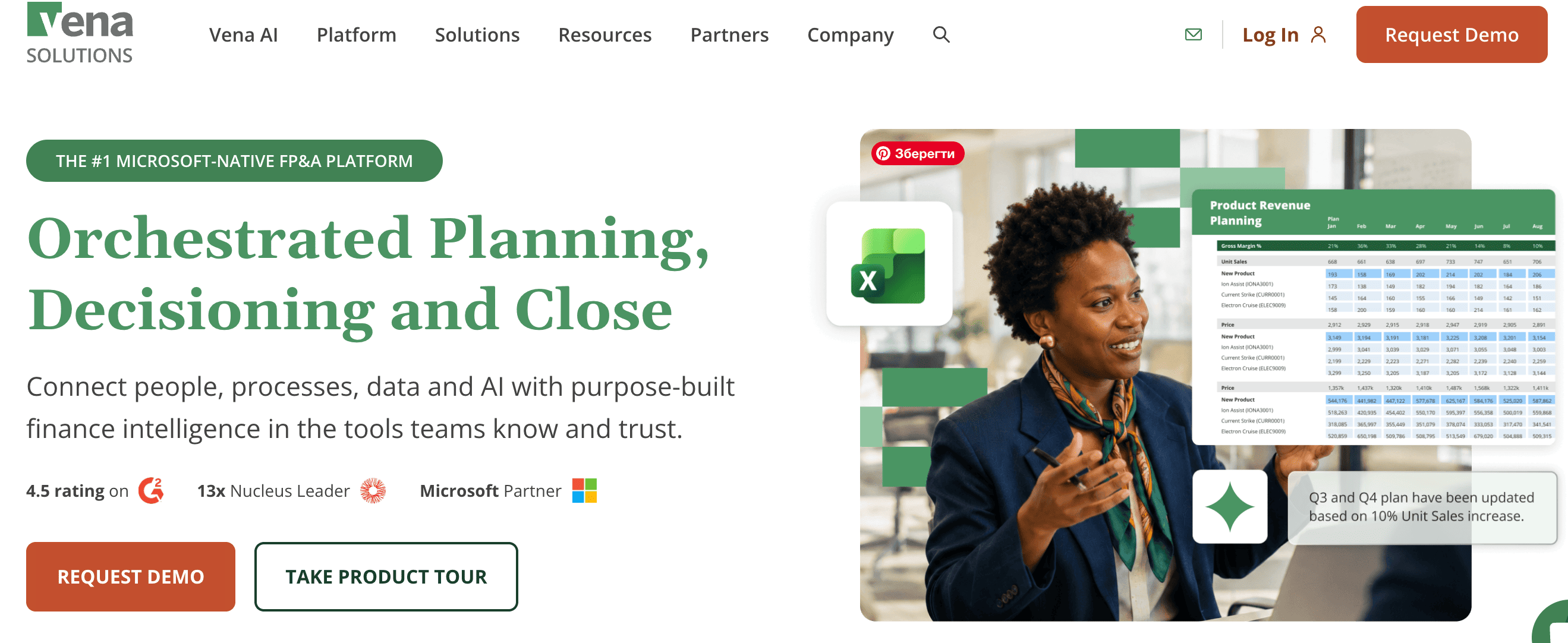
Many finance teams don’t want to rebuild years of Excel models from scratch. Vena Solutions lets them keep those spreadsheets while adding centralized data, workflow approvals, version control, and audit trails to create a more organized planning process.
Best for: Larger, heavily Excel-dependent organizations with complex, multi-department planning cycles that need strict workflow governance and have a budget for guided implementation.
Pros: Deep Microsoft 365 integration (Excel, Power BI, PowerPoint). Strong audit trail and governance features. Proven at scale for organizations running complex multi-department planning cycles.
Cons: Compared with lighter FP&A tools, Vena usually takes more time to implement because deployments are consultant-led. Some users would like more flexibility when customizing the platform, and native support for Google Sheets and Mac isn’t available.
Pricing: Quote-only. Third-party estimates place mid-market Vena implementations meaningfully higher than Datarails or Cube once professional services are factored in.
4. Planful
Planful aims to replace several finance tools with one connected platform. Alongside budgeting, forecasting, consolidation, and reporting, it includes an AI Analyst Assistant that lets users ask questions about financial data in plain English.
Best for: Organizations that want planning, close, and reporting to happen in one place.
Pros: Strong template-driven budgeting and forecasting. Anomaly detection via “Signals.” Broad workflow coverage across the full FP&A cycle.
Cons: Refresh speeds can slow as datasets grow, and the overall experience varies slightly across modules.
Pricing: Contact for a personalized quote.
5. Anaplan
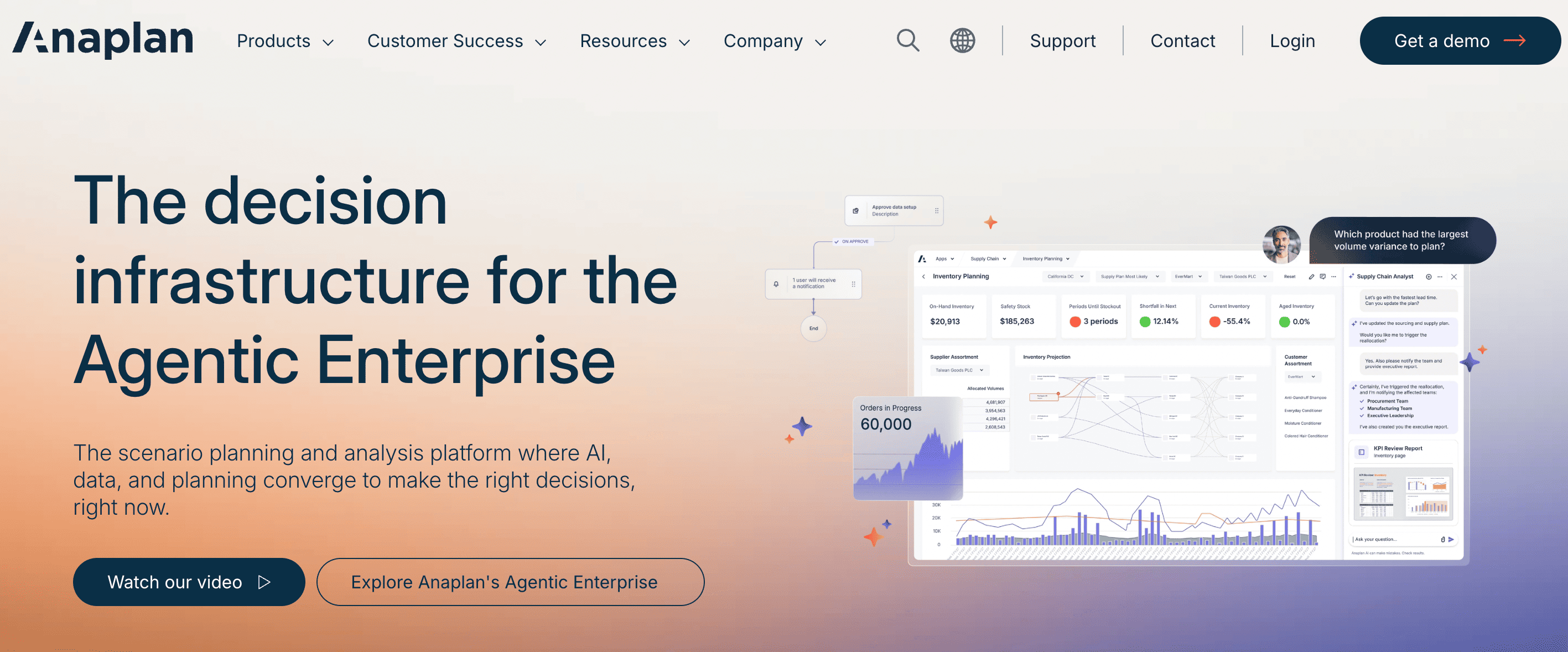
Anaplan is an enterprise-grade connected planning platform spanning finance, sales, supply chain, and workforce planning, built on a proprietary calculation engine (Hyperblock) for large-scale, cross-functional models.
Best for: Large enterprises that need planning to be connected across multiple business functions simultaneously (not just finance).
Pros: Handles intricate, large-scale models that would collapse in a spreadsheet. Strong cross-functional reach for enterprise-wide planning programs.
Cons: This is one of the more complex platforms on the market. Many implementations rely on certified specialists, and the total cost can be substantial. If you’re only looking for budgeting and forecasting, it’s probably more software than you need.
Pricing: Quote-only. Commonly cited ranges start at $30,000–$50,000+ per year.
6. Mosaic (Acquired by HiBob)

Mosaic (acquired by HiBob in 2025) is a strategic finance platform combining operational and financial data for real-time reporting, budgeting and forecasting, and planning, particularly popular with SaaS and venture-backed companies.
Best for: Finance teams at growth-stage SaaS companies that want SaaS metrics built into their planning process, along with budgeting, forecasting, and dashboards that are ready to share with leadership and investors.
Pros: Strong visual reporting. Built-in SaaS metric templates accelerate time-to-insight.
Cons: Less suited to non-SaaS industries or companies with deep multi-entity consolidation requirements. Not Excel-native.
Pricing: Contact for a quote.
7. Jirav
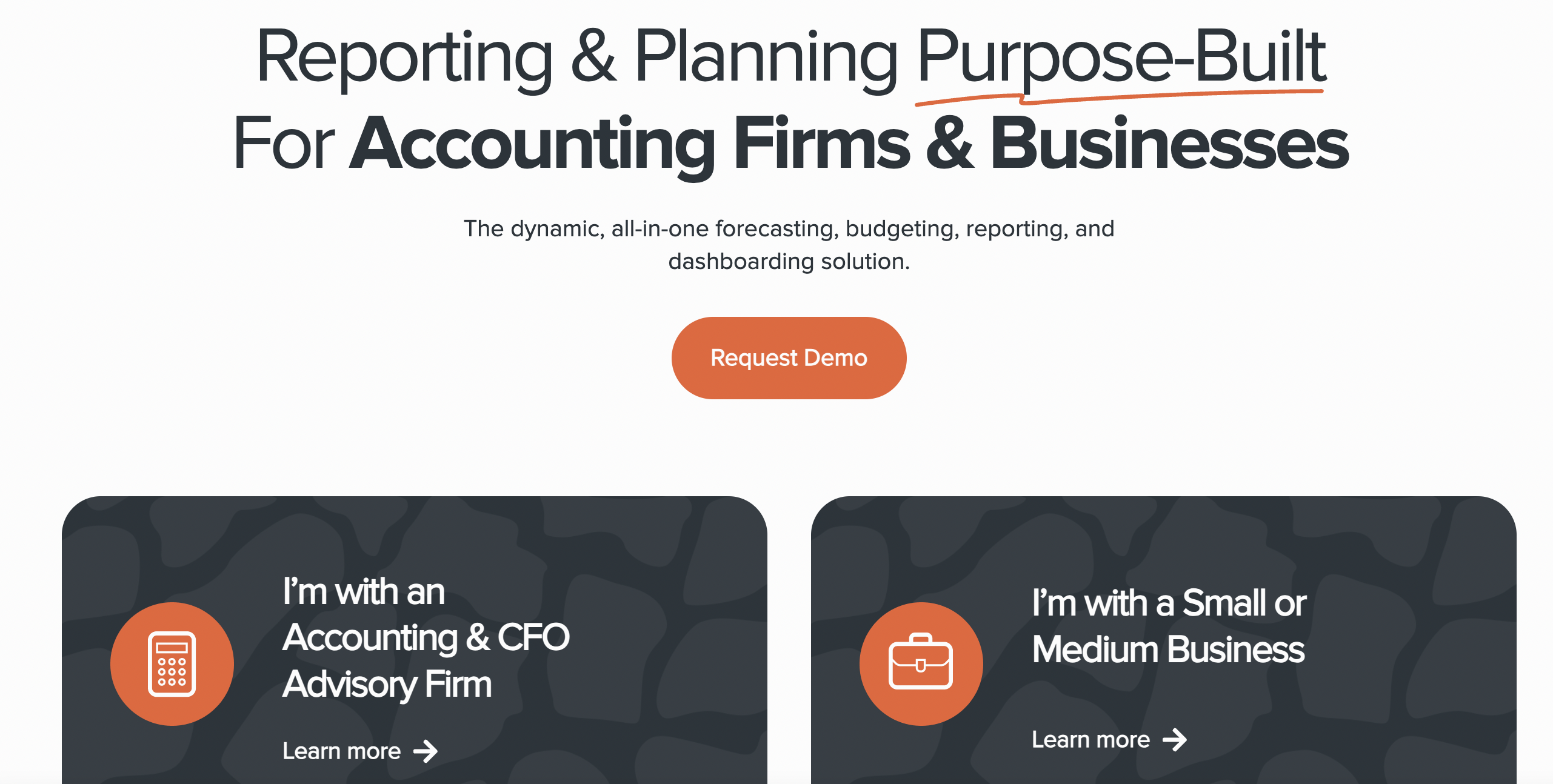
Jirav is a reporting and planning platform for budgeting, forecasting, and scenario planning. The platform was largely designed for outsourced/advisory accounting firms and small- to mid-sized businesses.
Best for: Businesses that handle planning and forecasting for several clients at once, along with smaller in-house finance teams.
Pros: The ready-made templates get you working faster, and updating forecasts is much less repetitive than managing everything in Excel.
Cons: Steeper learning curve than some alternatives. Limited visualization variety. Pricing scales quickly for larger teams.
Pricing: Published tiers starting around $50/month (Controller Essentials) and $150/month (CFO Enterprise).
8. BILL

BILL (which acquired Finmark in 2022) is a financial modeling software for small business and startup finance teams. It connects to accounting, payroll, billing, and payment systems and focuses on the metrics that matter most at the startup stage: runway, burn rate, and fundraising scenarios.
Best for: Founders who are still managing their financial models in spreadsheets but want something with a little more structure.
Pros: The interface isn’t intimidating, even if you’ve never worked with FP&A software before. It’s particularly useful for modeling cash runway and seeing how different funding decisions could play out.
Cons: It’s built for startups, so companies with more complex finance operations will probably outgrow it before long.
Pricing: Entry-level plans start around $50 per month, with custom pricing for larger customers.
9. Quantrix

Quantrix focuses on building sophisticated financial models rather than replacing your planning process. It lets organizations organize calculations across multiple dimensions without relying on enormous spreadsheets.
Best for: Businesses with highly detailed modeling requirements.
Pros: Powerful calculation engine and solid controls over who can edit or view different parts of a model.
Cons: More technical than most FP&A tools, with fewer built-in reporting features. It also takes longer to learn than many competing products.
Pricing: Desktop pricing reportedly starts at around $2,600 annually. Contact the company for Cloud or Enterprise pricing.
10. Microsoft Excel and Google Sheets: The Honest Baseline
No list of best financial modeling software should skip Excel. Every other tool on this list is built around, on top of, or in reaction to it.
Excel and Google Sheets are genuinely sufficient for very early-stage or simple single-entity modeling needs. The 94% spreadsheet error rate across this industry isn’t a call to stop using Excel, but rather an argument to stop using it for things it was never designed to do.
Among them: multi-entity consolidation across dozens of source systems, version-controlled collaboration across teams, and audit-ready financial reporting that regulators can trace.
The actual triggers for needing dedicated financial modeling software: consolidating data from multiple entities or systems manually every month; version-control failures that cause errors in models that reach leadership; a process driven primarily by data-collection time; audit or compliance requirements that demand a traceable record of model changes. If none of those apply yet, stay in Excel.
When they do, the question of how to choose the right FP&A software becomes the right next step, so let’s move on to that.
Best Financial Modeling Software at a Glance: Comparison Table
This table summarizes the best financial modeling software options covered in this article. Use it to narrow your shortlist before requesting demos.
| Datarails | Excel-native mid-market, enterprise & multi-entity FP&A | Deep (native) | Reporting, Planning & Strategy Agents; Insights; Storyboards | Quote-based (tiered) | Demo |
| Cube | Google Sheets + Excel flexibility | Yes + Sheets | AI assistant (Slack/Teams) | ~$30,000/yr | No |
| Vena Solutions | Large orgs: Excel + strict governance | Yes | Limited | Quote-based | No |
| Planful | Mid-market to enterprise: close + planning | Partial | AI Analyst; Signals anomaly detection | Quote-based | No |
| Anaplan | Enterprise cross-functional planning | No | Connected Planning AI | $30K–$50K+/yr | No |
| Mosaic/HiBob | Growth-stage SaaS companies | No | Automated insights & dashboards | Quote-based | No |
| Jirav | SMBs & advisory CFO firms | Partial | Rolling forecast automation | ~$50/mo | No |
| BILL | Startups: burn, runway & fundraising | No | Guided scenario modeling | ~$50/mo | Yes |
| Quantrix | Multi-dimensional model builders | No | Limited | ~$2,600/yr | Yes |
| Excel/Google Sheets | Early-stage or simple single-entity | Native | Copilot/Duet AI | Microsoft 365/free | N/A |
See why finance teams use Datarails to model, forecast, and report, all without leaving Excel.
Which Financial Modeling Software Is Best for Your Company Stage?
You might be hard pressed to find another map that clearly ties company stage to tool recommendation with specific reasoning. So, we’ve created it! Use it to pre-qualify your shortlist before spending time on demos.
| Pre-seed / early-stage startup | BILL or Excel/Google Sheets | Modeling needs are simple; speed and founder-friendliness matter more than consolidation features |
| Growth-stage SaaS / venture-backed | HiBob or Jirav | SaaS-specific metrics (ARR, CAC, cohort data) and stakeholder-ready reporting without enterprise overhead |
| Mid-market to enterprise, Excel-native, single or multi-entity | Datarails | Keeps Excel as the modeling surface at any scale; automates consolidation, reporting, and planning around it, with 600+ integrations, FinanceOS AI connector, and Datarails AI supporting both mid-market and enterprise finance teams |
| Mid-market, needs Google Sheets too | Cube | Spreadsheet-native across both Excel and Google Sheets with a centralized planning layer |
| Larger Excel-dependent org needing governance | Vena Solutions | Deep Microsoft 365 integration with strict audit trails and multi-department workflow governance |
| Enterprise, cross-functional planning | Anaplan | Handles complex models spanning finance, sales, supply chain, and workforce planning |
| Multi-dimensional model building | Quantrix | Multi-dimensional calculation engine for linked models across entity, product, region, and scenario |
See customer success stories from companies that made this evaluation and chose Datarails.
Conclusion
There’s no single best financial modeling software; it’s the best fit for a given team’s stage, data complexity, and tool preferences. A seed-stage founder needs BILL or a clean spreadsheet. A growth-stage SaaS company likely needs Mosaic/HiBob. An enterprise spanning multiple business functions needs Anaplan.
For the largest segment of teams reading this article (FP&A managers and CFOs at mid-market companies and enterprises, who often manage multiple entities, have built their models in Excel, and aren’t looking to throw that work away, Datarails is the strongest fit.
Datarails accomplishes a number of goals.
Among them, the platform:
- Extends Excel rather than replacing
- Automates the data consolidation that consumes half of every FP&A team’s week
- Brings Datarails AI (Reporting Agent, Planning Agent, Strategy Agent, Insights, and Storyboards) to teams that would otherwise wait months for those capabilities
600+ integrations. Excel-native. Purpose-built for finance. Deploy the platform in weeks, not months.
See why finance teams use Datarails to model, forecast, and report, all without leaving Excel.
Financial Modeling Software FAQs
– For most mid-market finance teams, especially those managing multiple entities in Excel, Datarails is the best financial modeling software in 2026. It combines an Excel-native architecture, 600+ integrations, FinanceOS, and Datarails AI.
– For startups, BILL is a stronger fit. For SaaS-specific metrics, HiBob.
– For teams needing Google Sheets alongside Excel, Cube.
See the comparison table in the article above for a full breakdown by use case.
Financial modeling software is designed for building and maintaining financial models. It focuses on tasks like scenario planning, driver-based forecasting, and consolidating data across multiple entities. FP&A software covers those capabilities too, but also includes budgeting, reporting, financial close, and other parts of the planning process.
Most modern FP&A platforms include financial modeling capabilities, but the reverse is not always true. When people search “best financial modeling software,” they’re usually looking for a platform that covers both.
Excel is sufficient for straightforward single-entity modeling.
The triggers for needing dedicated Excel financial modeling software layered on top:
– Consolidating data from multiple entities or systems manually every month
– Version control failures causing real errors
– A close process dominated by data collection time
– Audit requirements demanding a traceable record of model changes
If none of those apply yet, stay in Excel. When they do, a platform like Datarails that extends Excel (rather than replacing it) is the logical next step.
For most startups, the decision is fairly simple. BILL offers guided planning for runway and fundraising, while Google Sheets is often all that’s needed for basic forecasting. Growing SaaS companies typically look at HiBob or Jirav once SaaS metrics become more important. Datarails is better suited to mid-market companies and enterprises that need stronger consolidation and integration capabilities.
The best financial modeling software for Excel users is Datarails. The platform is architecturally Excel-native, meaning all modeling, forecasting, and reporting happens inside Excel, with Datarails handling the data layer and AI analysis behind the scenes. Vena Solutions and Cube are also connected to Excel. Cube adds Google Sheets support; Vena adds workflow governance.
The choice depends on whether your priority is deep integration (Datarails), governance (Vena), or spreadsheet flexibility across platforms (Cube).
BILL starts around $50/month. Jirav publishes entry tiers in a similar range. Cube starts around $30,000/year for Enterprise plans. Datarails, Vena, Planful, HiBob, and Anaplan are quote-based. As such, pricing is customized to team size, integration requirements, and the specific modules required. These costs are also subject to change.
For all enterprise-tier platforms, total cost should include implementation and onboarding time AND license fees (this is where costs diverge most considerably between vendors).
Google Sheets is free, and Excel requires a Microsoft 365 subscription. Most financial analysis software is subscription-based, although BILL and Quantrix both offer trial periods for new users.
By the time you’re shopping for mid-market or enterprise software, you’re looking at paid platforms. Pricing generally depends on the scope of the implementation and the capabilities you need.
AI financial modeling software takes care of many of the repetitive tasks that used to fill an analyst’s day. Instead of digging through spreadsheets to explain a variance or building a new scenario from scratch, teams can ask a question and get an answer in seconds. Some platforms can even turn financial results into presentation-ready summaries.
Datarails AI includes the Reporting Agent, Planning Agent, Strategy Agent, Insights, and Storyboards. Together, they help finance teams spend less time gathering information and more time deciding what to do with it.
The eight criteria that matter most when comparing financial modeling tools:
1. Whether non-technical analysts can build driver-based models without consultant support
2. Whether scenario and what-if analysis is native
3. SOC 2 certification and role-based access on sensitive models
4. The ability to customize model logic
5. Version control on live models
6. Depth of integrations with your ERP, CRM, and HRIS
7. Implementation speed measured in weeks (rather than months)
8. Whether the tool scales from single-entity to multi-entity without a re-platform
Datarails leads on integration breadth with 600+ accounting, ERP, CRM, bank, and HRIS integrations, the highest verified count in this category. Vena and Planful also offer broad ERP integration, but at lower verified counts.
Explore financial analysis software, business budgeting software, and financial dashboard software to continue building your finance tech stack.