Click for Takeaways: Excel Budget Templates
- Excel still runs finance: 58% of finance leaders name spreadsheets as their primary automation tool, even as AI and dedicated platforms grow
- FP&A careers demand it: Over 76% of U.S. FP&A job listings require advanced Excel skills, and 9 out of 10 top U.S. companies by market cap still seek candidates with spreadsheet proficiency
- Gen Z isn’t walking away from Excel: 54% of Gen Z finance employees say they “love” Excel, outpacing older colleagues at 39%
- Templates are the starting point, not the ceiling: A good Excel budget template gives your team structure fast, but growing businesses eventually need something more scalable underneath
Excel budget templates have been a cornerstone of business for decades. From a small business budget template to an annual budget template or a departmental breakdown, they’re the foundation of financial planning.
Below, you’ll find 10 free Excel budget templates built for real business use, from balance sheets and cash flow statements to startup budgets and departmental breakdowns. Each one is free to download, ready to customize, and designed for the way finance teams actually work.
What Is an Excel Budget Template, and Why Do Businesses Still Use Them in 2026?
An Excel budget template is a pre-built spreadsheet that gives businesses a ready-made structure for planning income, expenses, and financial targets. Instead of building a budget from a blank workbook, you start with a framework that already has the right categories, formulas, and layout in place. That staying power shows up in the data, too: Rossum’s Document Automation Trends 2025 report found that 58% of finance leaders still name spreadsheets their most-used automation tool, even with AI and purpose-built platforms available.
Finance teams keep coming back to them for a simple reason: they work. Excel is free (or already paid for), familiar to almost everyone in finance, and flexible enough to handle anything from a first-year startup budget to a multi-department operating plan.
The job market reflects that. In fact, over 76% of U.S. FP&A job listings require advanced Excel skills, according to a CFO Dive analysis of 500 open positions. Nine out of 10 top U.S. companies by market cap still list spreadsheet proficiency as a requirement for financial analysis roles.
And the generational shift that was supposed to push Excel aside? It hasn’t happened. A Datarails survey of 212 finance professionals found that 54% of Gen Z finance professionals say they “love” Excel, a higher percentage than among their older colleagues. Younger workers are spending more daily hours in spreadsheets than any other age group.
Excel budget templates aren’t a stopgap. For most small and mid-market finance teams, they’re the foundation of Excel budgeting and forecasting. The real question is which one fits your business, and when you’ve outgrown them.
What Is the Best Excel Budget Template for a Small Business?
It depends on where your business is and how your team is structured.
If you’re running an established small business with steady revenue and predictable costs, a small business budget template is the best starting point. It covers income, fixed and variable expenses, and monthly tracking in one workbook.
If you’re pre-revenue or in your first year, a startup budget template is a better fit. It focuses on burn rate, runway, and initial cost planning rather than historical comparisons you don’t have yet.
If your company has grown into multiple cost centers or departments that each own a piece of the budget, a departmental budget template lets each team build its own numbers while rolling everything into a single consolidated view.
All three are available as free downloads below.
Types of Excel Budget Templates
Not every budget template for business does the same job. The right one depends on what you’re tracking and how far along your company is.
Financial Statement Templates
These cover the three core reports every business needs: a balance sheet, a profit and loss statement, and a cash flow statement. They’re built for reporting and analysis, not forward-looking planning.
Ratio and Analysis Templates
Financial ratios and working capital templates help you evaluate performance against benchmarks. They’re most useful alongside your financial statements, not as standalone planning tools.
Budget-by-Scope Templates
This is where most readers will land. A small business budget template, an annual budget template, a departmental budget template, or a startup budget template each frames the budget around a different business size, stage, or structure. An operating budget template Excel workbook typically falls here, too.
Operational Templates
Month-end close checklists and working capital trackers sit closer to execution than planning. They help finance teams manage recurring processes rather than build forward-looking budgets.
10 Free Excel Budget Templates for Business Planning
The 10 templates below span all four categories, so you can pick the ones that match where your business is right now.
1. Balance Sheet Template
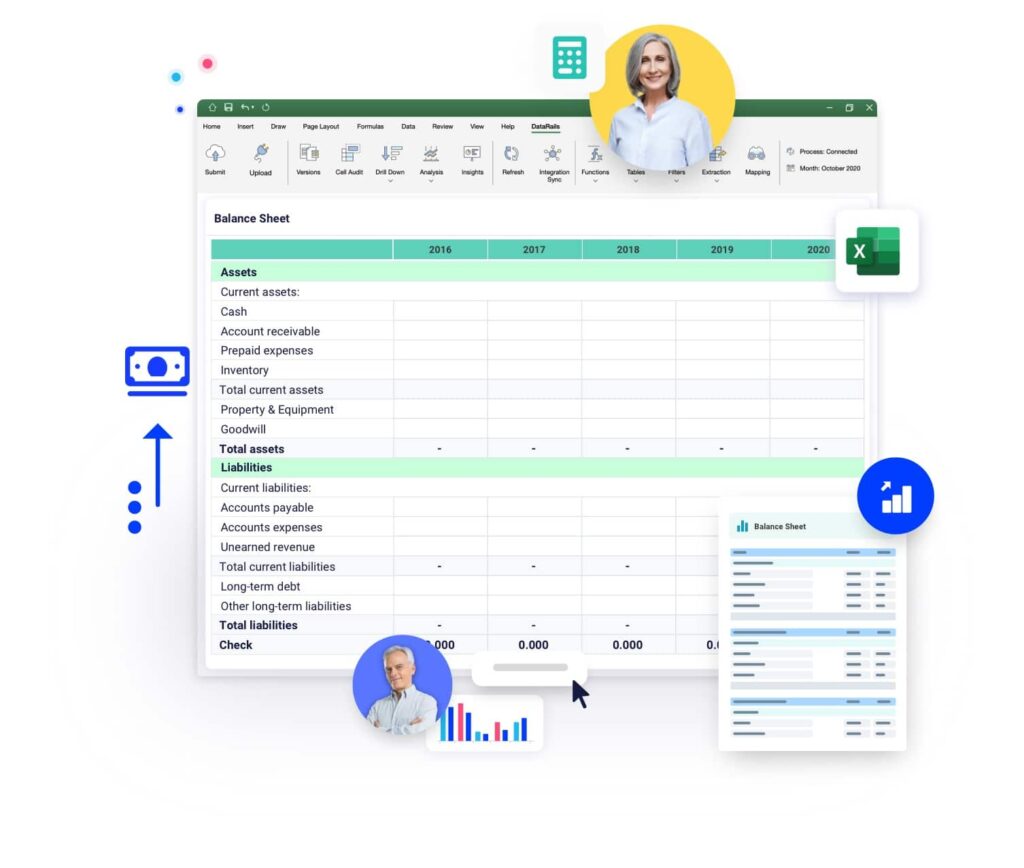
A balance sheet summarizes your company’s assets, liabilities, and shareholders’ equity at a specific point in time. It’s one of the three core financial statements every business needs.
- When to use it: End of a reporting period when you need a snapshot of what your company owns and owes.
- What it includes: Pre-built categories for current and fixed assets, short-term and long-term liabilities, and equity. Formulas calculate totals automatically.
- Best for: Small and mid-market businesses that need a clean, standardized balance sheet for internal reporting or board presentations.
- Format: Excel
2. Profit and Loss Statement Template
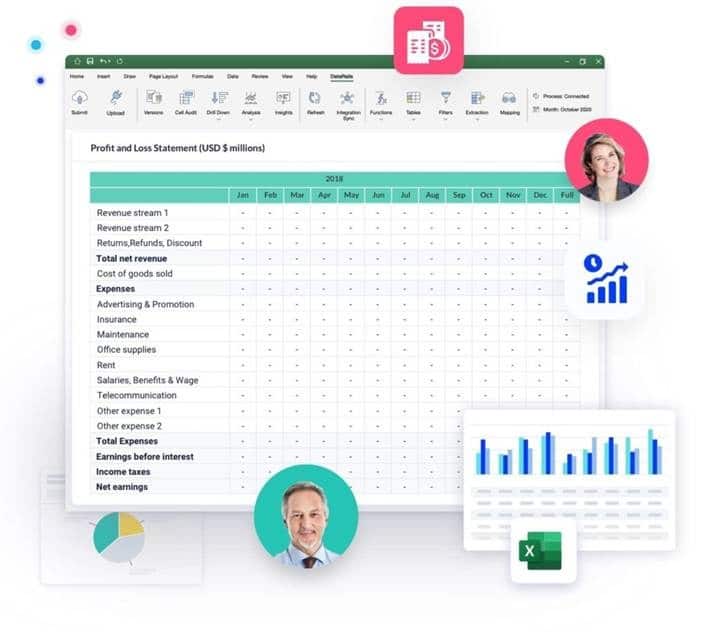
A profit and loss statement (also called an income statement) tracks your company’s revenue, costs, and expenses over a set period. It shows whether the business is making or losing money.
- When to use it: Monthly, quarterly, or annually to measure profitability and compare performance across periods.
- What it includes: Revenue categories, cost of goods sold, operating expenses, and net income calculations. Covers both actual and projected figures.
- Best for: Any business that needs a structured way to track income and expenses without building a P&L from scratch.
- Format: Excel
3. Cash Flow Statement Template
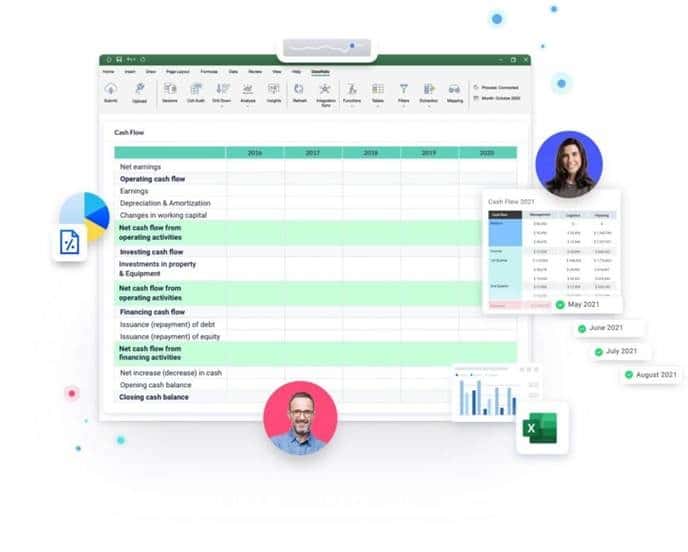
A cash flow statement tracks how money moves in and out of your business across operating, investing, and financing activities. Alongside the balance sheet and income statement, it’s a required component of your financial reports.
- When to use it: Monthly or quarterly to monitor liquidity, especially if your business has variable payment terms or seasonal revenue.
- What it includes: Sections for cash from operations, investing activities, and financing activities. Formulas calculate net cash flow for each period.
- Best for: Businesses that need to understand timing gaps between revenue recognition and actual cash collection.
- Format: Excel
4. Financial Ratios Template
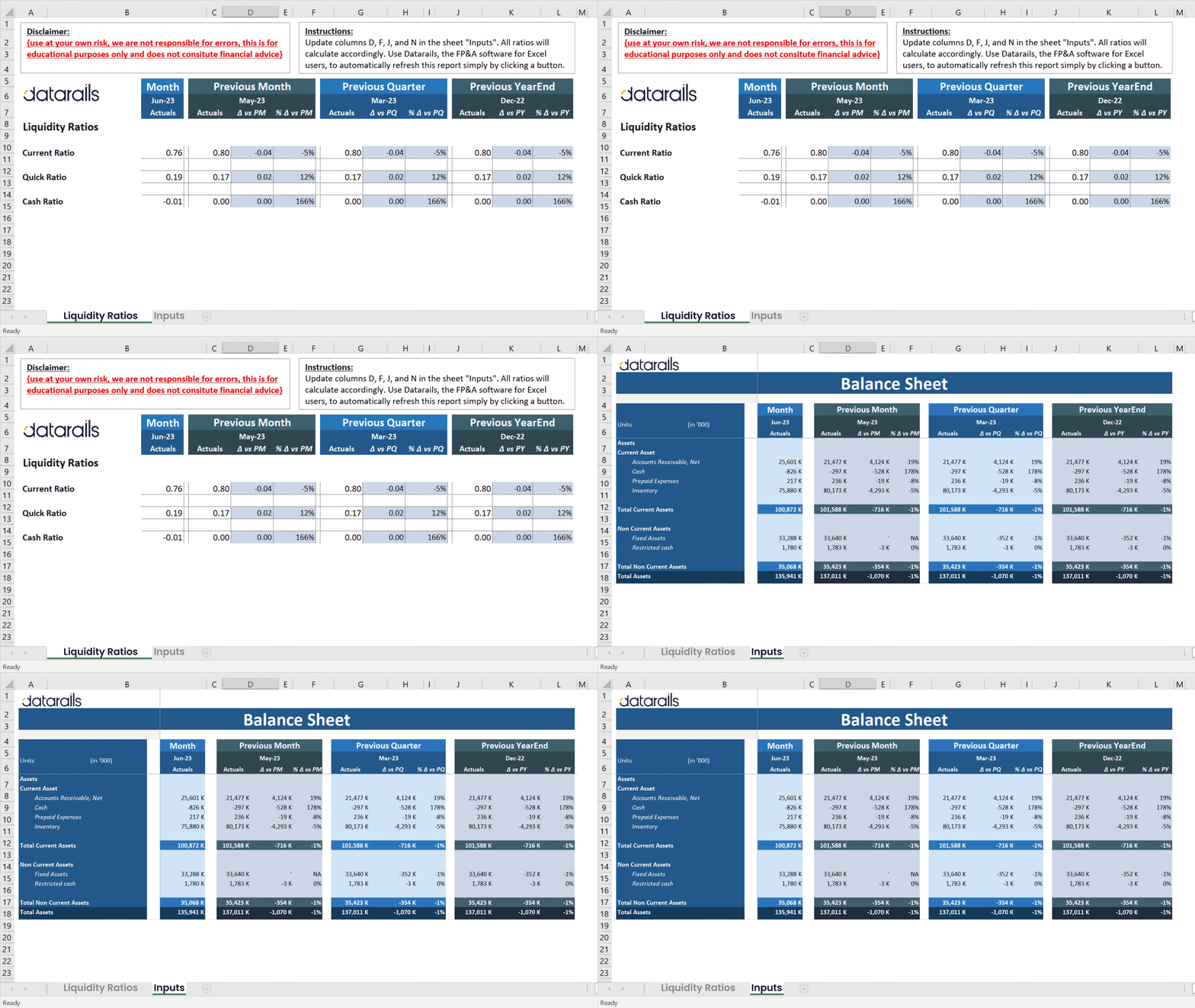
Financial ratios give you a fast read on your company’s performance, profitability, and financial health. This template is a 5-in-1 workbook that calculates the most important ratio categories in one place.
- When to use it: Alongside your financial statements when you need a quick, structured health check on the business.
- What it includes:
- Liquidity ratios: Measure working capital and your ability to meet short-term obligations
- Leverage ratios: Show how much debt your company carries
- Efficiency ratios: Track how well you convert working capital into sales
- Profitability ratios: Measure how effectively you generate profit from available resources
- Market value ratios: Assess how valuable your company is relative to its financials
- Best for: Finance teams and analysts who want a consolidated view of financial health without building ratio formulas manually.
- Format: Excel
5. Small Business Budget Template
A small business budget template gives growing companies a single workbook for tracking monthly income, fixed costs, variable expenses, and budget-to-actual comparisons. It’s built for businesses that have moved past the startup phase and need a structured way to plan and monitor spending.
- When to use it: When your business has steady revenue and recurring expenses, and you need a monthly and annual view in one place.
- What it includes: Monthly income and expense tracking, annual rollup, budget-vs-actual variance calculations, and an overview sheet for quick performance checks.
- Best for: Small businesses with 10–50 employees and predictable cost structures that need a clean, repeatable budgeting process.
- Format: Excel
6. Annual Operating Budget Template
An annual budget template consolidates your full-year revenue plan, operating expenses, and departmental allocations into a single workbook. It replaces the need for separate monthly and annual budget files.
- When to use it: During annual planning season when you need to set targets, allocate resources across the business, and track performance month over month.
- What it includes: 12-month revenue and expense sections, category breakdowns for services and goods, cost of goods sold calculations, and gross profit tracking. Separate worksheets for different business models (service vs. product).
- Best for: Small and mid-market companies with $5M–$100M in revenue that run a formal annual budget cycle.
- Format: Excel
7. Departmental Budget Template
A departmental budget template lets each team or cost center build its own budget within a shared structure, then rolls everything up into a consolidated company view. It solves the problem of managing multiple budget inputs without losing visibility at the top.
- When to use it: When your company has grown to the point where two or more departments (sales, marketing, engineering, operations) each own a piece of the budget and need their own input layer.
- What it includes: Separate input tabs per department, a consolidated summary sheet, headcount and salary tracking, and variance calculations across departments.
- Best for: Mid-market companies with multiple cost centers that need a structured way to collect, review, and consolidate departmental budgets without emailing spreadsheets back and forth.
- Format: Excel
8. Startup Budget Template
A startup budget template is designed for pre-revenue or early-stage companies that need to plan expenses, track burn rate, and forecast runway before historical data exists. Most business budget templates assume you have prior-year actuals to compare against. This one doesn’t.
- When to use it: When you’re building a first-year budget, preparing financial projections for investors, or planning initial headcount and operating costs before revenue starts.
- What it includes: Monthly expense projections, funding and runway calculations, burn rate tracking, and space for one-time startup costs (legal, equipment, software). No prior-year actuals required.
- Best for: Founders and early-stage finance leads at pre-seed through Series A companies who need a clear financial plan without the complexity of a full operating budget template Excel workbook.
- Format: Excel
9. Working Capital Template
A working capital template calculates the difference between your current assets and current liabilities, giving you a quick read on short-term financial health and operational liquidity.
- When to use it: Alongside your balance sheet when you need to assess whether your business can cover its short-term obligations and fund day-to-day operations.
- What it includes: Input fields for current assets (cash, receivables, inventory) and current liabilities (payables, short-term debt), with automatic working capital and current ratio calculations.
- Best for: Finance teams that need a fast, repeatable way to monitor liquidity without building formulas from scratch.
- Format: Excel
10. Month-End Close Checklist
A month-end close checklist isn’t a budget template in the traditional sense, but it’s the process that makes sure your budget data is actually accurate. It organizes every task in the close process by status, priority, and due date.
- When to use it: Every month when your finance team runs the close. Most useful for teams that currently manage the process through email threads or ad hoc task lists.
- What it includes: Task tracking by category (reconciliations, journal entries, accruals, review steps), status and priority columns, due date fields, and owner assignments.
- Best for: Finance teams of 2–10 people at small and mid-market companies who want a structured, repeatable close process without buying dedicated close management software.
- Format: Excel
When Does an Excel Budget Template Stop Being Enough?
Excel budget templates work well when one or two people own the budget, the business runs a single entity, and actuals come from a single source. But growing companies hit a point where the spreadsheet itself becomes the bottleneck.
Here’s what that usually looks like in practice.
- Multiple people editing the same workbook: Two department heads update the same file, one overwrites the other’s changes, and nobody knows which version is current. Email chains with “Budget_v3_FINAL_updated_JM.xlsx” attached start piling up.
- No single source of truth across entities: Once a second entity, location, or subsidiary enters the picture, consolidating two separate budget workbooks into one reliable view takes manual effort every single time.
- Budget-to-actuals comparisons that require manual data pulls: If your team copies and pastes actuals from the ERP into the budget spreadsheet every month, the risk of error grows with every cycle. And the time spent reconciling grows with it.
- Formulas that break when the business changes: Adding a new cost center, restructuring a department, or changing the chart of accounts can break formulas that were built for last year’s structure. Fixing them takes time your team doesn’t have during close.
These are signs your team has outgrown the template, not Excel itself. The next step is pairing Excel with a platform that handles the consolidation, version control, and data integration underneath.
If you’re at that point, the Budgeting and Forecasting in Excel guide walks through how to structure that transition. And if you’re evaluating budgeting software specifically, that comparison covers the major platforms side by side.
Build Your Budget in Excel. Let Datarails Handle Everything Underneath
Datarails FP&A plugs into your existing workbooks and automates consolidation, version control, and reporting without any migrations, retraining, or six-month implementations.
[Request a Demo Today]
Excel Budget Template FAQs
An Excel budget template is a pre-built spreadsheet with the structure, categories, and formulas you need to plan and track a business budget. Instead of starting from a blank workbook, you fill in your own numbers and the template handles the calculations. Templates exist for everything from basic income-and-expense tracking to multi-department operating budgets.
The most common types include financial statement templates (balance sheet, P&L, cash flow), financial analysis templates (ratios, working capital), and planning templates (annual budget, departmental budget, startup budget, and small business budget). The right one depends on your company’s size, stage, and what you’re trying to track.
For basic forecasting, yes. You can build forward-looking projections using historical data and assumptions in any well-structured Excel budget template. But forecasting accuracy drops as data volume and business complexity increase. Teams managing rolling forecasts, multiple scenarios, or multi-entity consolidation typically need a dedicated platform alongside Excel rather than a template alone.
Templates rely on manual updates, manual data entry, and manual version control. That’s fine when one person owns the process. But once multiple contributors, entities, or data sources are involved, the risk of errors and wasted time increases significantly. There’s no built-in audit trail, no automated data refresh from your ERP, and no easy way to manage approvals across a team.
The clearest signs: your close cycle takes longer than a week because of manual actuals transfers, more than two people regularly edit the same budget file, you manage multiple entities or departments with separate workbooks, or your formulas break every time the business structure changes. These are signals that you need better infrastructure under your existing Excel workflows, not a replacement for Excel itself.
In most cases, yes. Google Sheets can open .xlsx files directly, and basic formulas and formatting will carry over. More complex features (macros, VBA, advanced conditional formatting) may not transfer cleanly. If you work primarily in Google Sheets, check whether the template uses any Excel-specific features before relying on it for production budgeting.
A small business budget template assumes you have revenue history, recurring expenses, and prior-year data to compare against. It’s built for tracking and variance analysis.
A startup budget template assumes you don’t have that history yet. It focuses on projecting initial costs, estimating burn rate, and calculating runway. If you’re pre-revenue or in your first operating year, start with the startup template. If you have at least one full year of actuals, the small business template is a better fit.